not sure if this is a dead topic, but wanted to express my gratitude to yorlando (i think that was his/her name)! my dad works for nestle and for FIVE years (that's how long he's had his current laptop) has not had working wireless. FIVE YEARS of a billion dollar company and their tech support not being able to fix what yorlando's fix did in 2 minutes. amazing. doesn't speak very highly of nestle's internal tech support, but many thank you's as he was content being wired (he never brings the computer anywhere anyway), but this will definitely give him some added freedom (and it makes me look really smart too ) thank you thank you thank you!
Thank you Dave for registering and for your comments.
It was jorlando who posted up in this forum the fix..and it sure seems to have helped many folks so far
Regards
paws
I am having the same problem, and i have read this whole thread and tried all the fixes and still no luck, maybe someone has an idea that i can try??
I have an older Toshiba Satellite
Atheros AR5005g Wireless adapter
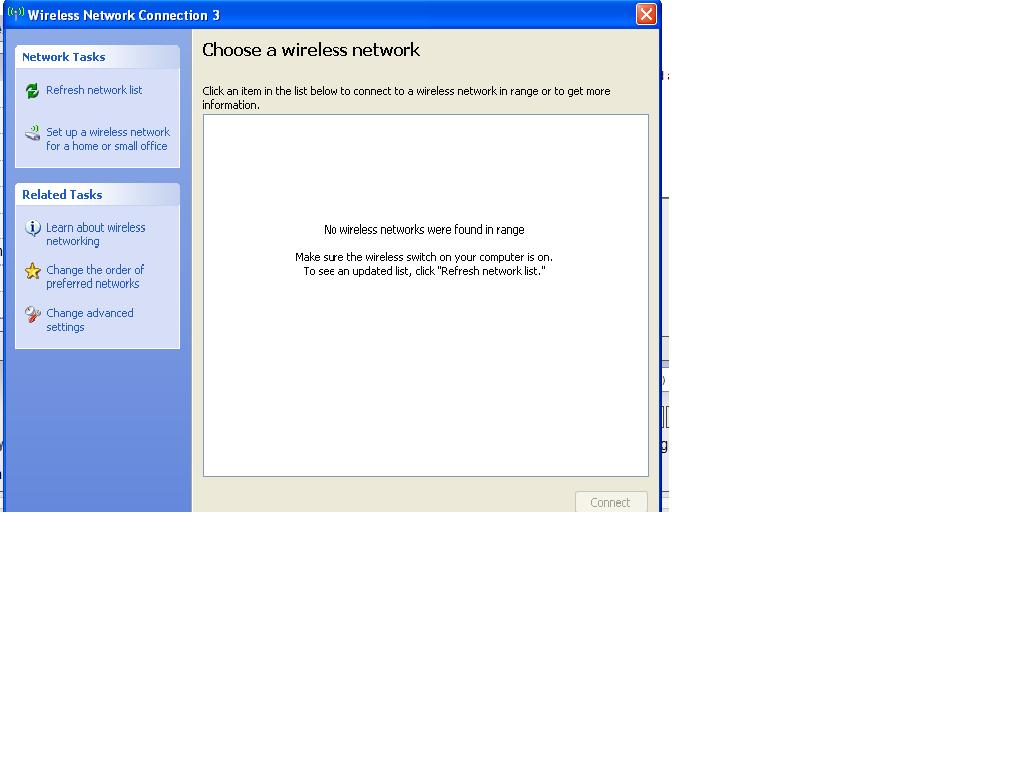
When i boot up it shows "No networks in range", which is false since ihave 2 in my own house.
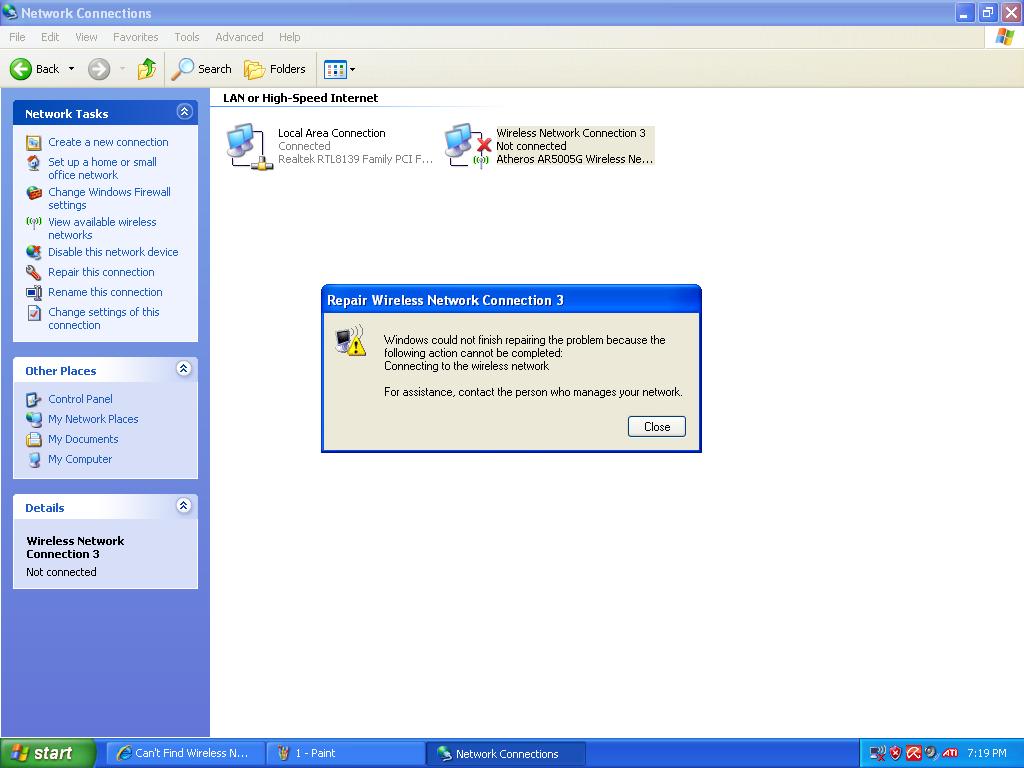
When i try nd do a repair it "does not connect the wireless network"
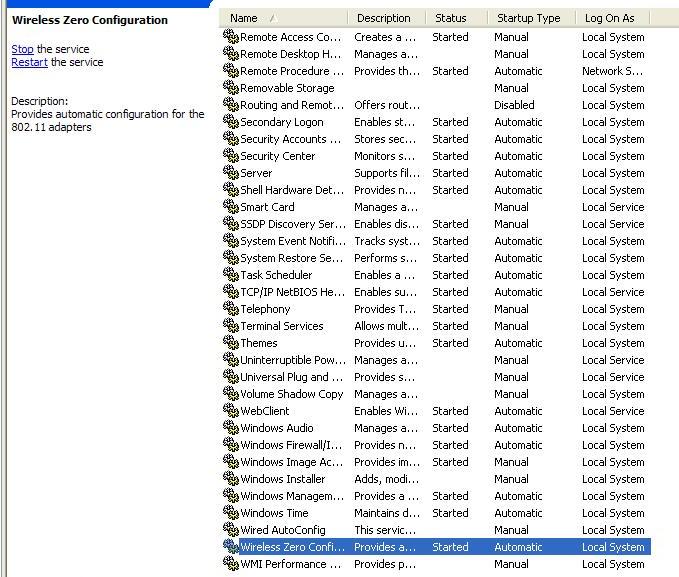
I tried yorlando's fixt which seems to have helped many but it does ot apply to me as my Wireless Zero is on and automatic already. I stoppped and started it again just to try and nothing. I can connect wired but i cannot see any wireless at all.
I also tried reinstalling the drivers, reinstalling the whole computer, etc.. and still nothing
anyone have any other ideas?
Hi vismag,
1 When responding to Tomk's post please also check again the full fix supplied by jorlando
2 You seem to have checked out the Zero config, but did you also do the eventlog fix? this must be set to "started" and "Automatic"
3 When you have finished this please try a USB network adapter (install the drivers first, before plugging it in…)is your computer able to see this one in "Device Manager" and can you use it?
4 Post back with your responses and one of us will continue with the next steps
Regards
paws
Hello,
Some on said something bout starting up the services and i figure that would help but i cant find the services he told us to start i have been having big problem lately i downloaded a driver and i had to redo almost all of my needed services and apparently i missed some.
I have a custom build so i will list all specs rear needed please help i want wireless again!!!
I just hope this thread isn't dead
Message me for my email for quicker contacting if you want
All help is appreciated
What operating system do you have?
What is the make and model number of your computer?
What services did you look for and where did you look?
For Vista and Windows 7, Wireless Zero is WLAN AutoConfig. Event Log service is Windows Event Log.
Hi Elite Airborn,
Glad you got it fixed…well done
As folks with similar problems may find this topic (via the search engines) can you please provide details of the problem with Win 7 and the fix that you used to cure it…
Thanks
Regards
paws
Yes for all windows 7 users the services are as said previously.
Once again thanks for the help!
nOw only if i could solve verizon wirelesses disconnects with the new carp** pantch modem
DO
Yes for all windows 7 users the services are as said previously.
Once again thanks for the help!
Now only if i could solve verizon wirelesses disconnects with the new crappy pantch modem
DO NOT I REPEAT DO NOT SWITCH TO VERIZON!!!
You've been warned!
✨ Ask AI
AI can make mistakes. Check the cited posts. Archived advice can be out-of-date
Don't include personal information. Questions and selected public posts go to OpenAI. About Ask AI
 ) thank you thank you thank you!


 Message me for my email for quicker contacting if you want
All help is appreciated
Message me for my email for quicker contacting if you want
All help is appreciated
 As folks with similar problems may find this topic (via the search engines) can you please provide details of the problem with Win 7 and the fix that you used to cure it…
Thanks
Regards
paws
As folks with similar problems may find this topic (via the search engines) can you please provide details of the problem with Win 7 and the fix that you used to cure it…
Thanks
Regards
paws