bizarrebob
Topic Starter
Here is what i've bought;
My Final Specs;
ASUS P5QL PRO iP43 Socket 775 8 channel
http://www.komplett.ie/img/p/400/361780.jpg
Intel Core 2 Quad Q6700 2.66GHz Socket 7
(no pic needed for this)
My Case
http://image.ebuyer.com/UK/R0115480-01.jpg
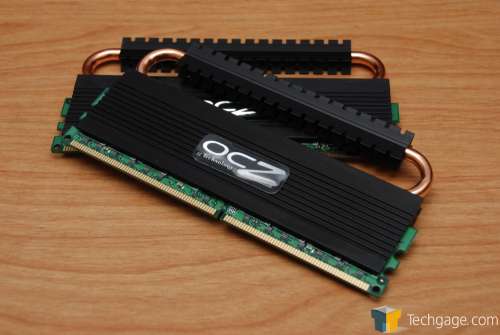
ocz reaper hpc 4gb memory
http://techgage.com/reviews/ocz/reaper_hpc…00_08_thumb.jpg
80mm fan (for the window of the case)
Specs are;
Vista 64-bit
2.66ghz on an Intel Core 2 Quad (Q6700). Might OC to 3.2ghz
2 x 2gb OCZ Reaper memory
then i will be using my old graphics card which is a Zotac 6600
along with my old HDD's
I'm waiting for all the parts to arrive.
I'm currently thinking of buying a 500w PSU. Would that be enough? Or too much?
many thanks
'Bob
My Final Specs;
ASUS P5QL PRO iP43 Socket 775 8 channel
http://www.komplett.ie/img/p/400/361780.jpg
Intel Core 2 Quad Q6700 2.66GHz Socket 7
(no pic needed for this)
My Case
http://image.ebuyer.com/UK/R0115480-01.jpg
ocz reaper hpc 4gb memory
http://techgage.com/reviews/ocz/reaper_hpc…00_08_thumb.jpg
80mm fan (for the window of the case)
Specs are;
Vista 64-bit
2.66ghz on an Intel Core 2 Quad (Q6700). Might OC to 3.2ghz
2 x 2gb OCZ Reaper memory
then i will be using my old graphics card which is a Zotac 6600
along with my old HDD's
I'm waiting for all the parts to arrive.
I'm currently thinking of buying a 500w PSU. Would that be enough? Or too much?
many thanks
'Bob