chkdsk didn't find any problems so nothing different is going to happen.
I was looking at the online Users Guide for your system and I see it has a Recovery Partition. I don't know how much stuff you have on it but you could restore the computer to it's factory new state, like the day you purchased it.
Using the HP Recovery partition (select products only)
If you wanted to do this I hope you have your personal data backed up. If not you can back it up to a flash drive before you use F11 to start the recovery process.
I guess this is all I can do. When I reset back to factory specs, like the day I bought it, will it still have the reboot to factory specs on it again? I have two different 1T external HD for my Mac, will this be a situation where I need the entire space again like on the flash drive, or can I keep my Mac stuff on it too?
See, once I went Mac I left so many issues behind and I have completely gotten out of all this. Since that time, EVERYTHING seems to have changed. All but some things. I really do appreciate all the help

[Solved] Juliet made me post here!
10 min read
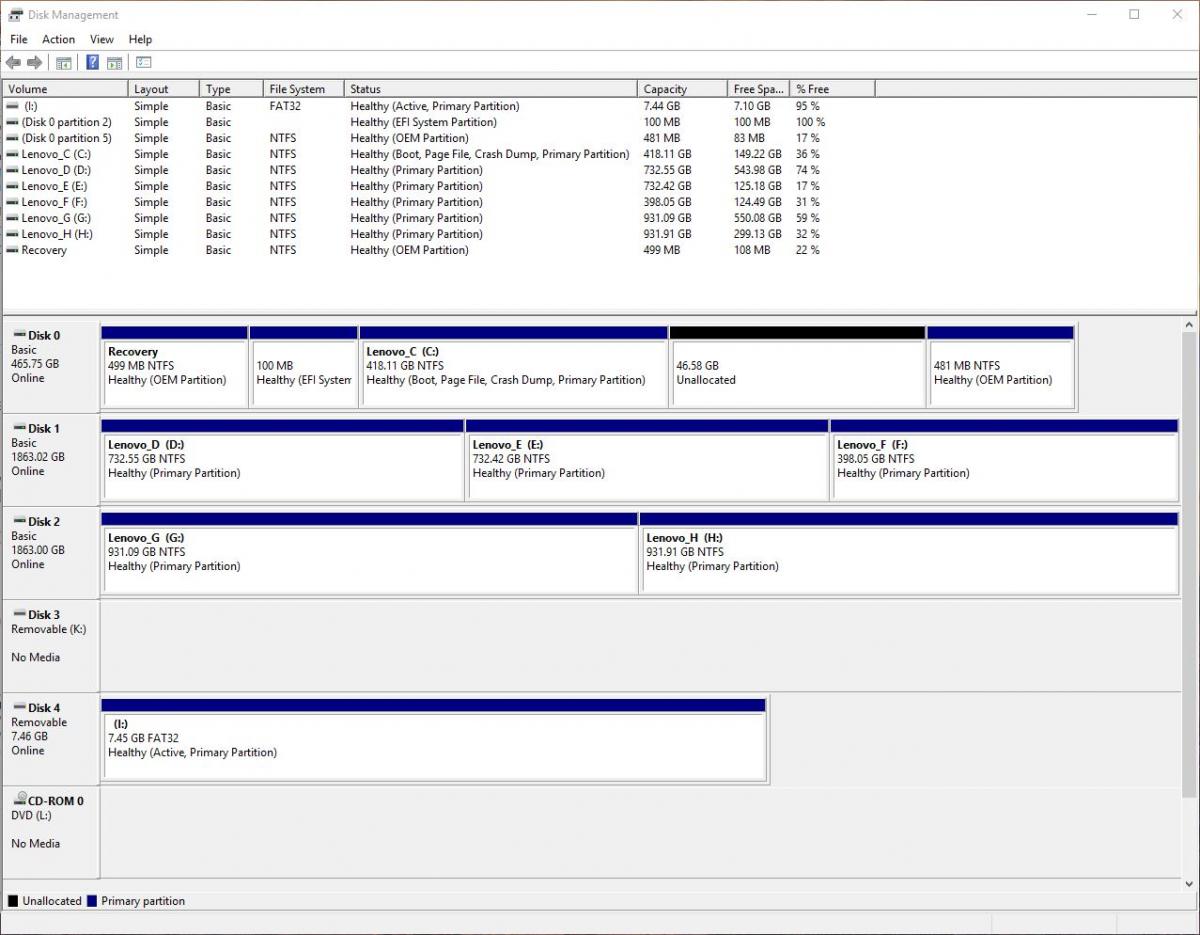
Post a screen capture of your Disk Management window.
Window key+R, type diskmgmt.msc and press Enter.
Make the window full screen.
Expand any column that has data in it so it is all visible.
Should look something like this:
I have a 500GB SSD for boot and two 2TB HDDs for data and backup, split into multiple partitions.
Once you have the image, click on Attach Files below and to the left of the test input area. Locate the image (jpg normally) and select it. Next click on Attach This File and finally place your cursor where you want the file to go then click on Add to Post (next ot the red Delete).
If you have external drives, disconnect them before doing the restore to factory.
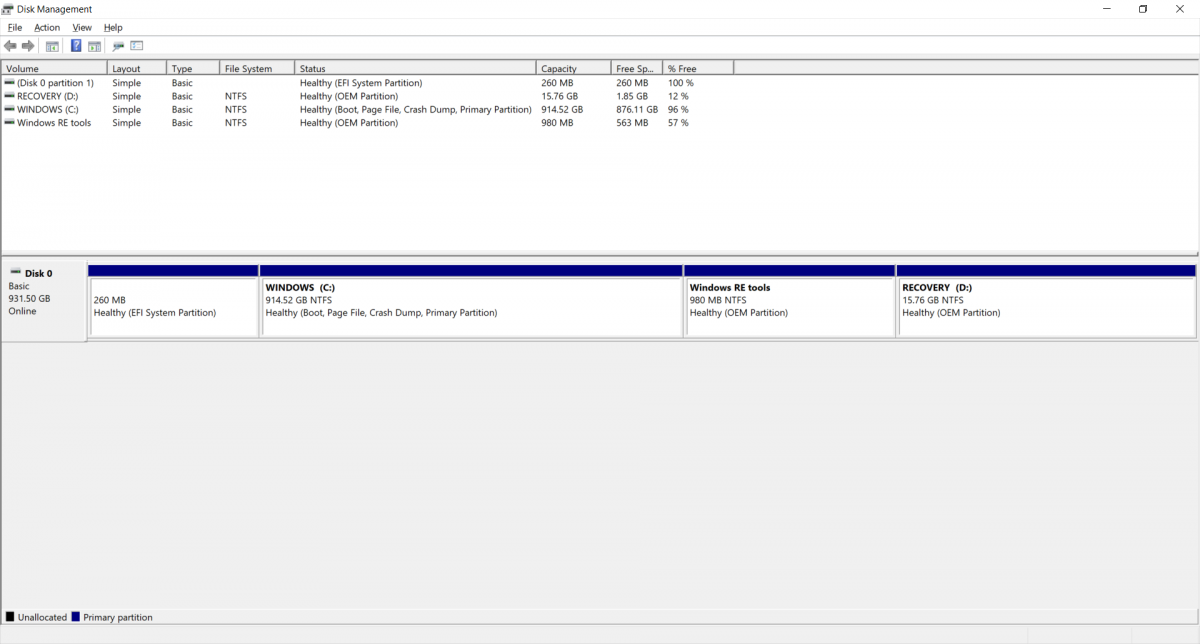
Here's the file, we have already wiped the PC and restored to factory settings.
Windowkey + R wouldn't work at any point prior
Drive looks good, has all the right partitions, including the recovery partition so if you ever need to do that again it should still work.
A suggestion. Start using Macrium Reflect Free or Premium to do image backups of your drive to an external Hard Drive. You can pick up a 1Tb External USB 3.0 HDD for $50 from Amazon.
With Macrium, setup a scheduled backup, say every week, which is what I do. I have mine set to do 1 full and 4 incremental backups.
Macrium manages them so I don't have to worry about it.
Once you have good image backups you will never need to worry about doing a recovery to factory state or losing data. It will all be right there in the backup image. Instead of hours to days of troubleshooting the recovery then updates, reinstall of software, you restore the Macrium backup image and 20 minutes later you're up and running.
If the hard drive dies, put the new one in, restore the image and your up and running in 30 minutes. Makes no sense not to do this.
I have to say that I agree with you. I love the idea of that. I will make sure it gets done as soon as I can. I thank you for the help as well.
If you will please change my to [solved] in the thread. I thought I could still do it but seems those things change too!
Changed to [Solved]. Take care.
Still having this problem?
This topic is from the What the Tech archive and can't take new replies. Geeks to Go is an active, free help community run by volunteers. Post your question there and a person, not a bot, will work through it with you.