Peter1
Topic Starter
Hello
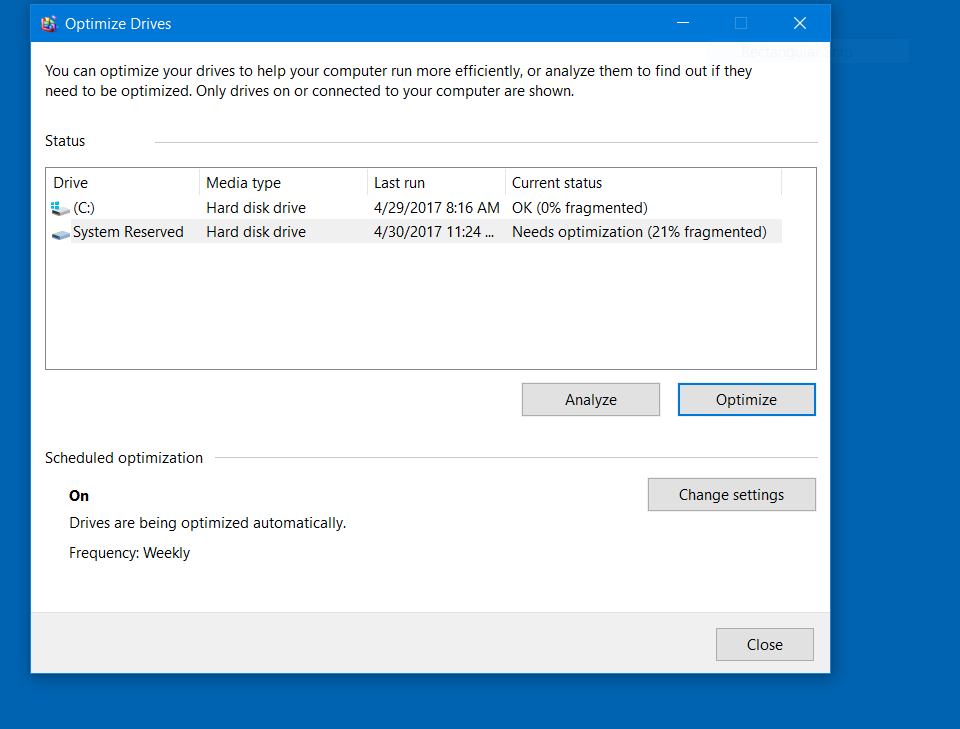
I was checking the hard drive for defraging and although it was fine, it said the "system reserve is 22% and needs defragging."
I never saw this before. Is there something I should do?
4 min read
Hello
I was checking the hard drive for defraging and although it was fine, it said the "system reserve is 22% and needs defragging."
I never saw this before. Is there something I should do?


Morning Peter, you may want to give this a read. Looks like there in nothing to worry about here
http://www.tomshardware.com/forum/id-2934374/optimize-windows-system-reserved-partition.html
Hi Ken
Coincidentally that is the site I read before coming here. However, I am glad you replied because I have always considered this forum the last word.
I have never seen that before and likely has to do with all this upgrading but I will let it go.
Thank you
Peter
Great, if you need anymore info on this i can give the windows techs a heads up if you wish
Hang in Peter, I asked some techs to look in but its the weekend so just be patient

Hi Peter, Hi Ken.
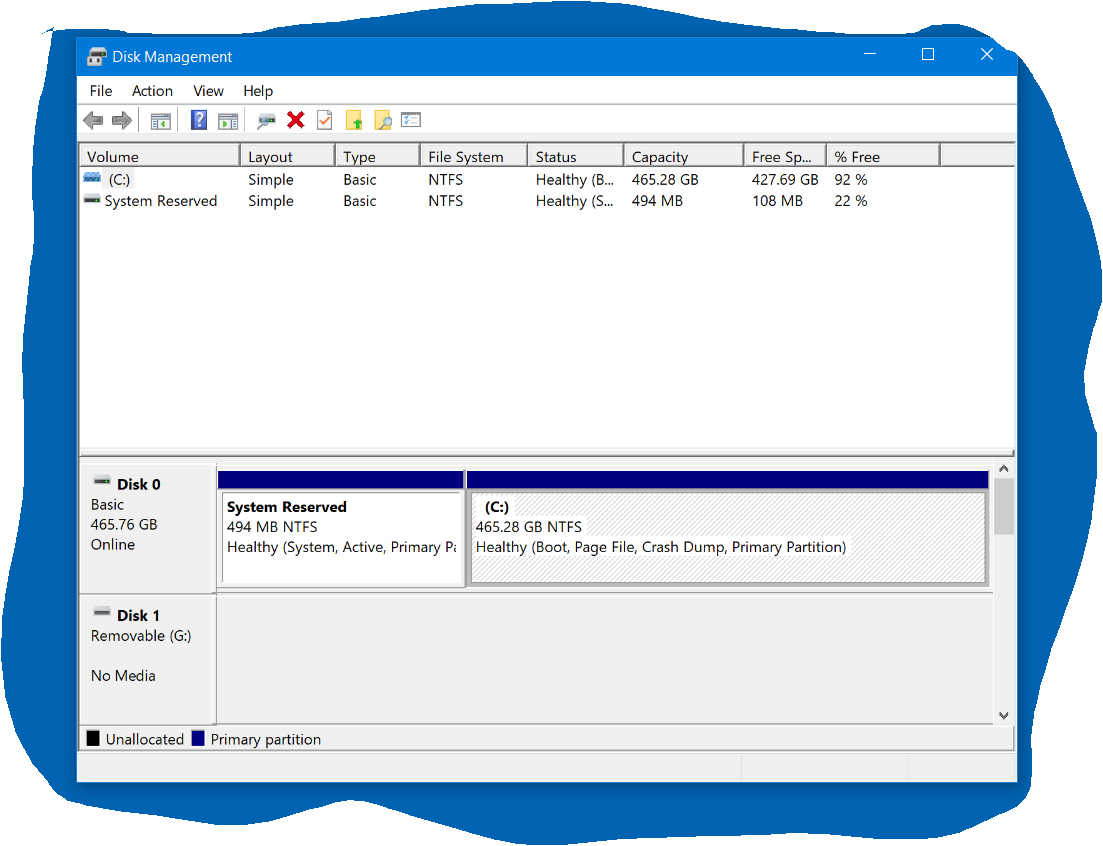
Peter, can you post a screen capture of a full screen Disk Management window. I'd like to see this System Reserved. On my Win 10 Pro X64, the window looks like this:
I clean installed Win 10 Pro maybe two years ago, which included deleting all the partitions on the boot (SSD) drive. The installer created only 3 partitions as shown.
Edit: I did a UEFI install to a GPT drive.

http://www.thewindowsclub.com/system-reserved-partition-windows
I'd also like to add this …..
Data being fragmented does not mean it is more prone to corruption. It just means the data is not contiguous on the disk, ie it is not in order on adjacent sectors.
Now while this might matter on pages in a book, it is not the way that data is retrieved from a hard drive, so unless there's a lot of fragmented data it hardly affects things at all in terms of performance.
When you Defrag a drive (or partition) all you're really doing is moving the data to adjacent sectors, so that the read heads don't have to move so far - thereby speeding things up a little.
With a tiny partition like the reserved partition, and a tiny amount of data that is rarely accessed, the time lost to fragmentation would be minimal even if it were 100% fragmented.
@Gary &Ken - Thank you for the posts which I appreciate.
@Rich I will post disc management asap.
Incidentally, I am getting lazy as I did not do a clean install this time; Win 10 seems to run well with just upgrades.
I did find 13 Trojans with MBAM which removed them.
I have Defender, Exploit, Win firewall and MBAM.
I was using Avast and may go to it again.
However, I cannot be certain, but there was some mention of permissions so I may have allowed something I should not have.
I was using OneDrive for all my files(except sensitive ones) but have returned to no clouds.
I have to coordinate Windows with my wife's Chromebook which is rather difficult for me, but functional. If my machine or I go south, she can still refer to the 2 flash drives for important notes. All has to be .DOCX not .RTF etc. so I had some converting to do.
I hope you can read these.
Funny, I have windows 10 64 bit, upgraded from 8.1 and I am in disk management now and dont see any system reserved partition ???
Peter, we all have our needs for virus protection but let me tell you I have had it up to here with the major vendors. Maybe 3 years ago I had a major vendor on 3 PCs, after an update all 3 PCs lost internet connection and one wouldn't boot. I uninstalled it from all 3 PCs and never looked back. Doing what I do I am just fine with Windows Defender ( its a lot more aggressive on win 10 ) and Malwarebytes 3.0.6, and everything is running nice and smooth.
You can go to C:/ Program Files > Windows Defender and look for MSASCui, right click it and put it on your task bar then you can open it , update, run scans although it will update and run scans on its own.
jus my 2cents
I let Defender scan offline after it is updated. It likely is fine and I caught cold elsewhere, so to speak.
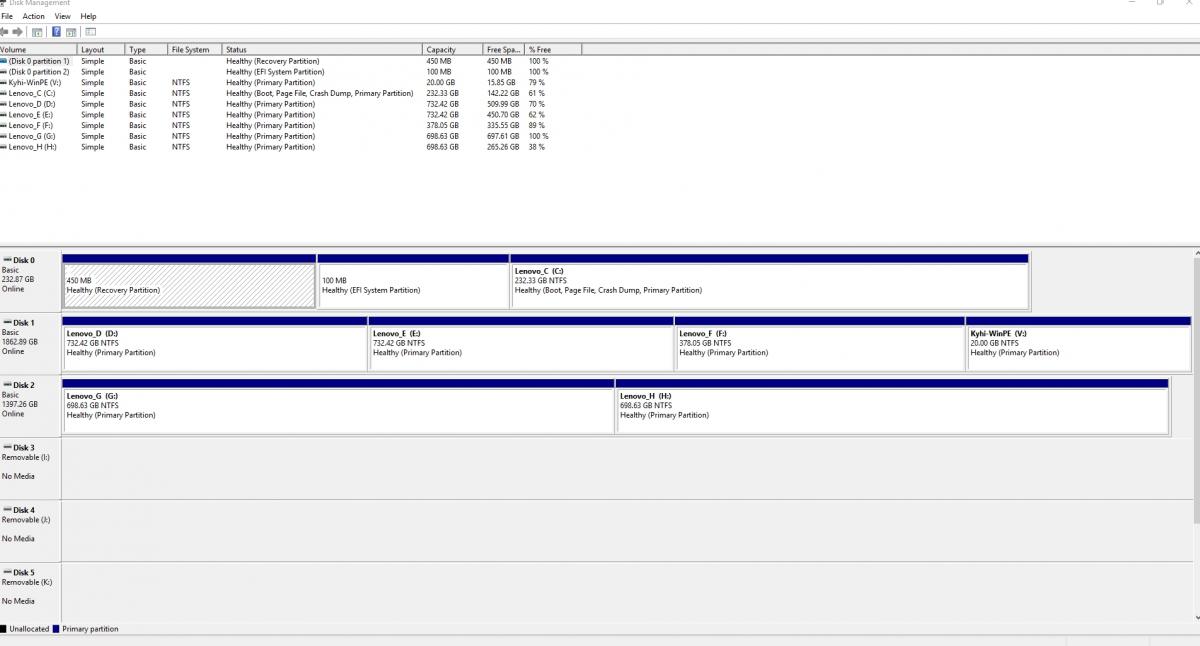
If you look at your Disk Management, you'll see that the System Reserved partition does not have a drive letter assigned to it which is as it should be. You couldn't defrag it if you wanted to.
Does your computer have BIOS or UEFI? I suspect BIOS and that means the drive is setup as MBR and not GPT. The least time you did a clean install, did you delete all the partitions on the drive and let the Windows Installer setup the partitions it needs?
AI can make mistakes. Check the cited posts. Archived advice can be out-of-date
Don't include personal information. Questions and selected public posts go to OpenAI. About Ask AI