This is a read-only archive. No new posts or registrations. Privacy Page
Software

Macrium reflct ver 6

2 min read

This thread's last reply is from . Advice, software, and links below may be out of date — treat specific steps and download links with caution.

Looking for the outcome? Ask AI

Because I have the free edition I have no access to the forum.

If anyone has Reflect please help.


I installed what I thought would be a normal update and it was a whole new version which had a new, single disc choice.

I tried to follow the prompts but was not sure of a lot of them.

There seems to be no more Linux.


I created the WinPE5 for 8.1 and hope it will do Win 10 also.


Do you still boot from the disc or do you now boot from the program? I clicked to update drivers(optional) but could not understand so stopped. It listed many Broadcom's and had a question mark under one.

Any Reflect help appreciated.


I wonder if the native imaging would be better for a lower level user as I am looking for simplicity and reliability?

I just created a rescue flash drive and it boots fine and starts Macrium.


Linux seems to be gone, just WinPE now.

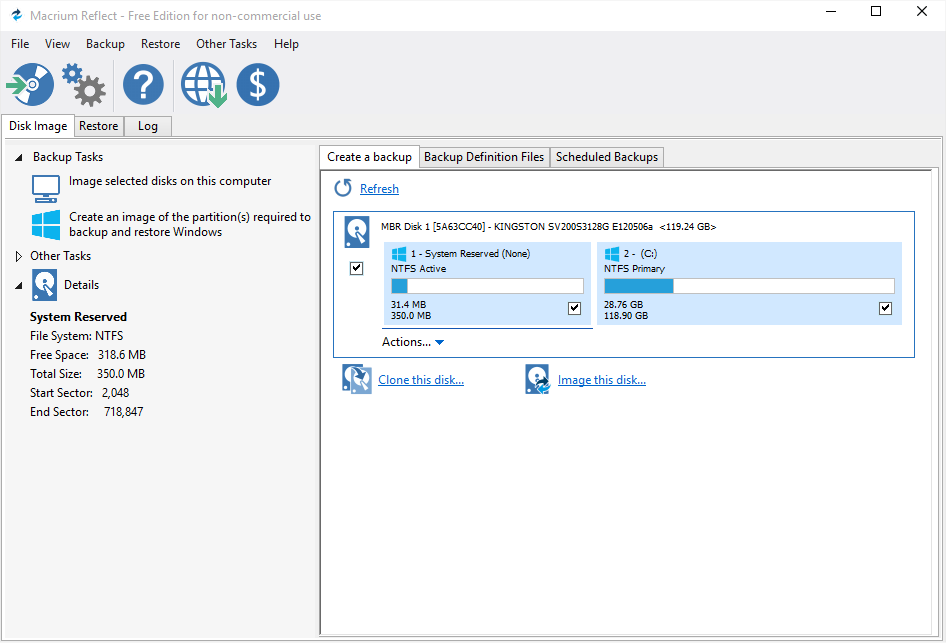
Just did a backup of the W10 laptop to my external Toshiba Canvio HDD from Macrium run under Windows 10. Looked the same as before,

Thank you for the help. I will now proceed and see how it goes. I am using the WinPE 5 cd.

I read that many are writing in to restore Linux. I am in the middle as this seems ok.

Well, it worked fine doing both a recovery and a creation of an image, thankfully. I created a disc for each pc although perhaps one would do both.


I have read about re -deploy but it is not sinking in.


To switch an image to different places, examples:


1-If I buy a new pc can I install Macrium on it and access the image from the same external drive I did with the old pc to the new pc?


2-In the same vein, can I do the same with a new hard drive in the same pc.


I am trying to keep it simple even if more work is required.

You can access the image from any PC that has Macrium installed and can connect to the HDD.


Not sure what you mean by question 2 though. Please explain.

Sure. If my hard drive fails in pc 1, can I insert or install a new hard drive in its place then access the image I need from the same external drive I used for the old hard drive that failed?   The only change would be the defective hard drive within the pc.


So, if re-deploy is hard for me to grasp, I could still image from an external drive after replacing the pc failed drive with another?

 

Re- deploy is another way to do that?

Don't know what redeploy is, sorry. I'll have to take a look at it sometime.


Replace the drive then restore the image, absolutely. That's one of the beauties of image backup.

The information you have given me is sufficient, thank you.

I only mention re-deploy b/c Macrium talks about it so much in its help sections as a feature to use under special circumstances.

Ask AI

AI can make mistakes. Check the cited posts. Archived advice can be out-of-date

Don't include personal information. Questions and selected public posts go to OpenAI. About Ask AI