Did you have your AVAST! utility running or "completely" shut off at the time?
Do you have MS Office 2003 installed on this machine?
I know, I know, I could look it up in your Pit Test, but I'm at work and already have too many screens open.
this is an error that is "known" in relationship to machines running MS Server operating system and MS Office 2003.
Obviously you do not have MS Server….
And Dang! you have Office 2007 installed, not Office 2003. (I opened another browser tab)
So much for that research.
If you haven't recently, update your MS critical updates and patches.
Try performing the copy/paste with AVAST! completely turned off.
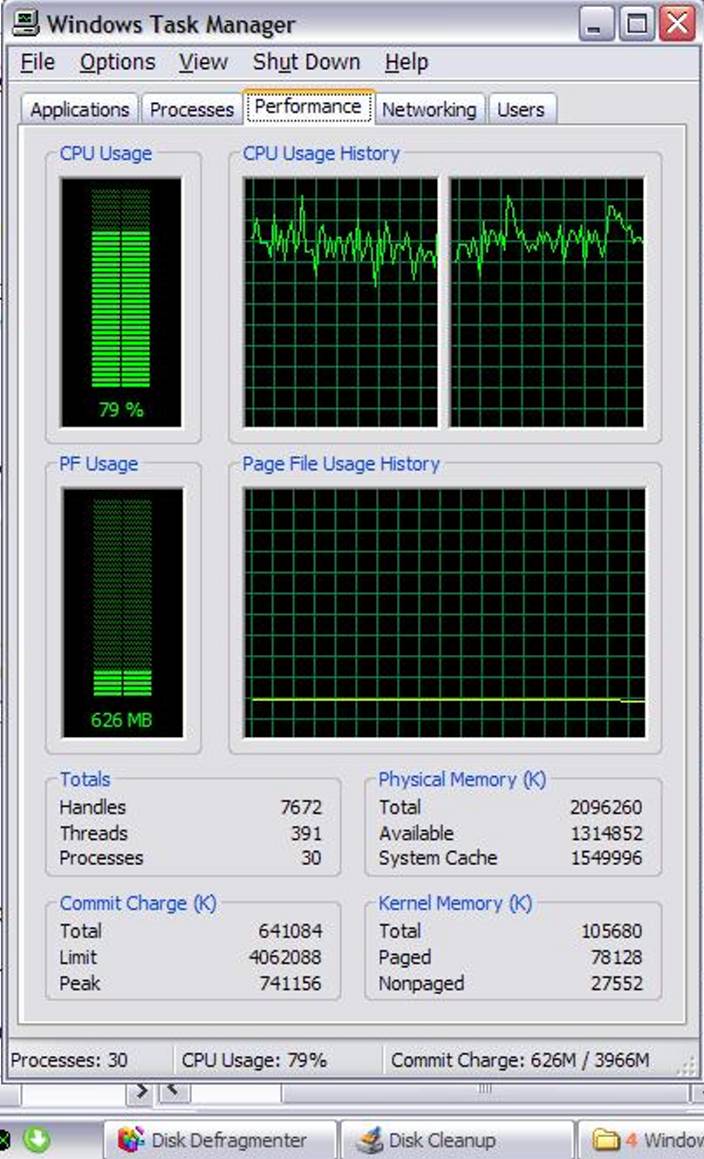
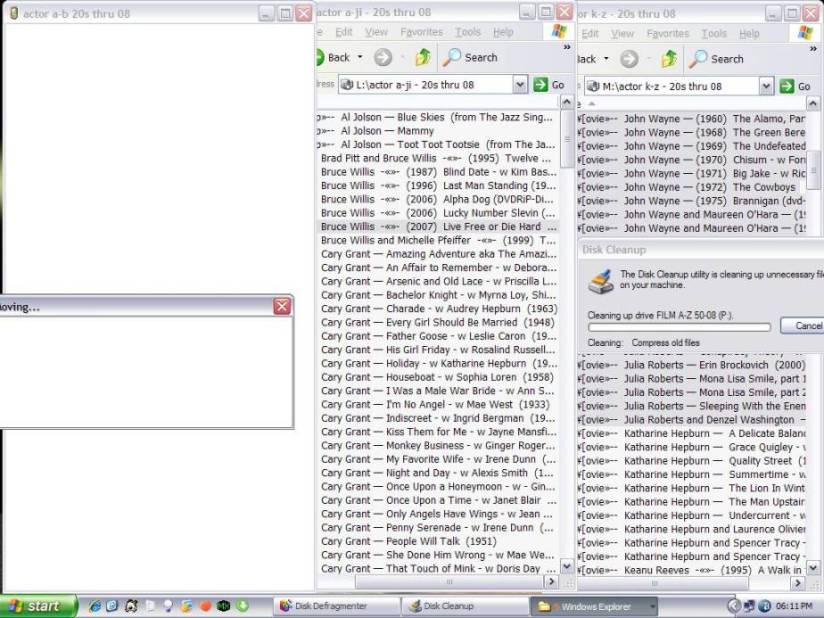
With all the problems that I had when I was transferring files from my P drive to my O drive, I'm now transferring files from L to J and M to L, running Windows Defragmenter and Running Disk Cleanup, took screenshots of Task Manager and cropped them using MGI Photo Suite, and my computer isn't having a problem keeping up with it. There were a couple of white-outs and some short freezes, but nothing major. In addition, I'm also posting to this thread. So there are times that I can do a lot with my computer and other times I can barely do anything with it. I'm beginning to wonder if my computer's performance is hindered by the poor performance of some of my external hard drives.
.
Hi Doug,
Our replies overlapped. Avast was running when I was defragging and then tried to open the drive. LOL . . . you know more about my pc than I do. I was going to look to see which version of MS Office that I had. I believe it's either the Corporate edition or the Blue edition, unless it goes by both names.
I have all MS updates installed . . . I have it on automatic.
AVAST! may have been the culprit, but you'd have to experiment to confirm.
You show significant CPU usage when running CleanMgr.
Hope you're not also trying to watch videos and move/rename files all at the same time as cleaning up or defragging.
Not trying to be rude with that comment…. just checking.
I'm guessing that you posted the (3rd) third screen shot to demonstrate that the symptom of "overlapping is occurring again.
But even so, you have some serious "bragging rights" with that fine selection of popular action movies!
Way to go, Denise!
Oh yeah, and some good "classics" too. But honestly, it was the action titles that caught my eye.
Best Regards
AVAST! may have been the culprit, but you'd have to experiment to confirm.
Avast could very well be the culprit that causes file moving/copying and overlapping to occur. It didn't do that when I had Avast and Windows Firewall turned off. I'm also wondering if it's one of my ext hdds. I've noticed that there are times, when I turn on either my O drive or my U drive, my computer freezes. When I turn it off, whichever I had just turned on and my computer froze, it unlocks. When I get the next drive that I ordered, I'm going to move the files to it from first my O drive, format it, and move the files back and see what happens. If it helps, I'll do the same with my U drive.
I'm guessing that you posted the (3rd) third screen shot to demonstrate that the symptom of "overlapping is occurring again.
The third screenshot wasn't an overlap, it turned white for about 1/2 minute when I clicked UP.
I'm hoping that once I format the drive that works on my daughter's computer but no longer works on my computer, that it'll fix itself, but I'm not really expecting it to work but it's woth a try.
You show significant CPU usage when running CleanMgr.
Hope you're not also trying to watch videos and move/rename files all at the same time as cleaning up or defragging.
I also noticed the amount of CPU usage that was going to Task Cleaner. It was actually not doing anything that I could see. I left it on for about 2 hours to compress old files on my P drive and it never finished. I was moving those files from drive to drive and I was defragging my K drive at the same time. I have a lot of files to move around and I'm trying to get as much done as possible, but I haven't been watching any videos. I drew the line there, lol.
I have a lot of action movies. They're my favorites also. I first started collecting the classics but found that I enjoyed watching the newer movies more. I can't say that I've watched a classic in a few years. The only ones that I burn are for my grandson. He's 6 years old and I wouldn't think of letting him touch an original. I usually wind up having to make 1 or 2 more copies because he's not gentle with them. I just made another Madagascar for him today. It's a great hobby. I enjoy it very much.
.
I left it on for about 2 hours to compress old files on my P drive and it never finished.
I sure wouldn't expect much advantage from compressing old files, if those old files are "image or video files".
They won't squish very well at all.
Keep us posted on AVAST! or not.
_________________________-
If you are thinking that you can Defrag using one of your CPU cores, leaving the other one free to rename and move or other such projects, I believe that you are mis-conceptualizing how dual-core functions, and definitely how Windows allocates tasks.
I'd bet your grandson a package of Oreo's that the two processes slow w-a-y down and are at greater risk of error, when run simultaneously.
You "may" save some time, but not worth the risk of error in my opinion.
Now just watch, Kaz or Digerati, or Blair will come along and provide a technically accurate explanation about why I should send the Oreo's.
I'd also be willing to venture that if you had an empty HD and copy/pasted files from HD to HD, it would go faster and produce a better defrag than running any sort of Defragmentation program on those humongous files and full disks. Maybe a second pack of Oreo's?
If you are thinking that you can Defrag using one of your CPU cores, leaving the other one free to rename and move or other such projects, I believe that you are mis-conceptualizing how dual-core functions, and definitely how Windows allocates tasks.
From what I can see, Task Manager shows that 99% of CPU usually goes toward System Idle Process, even when I'm defragging, with 3 to 6 going toward defragging. For what I do, I could probably have used a computer that would have a split mobo, each with its own cpu . . . maybe in a galaxy, far, far away
sure wouldn't expect much advantage from compressing old files, if those old files are "image or video files".
They won't squish very well at all.
Actually, I just wanted to empty the recyclers. I sometimes turn off Do not show hidden files and folders and Do not show hidden system operating system files and folders and manually delete them (while off-line). One time, I purchased 2 identical ext hdds. One was for the original files and the other was for their backups. After a while, I noticed that one ext hdd had about 50G less room on it than the other. I went into Properties and they both had the same number of files and I did a quick check to see that they were the same, and they were. It wasn't until a couple of years later that I noticed that each ext hdd had its own recycler. When I emptied it, I gained 50G. I also have System Restore turned off for all of my external hdds because they're already backed up.
I'd also be willing to venture that if you had an empty HD and copy/pasted files from HD to HD, it would go faster and produce a better defrag than running any sort of Defragmentation program on those humongous files and full disks. Maybe a second pack of Oreo's?
I use Power Defragmenter GUI first and then Windows Defragger. Between the two of them, they defrag my drives completely 99% of the time. If you wind up having to send some cookies my way, make them Malomars *<{:oDxx
.
Ever tried using ATF-Cleaner?
Excellent utility for removing temps and tracking cookies, etc. http://www.atribune.org/index.php?option=c…5&Itemid=25
Read the linked page for instructions.
Note that Attribune cautions against clearing PreFetch in Windows Vista.
It is safe to clear PreFetch in XP, but will end up causing Windows to have to "completely" load your various application programs the next time they are run, causing the load time to be longer and causing it to appear that your machine has slowed down.
It hasn't slowed down. It's just doing more work populating the PreFetch folder the first time you run each of your applications.
After the first time, Windows will function as usual, since it has freshly populated the PreFetch.
Or you can do as I do…. "de-select" PreFetch from the list to be emptied.
I suppose if I looked back through this thread, I might find that I've already recommended it to you.
Hmmmmm….. Malomars….. never heard of them.
I guess I'll have to do some more research. hehe
Interesting….. Being a Northern California Boy, I've never been in a neighborhood where these are available.
"Seventy percent of all Mallomars sold are sold in metropolitan New York, and a majority of the rest are sold in outliers such as Miami and Los Angeles, which have large populations of expat New York Jews.
Mallomars are very similar to the traditional Israeli confection Krembos. There are numerous cookies which look like Mallomars, but few have the dark chocolate coating which makes them so sensitive to summer temperatures and renders their distribution a risky affair."
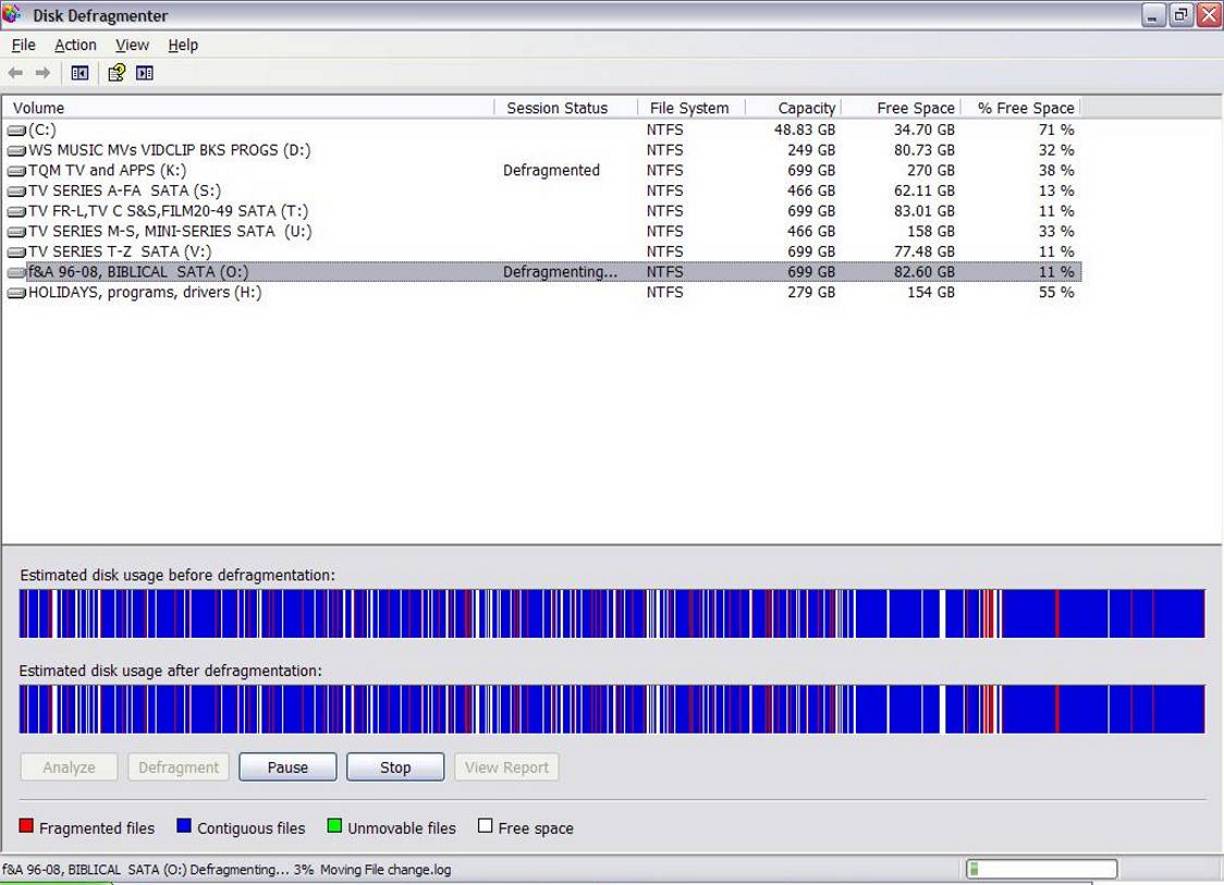
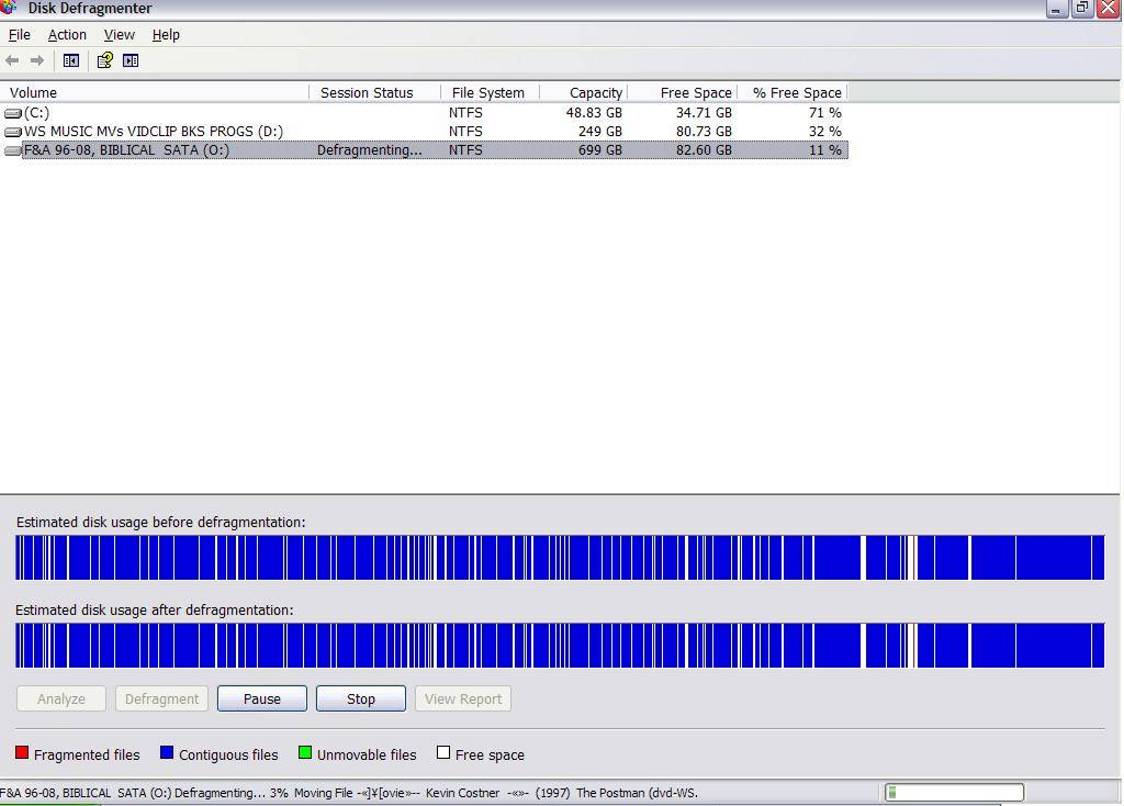
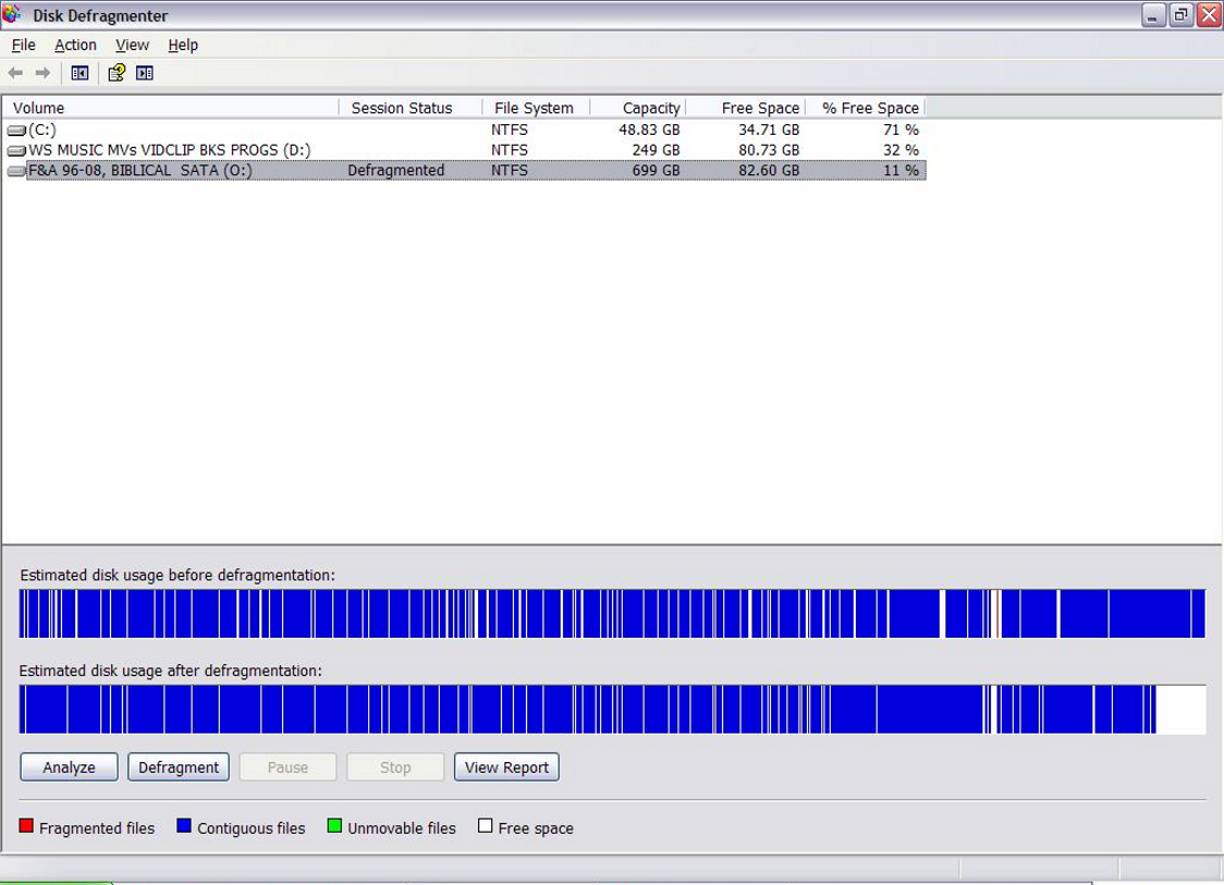
Yesterday, I worked on transferring files to and from my O and P drives, which made a complete mess of them. I didn't take screenshots when I defragged my O drive but Mallomars (sorry for the sp) drove me to do so when I defragged my P drive this evening.
The first screenshot shows My P drive a complete mess. I first ran DiskDefragmenter GUI, which took between 10 to 15 minutes. The results are shown in the second screenshot. I then used Windows Defragmenter to compress the files and those results are shown in the third screenshot. Windows Defragger also took about 10 to 15 minutes, but closer to 10 minutes. My P drive didn't compress as well as my O drive because it has only 11% available free space but it did a pretty good job of it. The total time to defrag the drive was 30 minutes, at the outside. But, as you can see, there are gaps but defragmented gaps.
There are numerous cookies which look like Mallomars, but few have the dark chocolate coating which makes them so sensitive to summer temperatures and renders their distribution a risky affair."
That's why they're on the shelves in New England (I live in Connecticut) now . . . MmmMmmmmmm! You might have to send them in a refrigerated truck.
Jews like them also? . . . interesting. I always knew I was one of God's chosen people
.
Guess I need to be a little more careful in my recommendations and statements of confidence.
Volunteering could get expensive if I don't watch out.
I'm not supposed to be getting out-foxed by the people I'm supposedly helping.
LOL, Doug, You do a grrrreat job! You helped me a lot and your recommendations are always sound. I just happened to know that the program is a gem.
So, when can I expect the Mallomars?
Well, let's see….
My Northern California pack-mule could get me to a New York shop that carries Mallowmars in about three months.
If I can borrow a horse, maybe 2 months.
Depending on weather, I may have to divert to Miami.
UPS or FedEx from Miami shouldn't be much more than 4 or 5 days.
Hope you're not holding your breath.
Best Regards
2% ~ 10% / 6-Scale Dynamic Overclocking Performance
Auto-Overclocking-Wise
• Best and Easiest Optimization of the GPU & Memory Speed for the Maximum Performance
• Detecting-Wise Frees You from Over-Heated & Over-Speed
Optimize for ALL MSI NX Graphic Card Series
This is what I meant by overclocking a bit. Does anyone know if doing this would be a good idea or not? I have a VGA MSINX8400GS-TD256EH 8400GS RT Video Card

 this is an error that is "known" in relationship to machines running MS Server operating system and MS Office 2003.
Obviously you do not have MS Server….
And Dang! you have Office 2007 installed, not Office 2003. (I opened another browser tab)
So much for that research.
this is an error that is "known" in relationship to machines running MS Server operating system and MS Office 2003.
Obviously you do not have MS Server….
And Dang! you have Office 2007 installed, not Office 2003. (I opened another browser tab)
So much for that research.  If you haven't recently, update your MS critical updates and patches.
Try performing the copy/paste with AVAST! completely turned off.
If you haven't recently, update your MS critical updates and patches.
Try performing the copy/paste with AVAST! completely turned off.


 Volunteering could get expensive if I don't watch out.