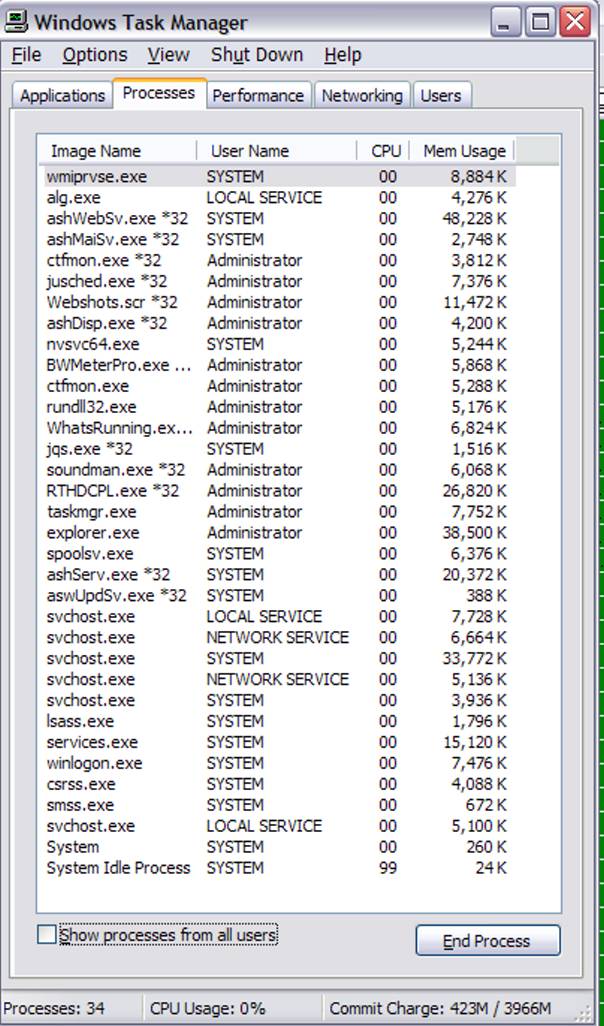
I was going to check to see if all of my ext hdds had the same problem of choppy video because it would have been the perfect time. I turned on my U drive and my computer froze, so I had to use the reset button, so I won't be able to run this test until tomorrow night now.
I would have you run a experiment, I would have you do a transfer of files like you would normally do that causes you problem with slowdowns but with a difference.
I would have you unplug from the internet (pull the plug) and turn off (this is very important) all of the antivirus/malware programs you have running.
See if you get the freezing you experienced. Try a movie like you do that gives you the choppy performance and see if it does this.
Again, I will have to wait until tomorrow night to run this test It seems that this computer has a life of its own and its goal is to exasperate me!
Well now, congratulations with your success in getting your PCPitstop test completed and the link included in this thread. What did the person do to assist you to enable the test to complete. I ask this as it maybe of help to us in dealing with a similar problem if it were ever to arise again.
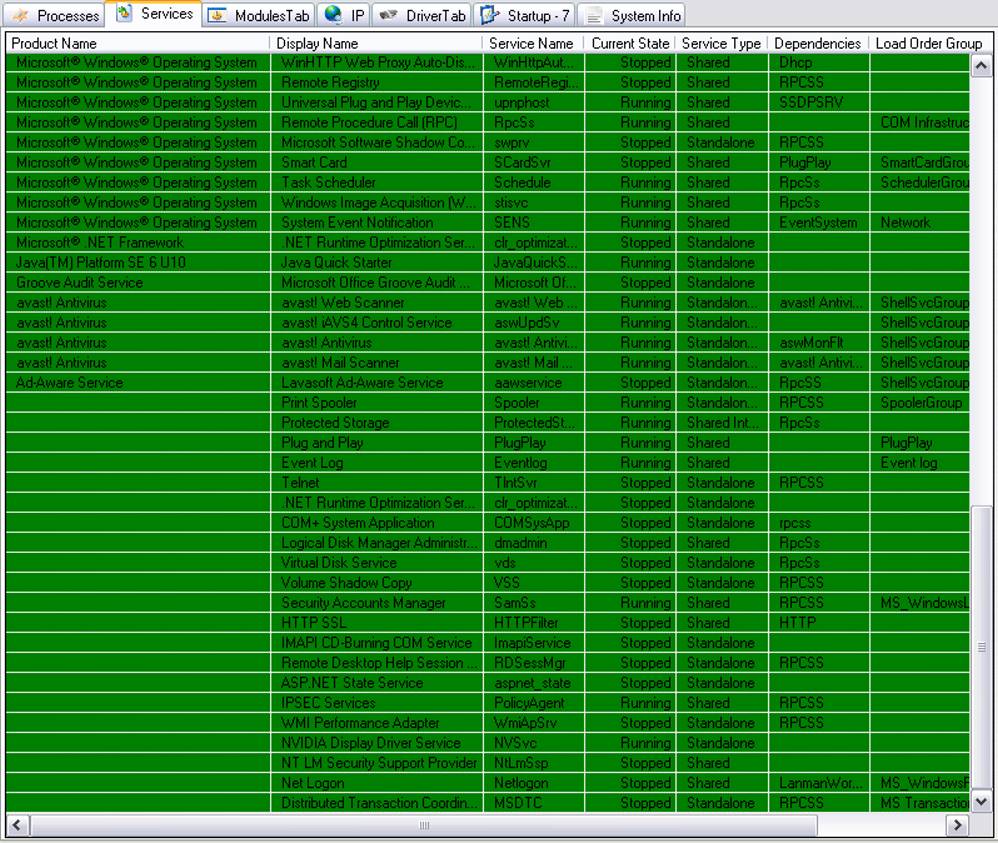
You are running two Antivirus programs as shown in Software Results. Only one should be installed as they will conflict. Choose which one you like and uninstall the other.
If you follow Summary from your test results, you can go ahead and fix some of your problems until a Senior Staff Member drops by to assist you further.
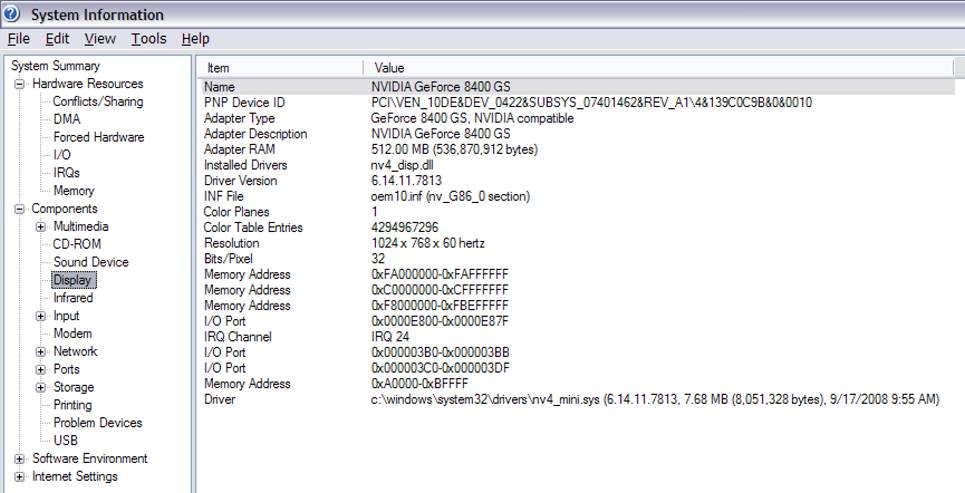
As you can see your Video Driver needs updating so this could also be done by going to the Nvidia web site. Doing this will no doubt correct the lag when watching your movie and videos which was your initial query in your first post.
Please do not click on any of the advertisement on the PCPitstop link, they all cost $$$ are not necessary and you can be assisted here for free which is our aim at WTT.
There is lots to be done, so go ahead slowly with the above.
Others will drop in with their recommendations for you for sure.
Hi,
Sorry it took me so long to respond but I couldn't get back into the forum. My password wouldn't work so I got another one, but that one didn't work so I got another one and, you guessed it, it didn't work. So I opened up another email account and registered under Denise_M1.
Anyway . . .
I have to say that I'm not very happy with the test results regarding my pc but I'm not really surprised. It seems that my computer is way down on the totum pole in most tests.
I made the changes that were recommended for the Performance Test, but those are things that I do everyday anyway, and I changed the security setting. I also downloaded and installed the newest Realtek High Definition Audio Codec and changed the Internet Receive Buffer to 50, as recommended.
Regarding the anti-virus programs that I have in my pc, only one is actively running, which is Avast. SUPERAntiSpyware and MalwareBytes are "on-demand." They only run when I call them up to do a scan.
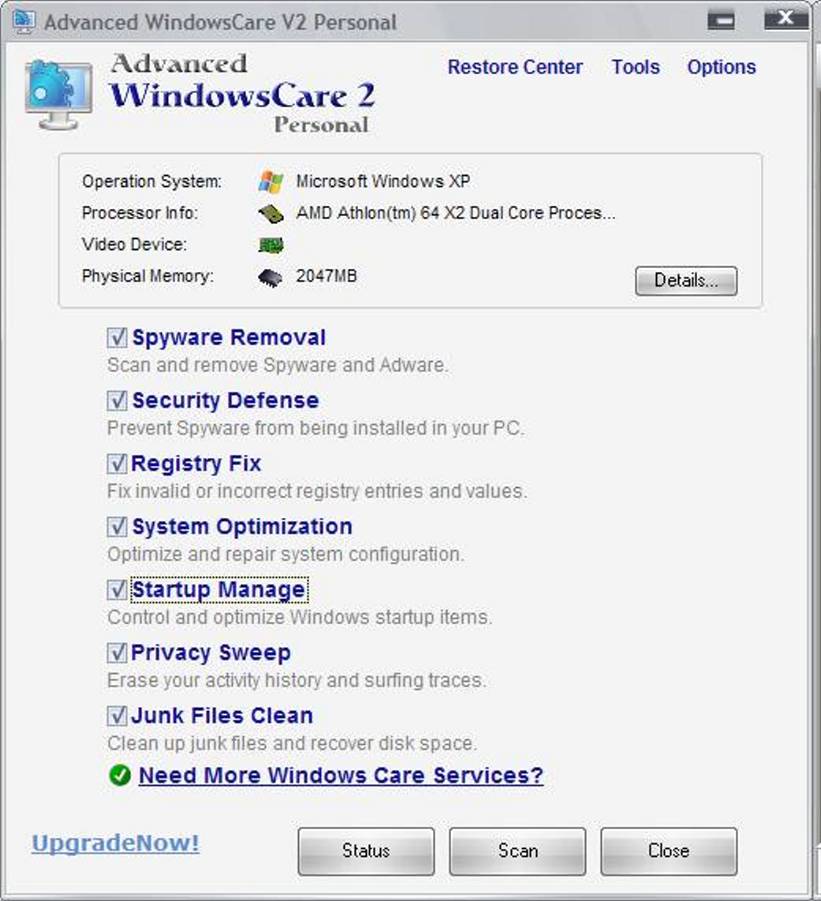
I have IE7so I don't think that I have a cache problem. I also use AdvancedWindowsCare (screenshot attached), which gets rid of pieces of junk files left over from uninstalling programs and their registry leftovers, cookies, and other things, and I use it everyday, sometimes twice a day. It's like CCleaner but for 64-bit systems.
As for the CPU score, Pit Score, Pit Rankings, and video card, I think they're pathetic.
My pc case would allow for only a micro ATX mainboard and this ASUS was the only one that I could find when I swapped out my Biostar (it had problems) last year. I also needed one that was compatible with the rest of my hardware. I expected more from it though.
I keep checking the temperature and it's been staying at 37º since I cleaned the dust off the grills.
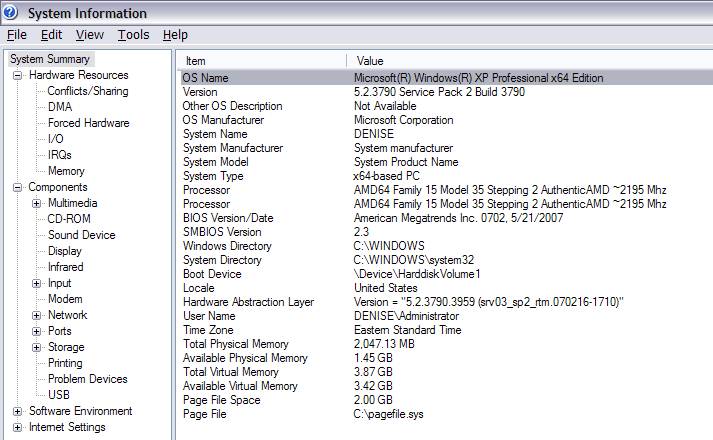
Is there anything that I can do to speed things up? To think that I have a SATA pc with a dual core cpu and 2G RAM and all I get for it is a little more than a PATA is . . . I can't think of one single word to describe my thoughts.
If I overclocked just a bit, would it help?
Hi Denise,
I will be awhile responding to you as I am consulting a Staff Member re your last post…..don't wait online unless you want to. All this takes time to reply to as you would well understand.
kind regards,
What did the person do to assist you to enable the test to complete. I ask this as it maybe of help to us in dealing with a similar problem if it were ever to arise again.
I don't know what the person did. I received a PM and he asked me for my ID at PC Pitstop. It worked after that. I'm sorry that I can't help you more in this regard.
I have the patience of a saint when it comes to improving the performance of my pc even just a bit, so no worries there. I'm very happy that so many knowledgeable people are putting their heads together to figure this out.
I can't thank everyone enough for all the help that I'm receiving. I appreciate it very much.
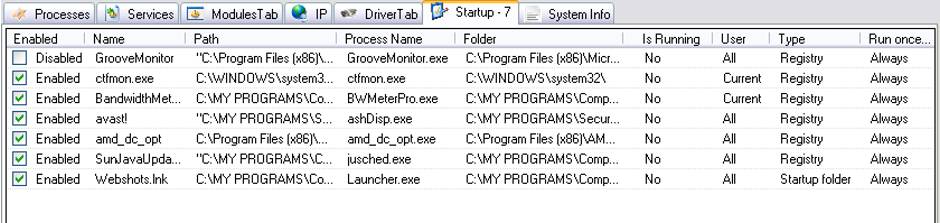
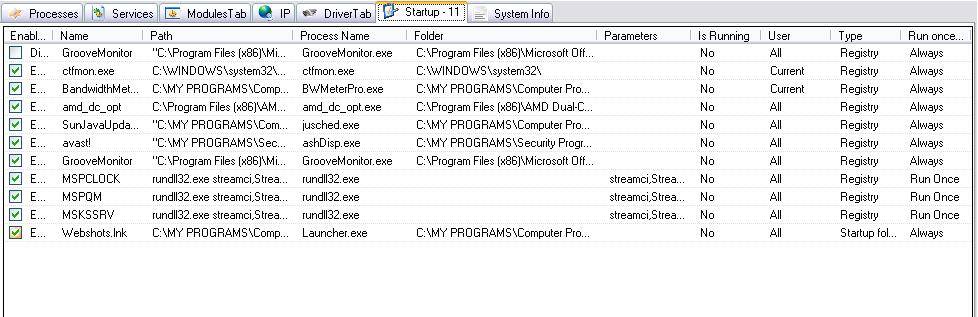
Of the utilities listed in your Startup screen shot, only avast! is necessary
You can use MSCONFIG to disable all the others, or it might be possible to use What's Running, by removing the checkmark/tick from in front of each item.
ctfmon.exe is a special case and is disabled as follows:
Open Control Panel
Scroll down to and double-click on Regional and Language options
Select - Language(tab)
Press - Details(button)
Select - Advanced(tab) in the new panel that comes up (Text Services and Input Languages)
Add - Checkmark/tick in front of "Turn off advanced text services"
Click - Apply
The click OK, OK to back your way out of Regional and Language Options controls
Having performed the above, you will have slimmed down the unnecessary items from StartUp and may experience better performance.
__________________–
It will be important to Defrag Drive C:\ <– do this is SAFE Mode so that nothing is running during Defrag, in order to get the best result
The next concern is to cause all of your USB Hubs to be of the same type.
You indicate that you have purchased identical units - please put them to use if you haven't already.
Now run and post a link to a Fresh PCPitstop Full Tests, so we can have a look at anything else that needs attention.
Denise wrote: I don't know what the person did. I received a PM and he asked me for my ID at PC Pitstop. It worked after that. I'm sorry that I can't help you more in this regard
No matter, you now have Doug assisting you with your PCPitstop scan, he is a Moderator over there so knows the issue backwards,
[external image: Posted Image] I hope the scan and Doug improve the running of your system in the end.
Hi tallin,
Yes, I'm glad that PC Pitstop was able to run. No other program checked the ratings of my pc hardware and their how well they operate. I always knew that my pc was slow but the test showed me in black and white how poorly it operates.
Does anyone know if the poor performance of my computer is due to its hardware or is it unknown why my hardware is performing so poorly?
ctfmon.exe is a special case and is disabled as follows
I disabled it as per your instructions.
The only other process in MSConfig > Start Up tab that I could disable was Groove Monitor. The others aren't listed in StartUp or in Services.
AMD Dual-Core Optimizer isn't listed in MSConfig or Add/Remove Programs. I thought it was a necessary utility. If not, can I just remove the folder from Programs (x86)?
I unticked them in What's Running but I'm not sure if the tool will actually stop them from running.
 The results are here: