paws
You are most welcome Stanley
All best
paws
12 min read
You are most welcome Stanley
All best
paws

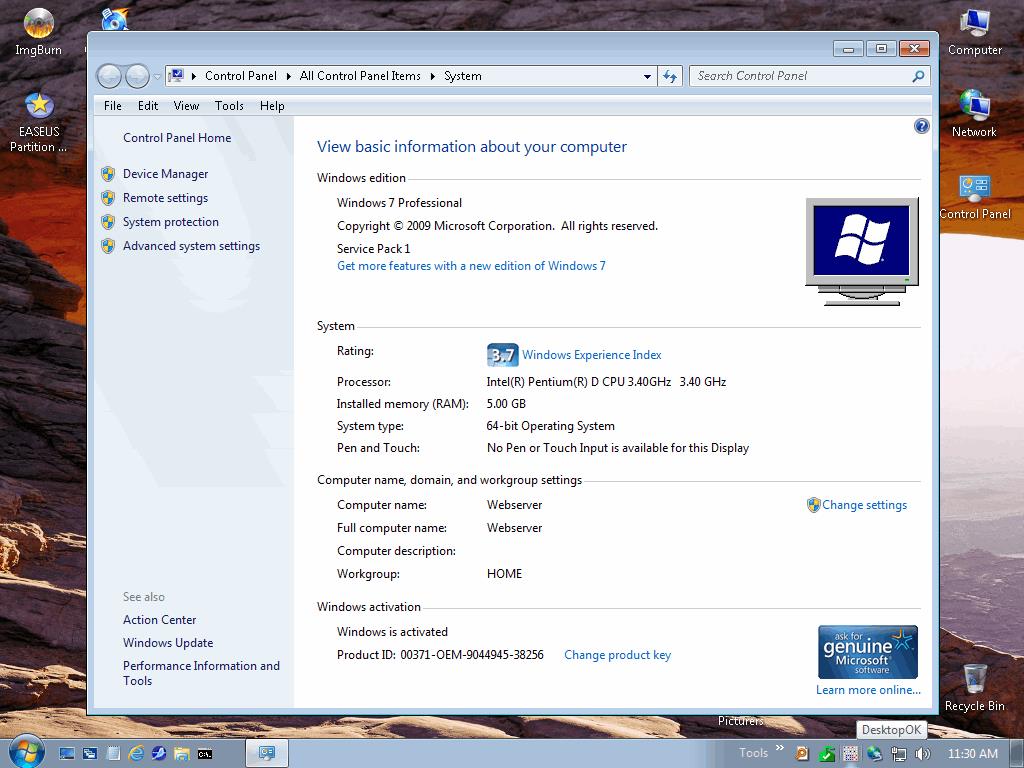
What do you see if you right click on Computer and select Properties? At the bottom it should show your activation status, like this:
W7Activ.jpg
If that isn't there then it's not activated.
BTW: 3 months is the normal time you have after installing Windows 7 before it starts complaining I think.
Can you post a screen capture of the Computer Properties window like I did so we can look at it.
You can also try activating by phone which often works as long as the installed version of windows is the correct one.
See here: Activate Windows 7 by Phone
Hi Ztruker,
I just tried to post the screen shot, and I got an error message. I don't remember exactly what the message said, but something like "You are not allowed to use that extension on this forum." Please tell me how I should send you the screen shot.
And I do want you to see the screen shot. In any case, however, at the bottom of the screen it says that Windows is activated. The information looks just like the screen shot in your post.
Stanley
Hi Ztruker or anyone else who wants to jump in,
Earlier today, you asked me to post a screen capture of the properties window for my computer system so that you could look at it.
I appreciated your asking me to do this. As I reported, when I tried to copy the screen capture directly into the post, I got an error message. I asked if you could advise me on how to post the screen capture.
More important, I noted that the bottom of the screen says that Windows is activated, and i added that the information looks just like the screen shot in your post. (Of course, the Product ID is different.)
I have not heard back from you yet. Since the screen says that Windows is indeed activated, what does that tell you, please?
Thank you in advance.
Stanley
Save the screen capture as a .jpg file then upload that using the More Reply Options button under the message input area.
If it shows as Activated then you are fine and nothing else needs to be done.
Hi Ztruker,
The window showing system properties definitely says that "Windows is activated" – just like the screen shot that you showed me.
So, I hope that I am fine and that I don't need to do anything else.
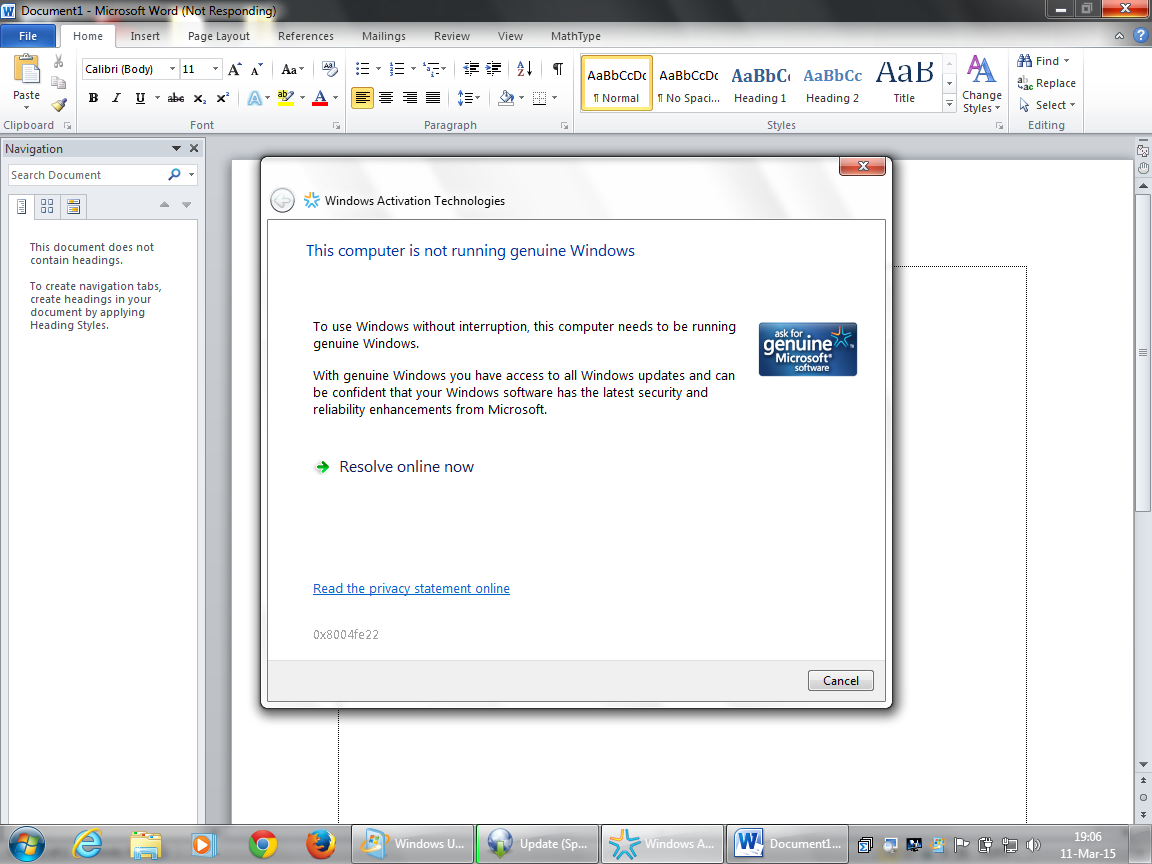
Who knows why I keep getting the message? But it happens only once every several hours, and I just close the message. I don't like that it is happening, but I can live with it.
Thank you so much for your assistance.
Stanley
Can you post a picture of the exact message you receive? Maybe that will help understand where it's coming from and we can figure out how to stop it.
Hmmm, see here: Windows 7 hit by rash of bogus 'not genuine' reports
Hi Ztruker,
Well, isn't that interesting. It seems that an MS update caused the problem all along. I am normally a big fan of Microsoft products. But obviously I don't like that an update caused a problem of this nature.
I have now downloaded and installed KB 3024777, and I have rebooted twice. (I don't know what to make of this, however – Windows Update history does not show that update as having been made.)
Now, my system-properties window was showing that my copy of Windows was activated, and after installing the patch that window continues to show that Windows has been activated.
What was happening to me was that I would get the notification every several hours. So now I am going to leave my computer running, and when I return to it I will see whether the notification has popped up again. Hopefully, it won't.
Thank you so much Ztruker. At least the issue has been diagnosed. Let's see if the patch solves the problem.
Nice work.
Stanley
Hi Ztruker,
I downloaded and installed KB 3024777. But I am still getting the Genuine Windows notification.
Now I am wondering if I installed the correct version of KB 3024777. I am running 64-bit Windows 7, and this is the version that I installed:
Should I have intalled this version instead?
Thank you for your assistance with all of this.
Stanley
Yes, the X64 version is the one you want.
Hi Ztruker,
Are you sure?
Here is what it says:
Windows Server 2008 R2 SP1
Stanley
I'm sure if you have a 64 bit OS you need the 64 bit version of the update, so this is the one you want:
All supported x64-based versions of Windows 7 and Windows Server 2008 R2
I can't even get to the web page it's on right ow: http://support.microsoft.com/kb/3024777
This topic is from the What the Tech archive and can't take new replies. Geeks to Go is an active, free help community run by volunteers. Post your question there and a person, not a bot, will work through it with you.