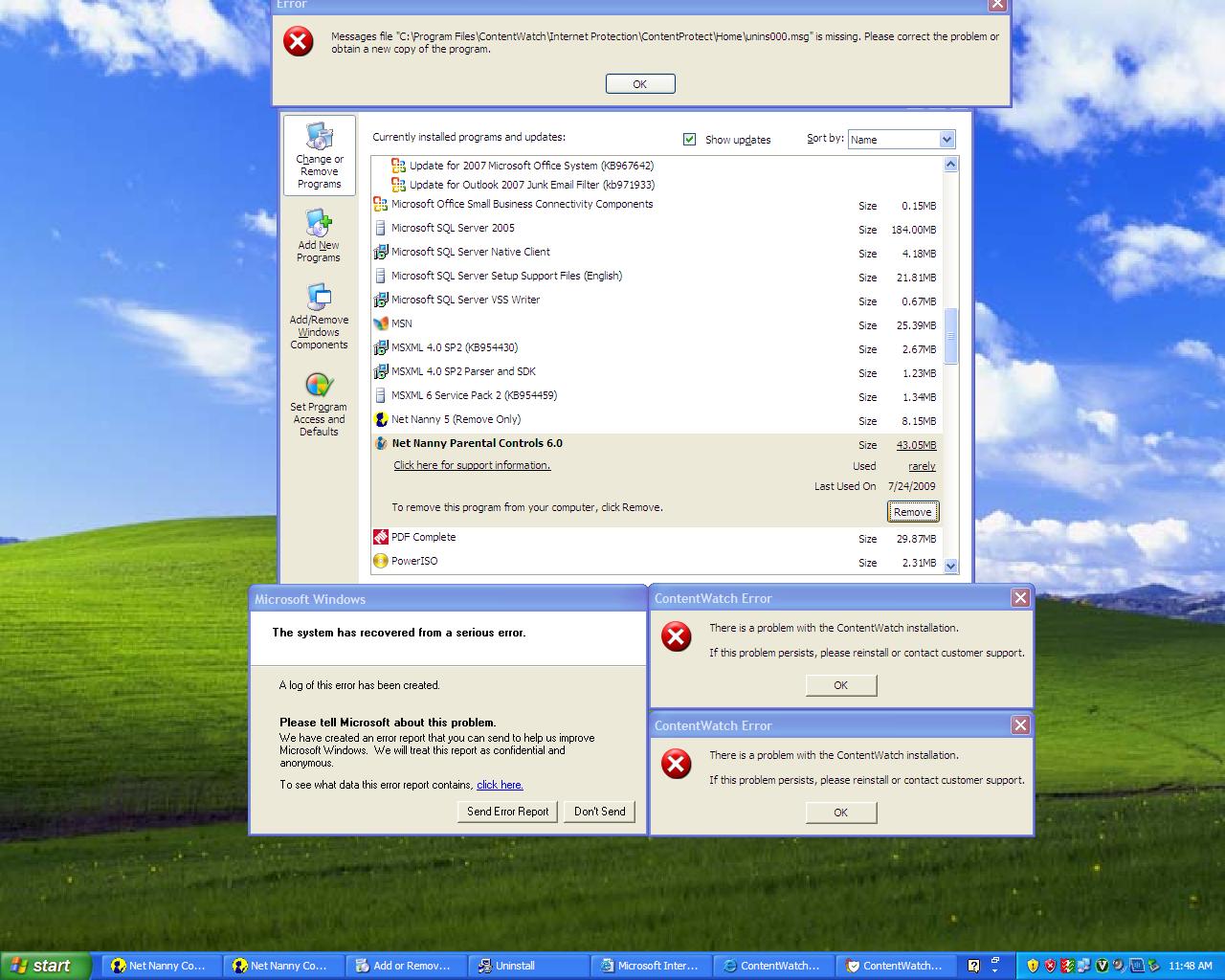
There are three error messages in that picture which one are you referring to? Recovered from a serious error? file is missing? or the other one>
What hhappens when you try and connect to the internet,
I need you to describe things more precisely for me, I need to know what is happening with your PC
Can you connect in safe mode?
Have you tried troubleshooting your connections and resetting:
let's start with this?
Please reset IE
- Go to Start > Control Panel, and choose Network Connections.
- Right click on your default connection, usually Local Area Connection for cable and DSL or Dial-up Connection if you are using Dial-up, and choose Properties.
- Click the Networking tab
- Double-click on the Internet Protocol (TCP/IP) item.
- Write down the settings in case you should need to change them back.
- Select the radio button that says "Obtain DNS servers automatically".
- Click OK twice to get out of the properties screen and restart your computer.
- If not prompted to reboot go ahead and reboot manually.
In I.E.
- Check internet options settings.
- Tools > Internet Options > Connections
- LAN settings
- Choose "automatically detect settings"
- uncheck both proxy settings boxes
In FireFox
- Click on Advanced -> Network -> Setttings…
- the No Proxy option should be selected
If that doesn't help, try this:
Try the
IPconfig command.
Go to
Start > Run then type:
CMD into the run box
You will now see a black DOS-like screen.
Type the following at the command prompt:
IPconfig /release. (Note the space between the "g" and the slash / it needs to be there)
Hit
enter Then type:
IPconfig /Renew (Note the space between the "g" and the slash / it needs to be there)
Hit
enter
See if you get your connection back
If not try this:
Start - Run - CMD to open a command prompt.
To Reset WINSOCK entries to installation defaults:(type at command prompt)
netsh winsock reset catalog
To Reset TCP/IP stack to installation defaults. (type at command prompt)
netsh int ip reset reset.log
Reboot the machine.
If not try this:
Go to Start > Run > copy/paste the following command into the run box then hit OK
ncpa.cpl
Right click the local area connection icon and select > Repair
If no luck,
Go to Start > Run > copy/paste the following command into the run box then hit OK
devmgmt.msc
Device manager will open
expand the Network Adapters tree and advise if there are any warnings (be specific in description)
Try the trouble shooting steps.
Let me know after which stage if you are able to connect?