silver
Hi BluNov,
Yes, the detection will be part of SmitfraudFix, we'll clean up the tools now:
Download OTCleanIt to your Desktop
Double-click it to run the program, and press the CleanUp! button.
When prompted, allow your computer to be rebooted.
That should clean the tools we have used from your computer, you can also delete the log files from your Desktop.
Create a new, clean System Restore point which you can use in case of future system problems:
Press Start->All Programs->Accessories->System Tools->System Restore
Select Create a restore point, then Next, type a name like All Clean then press the Create button and once it's done press Close
Now remove old, infected System Restore points:
Next click Start->Run and type cleanmgr in the box and press OK
Ensure the boxes for Recycle Bin, Temporary Files and Temporary Internet Files are checked, you can choose to check other boxes if you wish but they are not required.
Select the More Options tab, under System Restore press Clean up… and say Yes to the prompt
Press OK and Yes to confirm
————————————————————————
If the above went well, I think your machine is clean of malware here are some tips to help you keep it that way:
You have a good antivirus/firewall program installed, however I recommend you install antispyware software with real-time capabilities - this means it protects you from system changes and spyware while you are working, not just removing malware after it has been installed. There are a range of paid-for and free packages available, a free one I can recommend is Windows Defender, available here:
http://www.microsoft.com/athome/security/s…re/default.mspx
I recommend you install a custom hosts file such as MVPS HOSTS. This custom hosts file effectively blocks a wide range of unwanted ads, banners, 3rd party Cookies, 3rd party page counters, web bugs, and many hijackers.
For information on how to download and install, please read this tutorial by WinHelp2002
Note: Be sure to follow the instructions to disable the DNS Client service before installing a custom hosts file.
Also: subscribe to the mailing list to get update notifications.
Please take care when downloading programs. One of the easiest ways to be infected is to download freeware/shareware programs which come laden with malware - this includes allowing websites to install browser plug-ins or ActiveX controls. Before downloading, it is crucial to check whether the source is reputable.
One way to check is to use McAfee SiteAdvisor. Copy the domain name into the space provided and SiteAdvisor will give you a report on the website which can help you decide if it is safe. They also have a toolbar for IE and Firefox which adds this functionality to your browser.
Download and install the free version of WinPatrol. This program protects your computer in a variety of ways and will work well with your existing security software. Have a look at this tutorial to help you get started with the program.
Find out more about how to prevent infection in the future
http://forum.malwareremoval.com/viewtopic.php?p=33687
Please post back to let me know that you have read this, and if there are any further issues.
Yes, the detection will be part of SmitfraudFix, we'll clean up the tools now:
Download OTCleanIt to your Desktop
Double-click it to run the program, and press the CleanUp! button.
When prompted, allow your computer to be rebooted.
That should clean the tools we have used from your computer, you can also delete the log files from your Desktop.
Create a new, clean System Restore point which you can use in case of future system problems:
Press Start->All Programs->Accessories->System Tools->System Restore
Select Create a restore point, then Next, type a name like All Clean then press the Create button and once it's done press Close
Now remove old, infected System Restore points:
Next click Start->Run and type cleanmgr in the box and press OK
Ensure the boxes for Recycle Bin, Temporary Files and Temporary Internet Files are checked, you can choose to check other boxes if you wish but they are not required.
Select the More Options tab, under System Restore press Clean up… and say Yes to the prompt
Press OK and Yes to confirm
————————————————————————
If the above went well, I think your machine is clean of malware
here are some tips to help you keep it that way:You have a good antivirus/firewall program installed, however I recommend you install antispyware software with real-time capabilities - this means it protects you from system changes and spyware while you are working, not just removing malware after it has been installed. There are a range of paid-for and free packages available, a free one I can recommend is Windows Defender, available here:
http://www.microsoft.com/athome/security/s…re/default.mspx
I recommend you install a custom hosts file such as MVPS HOSTS. This custom hosts file effectively blocks a wide range of unwanted ads, banners, 3rd party Cookies, 3rd party page counters, web bugs, and many hijackers.
For information on how to download and install, please read this tutorial by WinHelp2002
Note: Be sure to follow the instructions to disable the DNS Client service before installing a custom hosts file.
Also: subscribe to the mailing list to get update notifications.
Please take care when downloading programs. One of the easiest ways to be infected is to download freeware/shareware programs which come laden with malware - this includes allowing websites to install browser plug-ins or ActiveX controls. Before downloading, it is crucial to check whether the source is reputable.
One way to check is to use McAfee SiteAdvisor. Copy the domain name into the space provided and SiteAdvisor will give you a report on the website which can help you decide if it is safe. They also have a toolbar for IE and Firefox which adds this functionality to your browser.
Download and install the free version of WinPatrol. This program protects your computer in a variety of ways and will work well with your existing security software. Have a look at this tutorial to help you get started with the program.
Find out more about how to prevent infection in the future
http://forum.malwareremoval.com/viewtopic.php?p=33687
Please post back to let me know that you have read this, and if there are any further issues.
 ), everything (RAM, video card, Power Supply, and other stuff) check out so I concluded it was the motherboard, When out bought a new board, RAM, CPU, and Video Card, because my new board was not compatible with the old hardware (even Power Supply just in case the old one was faulty). This is the new stuff I am using now (duh)…………anyway do you have any idea what will cause this, Am guessing its Ubuntu (which sucks because i really love it), because it's a totally new hardware set up (well except for the HDD and CD drives) Also I have a UPS.
Now I know this is not the forum for this but I am just 'throwing a line', maybe you can direct me to a forum that deal with these issues.
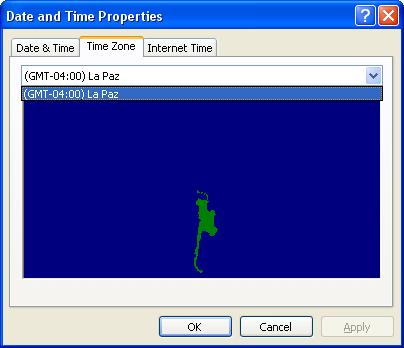
(I will go in the bios and fix the the date and time (It currently says January 2002))
Also am surprise that clearing the bios worked, because I believe that I tried that the first time, and it didn't work.
), everything (RAM, video card, Power Supply, and other stuff) check out so I concluded it was the motherboard, When out bought a new board, RAM, CPU, and Video Card, because my new board was not compatible with the old hardware (even Power Supply just in case the old one was faulty). This is the new stuff I am using now (duh)…………anyway do you have any idea what will cause this, Am guessing its Ubuntu (which sucks because i really love it), because it's a totally new hardware set up (well except for the HDD and CD drives) Also I have a UPS.
Now I know this is not the forum for this but I am just 'throwing a line', maybe you can direct me to a forum that deal with these issues.
(I will go in the bios and fix the the date and time (It currently says January 2002))
Also am surprise that clearing the bios worked, because I believe that I tried that the first time, and it didn't work.