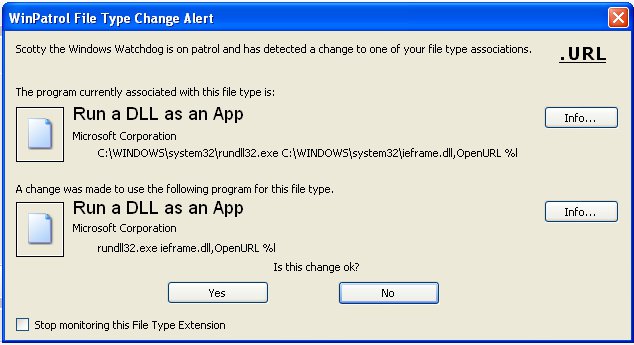
computer seems to be running fine. Here's the OTL log though:
OTL logfile created on: 12/11/2011 12:30:28 PM - Run 2
OTL by OldTimer - Version 3.2.31.0 Folder = C:\Documents and Settings\Owner\Desktop
Windows XP Home Edition Service Pack 3 (Version = 5.1.2600) - Type = NTWorkstation
Internet Explorer (Version = 8.0.6001.18702)
Locale: 00000409 | Country: United States | Language: ENU | Date Format: M/d/yyyy
1.97 Gb Total Physical Memory | 1.21 Gb Available Physical Memory | 61.35% Memory free
3.81 Gb Paging File | 3.03 Gb Available in Paging File | 79.42% Paging File free
Paging file location(s): C:\pagefile.sys 2046 4092 [binary data]
%SystemDrive% = C: | %SystemRoot% = C:\WINDOWS | %ProgramFiles% = C:\Program Files
Drive C: | 465.75 Gb Total Space | 281.94 Gb Free Space | 60.54% Space Free | Partition Type: NTFS
Computer Name: DIT-1B40339E832 | User Name: Owner | Logged in as Administrator.
Boot Mode: Normal | Scan Mode: Current user
Company Name Whitelist: Off | Skip Microsoft Files: Off | No Company Name Whitelist: On | File Age = 30 Days
========== Processes (SafeList) ==========
PRC - C:\Documents and Settings\Owner\Desktop\OTL.exe (OldTimer Tools)
PRC - C:\Program Files\AVG\AVG9\avgtray.exe (AVG Technologies CZ, s.r.o.)
PRC - C:\Program Files\AVG\AVG9\avgcsrvx.exe (AVG Technologies CZ, s.r.o.)
PRC - C:\Program Files\AVG\AVG9\avgnsx.exe (AVG Technologies CZ, s.r.o.)
PRC - C:\Program Files\Common Files\Intuit\Update Service\IntuitUpdateService.exe (Intuit Inc.)
PRC - C:\Program Files\AVG\AVG9\avgemc.exe (AVG Technologies CZ, s.r.o.)
PRC - C:\Program Files\AVG\AVG9\avgrsx.exe (AVG Technologies CZ, s.r.o.)
PRC - C:\Program Files\AVG\AVG9\avgwdsvc.exe (AVG Technologies CZ, s.r.o.)
PRC - C:\Program Files\AVG\AVG9\avgchsvx.exe (AVG Technologies CZ, s.r.o.)
PRC - C:\Program Files\BillP Studios\WinPatrol\WinPatrol.exe (BillP Studios)
PRC - C:\Program Files\CyberLink\Power2Go\CLMLSvc.exe (CyberLink)
PRC - C:\Program Files\CyberLink\PowerDVD8\PDVD8Serv.exe (CyberLink Corp.)
PRC - C:\WINDOWS\explorer.exe (Microsoft Corporation)
PRC - C:\Program Files\D-Link AirPlus G\AIRPLUS.exe (D-Link)
========== Modules (No Company Name) ==========
MOD - C:\WINDOWS\assembly\NativeImages_v2.0.50727_32\System.ServiceProce#\abef85f2fb8ba830eda73e2d12e8d41e\System.ServiceProcess.ni.dll ()
MOD - C:\WINDOWS\assembly\NativeImages_v2.0.50727_32\System\af39f6e644af02873b9bae319f2bfb13\System.ni.dll ()
MOD - C:\WINDOWS\assembly\NativeImages_v2.0.50727_32\mscorlib\ca87ba84221991839abbe7d4bc9c6721\mscorlib.ni.dll ()
MOD - C:\WINDOWS\assembly\GAC_MSIL\System.Xml\2.0.0.0__b77a5c561934e089\System.Xml.dll ()
MOD - C:\WINDOWS\assembly\GAC_MSIL\System\2.0.0.0__b77a5c561934e089\System.dll ()
MOD - C:\WINDOWS\assembly\GAC_32\System.Data\2.0.0.0__b77a5c561934e089\System.Data.dll ()
MOD - C:\WINDOWS\assembly\GAC_MSIL\System.Configuration\2.0.0.0__b03f5f7f11d50a3a\System.Configuration.dll ()
MOD - C:\WINDOWS\assembly\GAC_MSIL\System.Drawing\2.0.0.0__b03f5f7f11d50a3a\System.Drawing.dll ()
MOD - C:\WINDOWS\assembly\GAC_MSIL\System.Runtime.Remoting\2.0.0.0__b77a5c561934e089\System.Runtime.Remoting.dll ()
MOD - C:\WINDOWS\assembly\GAC_32\System.EnterpriseServices\2.0.0.0__b03f5f7f11d50a3a\System.EnterpriseServices.dll ()
MOD - C:\WINDOWS\assembly\GAC_32\System.Transactions\2.0.0.0__b77a5c561934e089\System.Transactions.dll ()
MOD - C:\WINDOWS\assembly\GAC_MSIL\System.ServiceProcess\2.0.0.0__b03f5f7f11d50a3a\System.ServiceProcess.dll ()
MOD - C:\WINDOWS\assembly\GAC_MSIL\System.Windows.Forms\2.0.0.0__b77a5c561934e089\System.Windows.Forms.dll ()
MOD - C:\WINDOWS\system32\Primomonnt.dll ()
MOD - C:\WINDOWS\assembly\GAC_32\System.Data.SQLite\1.0.61.0__db937bc2d44ff139\System.Data.SQLite.dll ()
MOD - C:\WINDOWS\assembly\GAC_MSIL\Intuit.Spc.Map.WindowsFirewallUtilities\5.0.136.0__7ce6deabcb36a8ea\Intuit.Spc.Map.WindowsFirewallUtilities.dll ()
MOD - C:\WINDOWS\assembly\GAC_MSIL\log4net\1.2.10.0__1b44e1d426115821\log4net.dll ()
MOD - C:\WINDOWS\assembly\GAC_MSIL\Intuit.Spc.Map.Reporter\5.0.136.0__7ce6deabcb36a8ea\Intuit.Spc.Map.Reporter.dll ()
MOD - C:\WINDOWS\assembly\GAC_MSIL\Intuit.Spc.Esd.WinClient.Api.Net\3.1.31.0__540d4816ead86321\Intuit.Spc.Esd.WinClient.Api.Net.dll ()
MOD - C:\WINDOWS\assembly\GAC_MSIL\Intuit.Spc.Esd.WinClient.Application.UpdateServicePlugin\3.1.31.0__540d4816ead86321\Intuit.Spc.Esd.WinClient.Application.UpdateServicePlugin.dll ()
MOD - C:\WINDOWS\assembly\GAC_MSIL\Intuit.Spc.Esd.WinClient.Application.UpdateService\1.0.0.0__540d4816ead86321\Intuit.Spc.Esd.WinClient.Application.UpdateService.dll ()
MOD - C:\WINDOWS\assembly\GAC_MSIL\Intuit.Spc.Esd.WinClient.Ipc.Remoting.UpdateServiceWorker\3.1.31.0__540d4816ead86321\Intuit.Spc.Esd.WinClient.Ipc.Remoting.UpdateServiceWorker.dll ()
MOD - C:\WINDOWS\assembly\GAC_MSIL\Intuit.Spc.Esd.WinClient.Application.UpdateService.PluginContract\1.0.0.0__540d4816ead86321\Intuit.Spc.Esd.WinClient.Application.UpdateService.PluginContract.dll ()
MOD - C:\WINDOWS\assembly\GAC_MSIL\Intuit.Spc.Esd.Core\3.1.26.0__540d4816ead86321\Intuit.Spc.Esd.Core.dll ()
MOD - C:\WINDOWS\assembly\GAC_MSIL\Intuit.Spc.Esd.Client.BusinessLogic\3.1.31.0__540d4816ead86321\Intuit.Spc.Esd.Client.BusinessLogic.dll ()
MOD - C:\WINDOWS\assembly\GAC_MSIL\Intuit.Spc.Esd.Client.DataAccess\3.1.31.0__540d4816ead86321\Intuit.Spc.Esd.Client.DataAccess.dll ()
MOD - C:\WINDOWS\assembly\GAC_MSIL\Intuit.Spc.Esd.Client.Common\3.1.31.0__540d4816ead86321\Intuit.Spc.Esd.Client.Common.dll ()
MOD - C:\Program Files\BillP Studios\WinPatrol\sqlite3.dll ()
MOD - C:\Program Files\CyberLink\Power2Go\CLMLSvcPS.dll ()
MOD - C:\Program Files\CyberLink\Power2Go\CLMediaLibrary.dll ()
========== Win32 Services (SafeList) ==========
SRV - (AppMgmt) – File not found
SRV - (AVG Security Toolbar Service) – C:\Program Files\AVG\AVG9\Toolbar\ToolbarBroker.exe ()
SRV - (IntuitUpdateService) – C:\Program Files\Common Files\Intuit\Update Service\IntuitUpdateService.exe (Intuit Inc.)
SRV - (avg9emc) – C:\Program Files\AVG\AVG9\avgemc.exe (AVG Technologies CZ, s.r.o.)
SRV - (avg9wd) – C:\Program Files\AVG\AVG9\avgwdsvc.exe (AVG Technologies CZ, s.r.o.)
SRV - (getPlusHelper) getPlus® – C:\Program Files\NOS\bin\getPlus_Helper.dll (NOS Microsystems Ltd.)
========== Driver Services (SafeList) ==========
DRV - (AvgMfx86) – C:\WINDOWS\system32\drivers\avgmfx86.sys (AVG Technologies CZ, s.r.o.)
DRV - (AvgTdiX) – C:\WINDOWS\system32\drivers\avgtdix.sys (AVG Technologies CZ, s.r.o.)
DRV - (IntcAzAudAddService) Service for Realtek HD Audio (WDM) – C:\WINDOWS\system32\drivers\RtkHDAud.sys (Realtek Semiconductor Corp.)
DRV - (AvgLdx86) – C:\WINDOWS\system32\drivers\avgldx86.sys (AVG Technologies CZ, s.r.o.)
DRV - (Monfilt) – C:\WINDOWS\system32\drivers\Monfilt.sys (Creative Technology Ltd.)
DRV - (Ambfilt) – C:\WINDOWS\system32\drivers\Ambfilt.sys (Creative)
DRV - (RTLTEAMING) – C:\WINDOWS\system32\drivers\RTLTEAMING.SYS (Realtek Semiconductor Corporation)
DRV - (IntcHdmiAddService) Intel® – C:\WINDOWS\system32\drivers\IntcHdmi.sys (Intel® Corporation)
DRV - (RTL8023xp) – C:\WINDOWS\system32\drivers\Rtnicxp.sys (Realtek Semiconductor Corporation )
DRV - (RTLVLAN) – C:\WINDOWS\system32\drivers\RTLVLAN.SYS (Realtek Semiconductor Corporation )
DRV - (RtNdPt5x) – C:\WINDOWS\system32\drivers\RtNdPt5x.sys (Realtek Semiconductor Corporation )
DRV - (REFILERW) – C:\WINDOWS\system32\drivers\REFILERW.SYS ()
DRV - (W8100PCI) – C:\WINDOWS\system32\drivers\mrv8k51.sys (Marvell Semiconductor, Inc)
========== Standard Registry (SafeList) ==========
========== Internet Explorer ==========
IE - HKCU\SOFTWARE\Microsoft\Internet Explorer\Main,Start Page = about:blank
IE - HKCU\Software\Microsoft\Internet Explorer\SearchURL\G, =
http://www.google.com/search?q=%s
IE - HKCU\..\URLSearchHook: {A3BC75A2-1F87-4686-AA43-5347D756017C} - C:\Program Files\AVG\AVG9\Toolbar\IEToolbar.dll ()
IE - HKCU\Software\Microsoft\Windows\CurrentVersion\Internet Settings: "ProxyEnable" = 0
IE - HKCU\Software\Microsoft\Windows\CurrentVersion\Internet Settings: "ProxyOverride" =
========== FireFox ==========
FF - prefs.js..browser.startup.homepage: ""
FF - prefs.js..extensions.enabledItems: {3f963a5b-e555-4543-90e2-c3908898db71}:9.0.0.872
FF - prefs.js..extensions.enabledItems: avg@igeared:6.010.006.004
FF - prefs.js..extensions.enabledItems: {CAFEEFAC-0016-0000-0020-ABCDEFFEDCBA}:6.0.20
FF - prefs.js..extensions.enabledItems: [removed]:1.0
FF - prefs.js..extensions.enabledItems: {E2883E8F-472F-4fb0-9522-AC9BF37916A7}:1.6.2.63
FF - prefs.js..extensions.enabledItems: [removed]:1.0.1
FF - prefs.js..network.proxy.http: "127.0.0.1"
FF - prefs.js..network.proxy.http_port: 61192
FF - prefs.js..network.proxy.type: 0
FF - HKLM\Software\MozillaPlugins\@adobe.com/FlashPlayer: C:\WINDOWS\system32\Macromed\Flash\NPSWF32.dll ()
FF - HKLM\Software\MozillaPlugins\@java.com/JavaPlugin: C:\Program Files\Java\jre6\bin\new_plugin\npjp2.dll (Sun Microsystems, Inc.)
FF - HKLM\Software\MozillaPlugins\@microsoft.com/WPF,version=3.5: c:\WINDOWS\Microsoft.NET\Framework\v3.5\Windows Presentation Foundation\NPWPF.dll (Microsoft Corporation)
FF - HKEY_LOCAL_MACHINE\software\mozilla\Firefox\Extensions\\{3f963a5b-e555-4543-90e2-c3908898db71}: C:\Program Files\AVG\AVG9\Firefox [2011/09/13 11:48:08 | 000,000,000 | —D | M]
FF - HKEY_LOCAL_MACHINE\software\mozilla\Firefox\Extensions\\avg@igeared: C:\Program Files\AVG\AVG9\Toolbar\Firefox\avg@igeared [2011/08/18 12:45:54 | 000,000,000 | —D | M]
FF - HKEY_LOCAL_MACHINE\software\mozilla\Mozilla Firefox 8.0.1\extensions\\Components: C:\Program Files\Mozilla Firefox\components [2011/12/04 17:57:05 | 000,000,000 | —D | M]
FF - HKEY_LOCAL_MACHINE\software\mozilla\Mozilla Firefox 8.0.1\extensions\\Plugins: C:\Program Files\Mozilla Firefox\plugins [2011/03/23 16:32:07 | 000,000,000 | —D | M]
[2010/04/24 11:52:48 | 000,000,000 | —D | M] (No name found) – C:\Documents and Settings\Owner\Application Data\Mozilla\Extensions
[2011/11/20 11:45:42 | 000,000,000 | —D | M] (No name found) – C:\Documents and Settings\Owner\Application Data\Mozilla\Firefox\Profiles\plgwrrbw.default\extensions
[2010/04/29 06:43:37 | 000,000,000 | —D | M] (Microsoft .NET Framework Assistant) – C:\Documents and Settings\Owner\Application Data\Mozilla\Firefox\Profiles\plgwrrbw.default\extensions\{20a82645-c095-46ed-80e3-08825760534b}
[2010/06/29 09:28:35 | 000,000,000 | —D | M] (Adobe DLM (powered by getPlus®)) – C:\Documents and Settings\Owner\Application Data\Mozilla\Firefox\Profiles\plgwrrbw.default\extensions\{E2883E8F-472F-4fb0-9522-AC9BF37916A7}
[2011/12/09 13:20:59 | 000,000,000 | —D | M] (No name found) – C:\Program Files\Mozilla Firefox\extensions
[2011/12/09 13:20:59 | 000,000,000 | —D | M] (Java Console) – C:\Program Files\Mozilla Firefox\extensions\{CAFEEFAC-0016-0000-0029-ABCDEFFEDCBA}
() (No name found) – C:\DOCUMENTS AND SETTINGS\OWNER\APPLICATION DATA\MOZILLA\FIREFOX\PROFILES\PLGWRRBW.DEFAULT\EXTENSIONS\[removed]
[2011/12/04 17:57:04 | 000,134,104 | —- | M] (Mozilla Foundation) – C:\Program Files\mozilla firefox\components\browsercomps.dll
[2011/10/03 05:06:04 | 000,476,904 | —- | M] (Sun Microsystems, Inc.) – C:\Program Files\mozilla firefox\plugins\npdeployJava1.dll
[2010/11/18 16:44:16 | 001,680,272 | —- | M] (Caminova, Inc.) – C:\Program Files\mozilla firefox\plugins\npdjvu.dll
[2011/10/24 16:44:21 | 000,002,252 | —- | M] () – C:\Program Files\mozilla firefox\searchplugins\bing.xml
[2011/12/04 17:57:04 | 000,002,040 | —- | M] () – C:\Program Files\mozilla firefox\searchplugins\twitter.xml
========== Chrome ==========
CHR - default_search_provider: ()
CHR - default_search_provider: search_url =
CHR - default_search_provider: suggest_url =
O1 HOSTS File: ([2004/08/04 00:00:00 | 000,000,734 | —- | M]) - C:\WINDOWS\system32\drivers\etc\hosts
O1 - Hosts: 127.0.0.1 localhost
O2 - BHO: (AcroIEHlprObj Class) - {06849E9F-C8D7-4D59-B87D-784B7D6BE0B3} - C:\Program Files\Adobe\Acrobat 7.0\ActiveX\AcroIEHelper.dll (Adobe Systems Incorporated)
O2 - BHO: (AVG Safe Search) - {3CA2F312-6F6E-4B53-A66E-4E65E497C8C0} - C:\Program Files\AVG\AVG9\avgssie.dll (AVG Technologies CZ, s.r.o.)
O2 - BHO: (AVG Security Toolbar BHO) - {A3BC75A2-1F87-4686-AA43-5347D756017C} - C:\Program Files\AVG\AVG9\Toolbar\IEToolbar.dll ()
O3 - HKLM\..\Toolbar: (AVG Security Toolbar) - {CCC7A320-B3CA-4199-B1A6-9F516DD69829} - C:\Program Files\AVG\AVG9\Toolbar\IEToolbar.dll ()
O3 - HKCU\..\Toolbar\WebBrowser: (AVG Security Toolbar) - {CCC7A320-B3CA-4199-B1A6-9F516DD69829} - C:\Program Files\AVG\AVG9\Toolbar\IEToolbar.dll ()
O4 - HKLM..\Run: [AVG9_TRAY] C:\Program Files\AVG\AVG9\avgtray.exe (AVG Technologies CZ, s.r.o.)
O4 - HKLM..\Run: [CLMLServer] C:\Program Files\CyberLink\Power2Go\CLMLSvc.exe (CyberLink)
O4 - HKLM..\Run: [PDVD8LanguageShortcut] C:\Program Files\CyberLink\PowerDVD8\Language\Language.exe (CyberLink Corp.)
O4 - HKLM..\Run: [RemoteControl8] C:\Program Files\CyberLink\PowerDVD8\PDVD8Serv.exe (CyberLink Corp.)
O4 - HKLM..\Run: [UpdateP2GoShortCut] C:\Program Files\CyberLink\Power2Go\MUITransfer\MUIStartMenu.exe (CyberLink Corp.)
O4 - HKLM..\Run: [UpdatePSTShortCut] C:\Program Files\CyberLink\DVD Suite\MUITransfer\MUIStartMenu.exe (CyberLink Corp.)
O4 - HKLM..\Run: [WinPatrol] C:\Program Files\BillP Studios\WinPatrol\winpatrol.exe (BillP Studios)
O4 - Startup: C:\Documents and Settings\All Users\Start Menu\Programs\Startup\D-Link AirPlus G Configuration Utility.lnk = C:\Program Files\D-Link AirPlus G\AIRPLUS.exe (D-Link)
O6 - HKLM\Software\Policies\Microsoft\Internet Explorer\Restrictions present
O6 - HKLM\SOFTWARE\Microsoft\Windows\CurrentVersion\policies\Explorer: HonorAutoRunSetting = 1
O6 - HKLM\SOFTWARE\Microsoft\Windows\CurrentVersion\policies\Explorer: NoDriveAutoRun = 67108863
O6 - HKLM\SOFTWARE\Microsoft\Windows\CurrentVersion\policies\Explorer: NoDriveTypeAutoRun = 323
O6 - HKLM\SOFTWARE\Microsoft\Windows\CurrentVersion\policies\Explorer: NoDrives = 0
O7 - HKCU\Software\Policies\Microsoft\Internet Explorer\Control Panel present
O7 - HKCU\SOFTWARE\Microsoft\Windows\CurrentVersion\policies\Explorer: NoDriveTypeAutoRun = 323
O7 - HKCU\SOFTWARE\Microsoft\Windows\CurrentVersion\policies\Explorer: NoDriveAutoRun = 67108863
O7 - HKCU\SOFTWARE\Microsoft\Windows\CurrentVersion\policies\Explorer: NoDrives = 0
O15 - HKCU\..Trusted Domains: intuit.com ([ttlc] https in Trusted sites)
O16 - DPF: {6414512B-B978-451D-A0D8-FCFDF33E833C}
http://update.microsoft.com/windowsupdate/…b?1272065015406 (WUWebControl Class)
O16 - DPF: {8AD9C840-044E-11D1-B3E9-00805F499D93} http://java.sun.com/update/1.6.0/jinstall-…indows-i586.cab (Java Plug-in 1.6.0_29)
O16 - DPF: {CAFEEFAC-0016-0000-0029-ABCDEFFEDCBA} http://java.sun.com/update/1.6.0/jinstall-…indows-i586.cab (Java Plug-in 1.6.0_29)
O16 - DPF: {CAFEEFAC-FFFF-FFFF-FFFF-ABCDEFFEDCBA} http://java.sun.com/update/1.6.0/jinstall-…indows-i586.cab (Java Plug-in 1.6.0_29)
O17 - HKLM\System\CCS\Services\Tcpip\Parameters: DhcpNameServer = 192.168.0.1 [removed]
O17 - HKLM\System\CCS\Services\Tcpip\Parameters\Interfaces\{D8EC11B9-9955-41D4-93B1-351A978D7489}: DhcpNameServer = 192.168.0.1 [removed]
O18 - Protocol\Handler\avgsecuritytoolbar {F2DDE6B2-9684-4A55-86D4-E255E237B77C} - C:\Program Files\AVG\AVG9\Toolbar\IEToolbar.dll ()
O18 - Protocol\Handler\linkscanner {F274614C-63F8-47D5-A4D1-FBDDE494F8D1} - C:\Program Files\AVG\AVG9\avgpp.dll (AVG Technologies CZ, s.r.o.)
O20 - HKLM Winlogon: Shell - (Explorer.exe) -C:\WINDOWS\explorer.exe (Microsoft Corporation)
O20 - HKLM Winlogon: UserInit - (C:\WINDOWS\system32\userinit.exe) -C:\WINDOWS\system32\userinit.exe (Microsoft Corporation)
O20 - Winlogon\Notify\avgrsstarter: DllName - (avgrsstx.dll) - C:\WINDOWS\System32\avgrsstx.dll (AVG Technologies CZ, s.r.o.)
O24 - Desktop WallPaper: C:\Documents and Settings\Owner\Local Settings\Application Data\Microsoft\Wallpaper1.bmp
O24 - Desktop BackupWallPaper: C:\Documents and Settings\Owner\Local Settings\Application Data\Microsoft\Wallpaper1.bmp
O32 - HKLM CDRom: AutoRun - 1
O32 - AutoRun File - [2010/04/23 15:50:41 | 000,000,000 | —- | M] () - C:\AUTOEXEC.BAT – [ NTFS ]
O34 - HKLM BootExecute: (autocheck autochk *)
O35 - HKLM\..comfile [open] – "%1" %*
O35 - HKLM\..exefile [open] – "%1" %*
O37 - HKLM\…com [@ = ComFile] – "%1" %*
O37 - HKLM\…exe [@ = exefile] – "%1" %*
========== Files/Folders - Created Within 30 Days ==========
[2011/12/09 13:21:45 | 000,000,000 | —D | C] – C:\Program Files\Common Files\Java
[2011/12/09 13:20:58 | 000,157,472 | —- | C] (Sun Microsystems, Inc.) – C:\WINDOWS\System32\javaws.exe
[2011/12/09 13:20:58 | 000,145,184 | —- | C] (Sun Microsystems, Inc.) – C:\WINDOWS\System32\javaw.exe
[2011/12/09 13:20:58 | 000,145,184 | —- | C] (Sun Microsystems, Inc.) – C:\WINDOWS\System32\java.exe
[2011/12/09 13:14:12 | 000,414,368 | —- | C] (Adobe Systems Incorporated) – C:\WINDOWS\System32\FlashPlayerCPLApp.cpl
[2011/12/09 12:14:55 | 000,000,000 | —D | C] – C:\Documents and Settings\Owner\Application Data\Malwarebytes
[2011/12/09 12:14:51 | 000,000,000 | —D | C] – C:\Documents and Settings\All Users\Start Menu\Programs\Malwarebytes' Anti-Malware
[2011/12/09 12:14:50 | 000,000,000 | —D | C] – C:\Documents and Settings\All Users\Application Data\Malwarebytes
[2011/12/09 12:14:47 | 000,022,216 | —- | C] (Malwarebytes Corporation) – C:\WINDOWS\System32\drivers\mbam.sys
[2011/12/09 12:14:47 | 000,000,000 | —D | C] – C:\Program Files\Malwarebytes' Anti-Malware
[2011/12/09 12:14:14 | 009,852,544 | —- | C] (Malwarebytes Corporation ) – C:\Documents and Settings\Owner\Desktop\mbam-setup-1.51.2.1300.exe
[2011/12/04 14:03:29 | 000,000,000 | -HSD | C] – C:\RECYCLER
[2011/11/29 19:07:58 | 000,000,000 | RHSD | C] – C:\cmdcons
[2011/11/29 19:06:30 | 000,518,144 | —- | C] (SteelWerX) – C:\WINDOWS\SWREG.exe
[2011/11/29 19:06:30 | 000,406,528 | —- | C] (SteelWerX) – C:\WINDOWS\SWSC.exe
[2011/11/29 19:06:30 | 000,212,480 | —- | C] (SteelWerX) – C:\WINDOWS\SWXCACLS.exe
[2011/11/29 19:06:30 | 000,060,416 | —- | C] (NirSoft) – C:\WINDOWS\NIRCMD.exe
[2011/11/29 19:06:25 | 000,000,000 | —D | C] – C:\WINDOWS\ERDNT
[2011/11/29 19:06:20 | 000,000,000 | —D | C] – C:\Qoobox
[2011/11/29 19:06:18 | 000,000,000 | R–D | C] – C:\Documents and Settings\Owner\Start Menu\Programs\Administrative Tools
[2011/11/29 19:01:02 | 004,321,290 | R— | C] (Swearware) – C:\Documents and Settings\Owner\Desktop\ComboFix.exe
[2011/11/29 18:37:08 | 000,000,000 | —D | C] – C:\Documents and Settings\NetworkService\Application Data\Sun
[2011/11/29 17:25:48 | 000,584,192 | —- | C] (OldTimer Tools) – C:\Documents and Settings\Owner\Desktop\OTL.exe
[2011/11/29 17:04:28 | 000,000,000 | —D | C] – C:\Documents and Settings\NetworkService\Application Data\Macromedia
[2011/11/29 17:04:27 | 000,000,000 | —D | C] – C:\Documents and Settings\NetworkService\Application Data\Adobe
[2011/11/29 17:03:43 | 000,000,000 | —D | C] – C:\Documents and Settings\All Users\Start Menu\Programs\WinASO
[2011/11/29 17:03:35 | 000,000,000 | —D | C] – C:\Program Files\WinASO
[2011/11/29 17:01:51 | 005,798,664 | —- | C] (X.M.Y International LLC ) – C:\Documents and Settings\Owner\Desktop\WinASO_RO_v4.7.5.exe
[2011/11/29 16:57:20 | 000,000,000 | —D | C] – C:\ubuntu
[2011/11/29 16:53:03 | 000,000,000 | —D | C] – C:\Documents and Settings\Owner\Local Settings\Application Data\FUJIFILM
[2011/11/20 11:47:52 | 000,000,000 | —D | C] – C:\Documents and Settings\Owner\Desktop\Regular Show
[2011/01/02 10:54:14 | 000,004,096 | —- | C] ( ) – C:\WINDOWS\System32\IGFXDEVLib.dll
[3 C:\WINDOWS\*.tmp files -> C:\WINDOWS\*.tmp -> ]
[1 C:\WINDOWS\System32\*.tmp files -> C:\WINDOWS\System32\*.tmp -> ]
========== Files - Modified Within 30 Days ==========
[2011/12/11 10:53:15 | 090,190,295 | —- | M] () – C:\WINDOWS\System32\drivers\Avg\incavi.avm
[2011/12/11 10:49:12 | 000,013,646 | —- | M] () – C:\WINDOWS\System32\wpa.dbl
[2011/12/11 10:49:11 | 000,002,048 | –S- | M] () – C:\WINDOWS\bootstat.dat
[2011/12/09 13:14:12 | 000,414,368 | —- | M] (Adobe Systems Incorporated) – C:\WINDOWS\System32\FlashPlayerCPLApp.cpl
[2011/12/09 12:14:51 | 000,000,784 | —- | M] () – C:\Documents and Settings\All Users\Desktop\Malwarebytes' Anti-Malware.lnk
[2011/12/09 12:14:24 | 009,852,544 | —- | M] (Malwarebytes Corporation ) – C:\Documents and Settings\Owner\Desktop\mbam-setup-1.51.2.1300.exe
[2011/12/09 11:31:34 | 000,000,000 | —- | M] () – C:\Documents and Settings\Owner\Local Settings\Application Data\prvlcl.dat
[2011/12/04 19:27:51 | 000,013,538 | —- | M] () – C:\Documents and Settings\Owner\Desktop\Untitled.jpg
[2011/12/04 19:27:51 | 000,001,496 | —- | M] () – C:\Documents and Settings\Owner\.recently-used.xbel
[2011/12/04 15:48:41 | 000,139,264 | —- | M] () – C:\Documents and Settings\Owner\Desktop\SystemLook.exe
[2011/11/29 19:08:02 | 000,000,327 | RHS- | M] () – C:\boot.ini
[2011/11/29 19:01:04 | 004,321,290 | R— | M] (Swearware) – C:\Documents and Settings\Owner\Desktop\ComboFix.exe
[2011/11/29 17:25:46 | 000,584,192 | —- | M] (OldTimer Tools) – C:\Documents and Settings\Owner\Desktop\OTL.exe
[2011/11/29 17:03:44 | 000,000,833 | —- | M] () – C:\Documents and Settings\Owner\Desktop\WinASO Registry Optimizer.lnk
[2011/11/29 17:01:50 | 005,798,664 | —- | M] (X.M.Y International LLC ) – C:\Documents and Settings\Owner\Desktop\WinASO_RO_v4.7.5.exe
[2011/11/29 16:57:05 | 000,000,211 | —- | M] () – C:\Boot.bak
[2011/11/29 16:57:05 | 000,000,000 | RHS- | M] () – C:\CONFIG.SYS
[2011/11/29 16:55:18 | 002,493,512 | —- | M] () – C:\Documents and Settings\Owner\Desktop\wubi.exe
[2011/11/29 16:34:37 | 000,014,484 | -HS- | M] () – C:\Documents and Settings\Owner\Local Settings\Application Data\e4vj12w5aj7mfr
[2011/11/29 16:34:37 | 000,014,484 | -HS- | M] () – C:\Documents and Settings\All Users\Application Data\e4vj12w5aj7mfr
[2011/11/20 12:35:56 | 000,140,800 | —- | M] () – C:\Documents and Settings\Owner\Local Settings\Application Data\DCBC2A71-70D8-4DAN-EHR8-E0D61DEA3FDF.ini
[2011/11/20 11:45:23 | 577,382,390 | —- | M] () – C:\Documents and Settings\Owner\Desktop\sons.of.anarchy.s04e11.hdtv.xvid-fqm.avi
[2011/11/20 11:41:22 | 366,972,682 | —- | M] () – C:\Documents and Settings\Owner\Desktop\Sons.of.Anarchy.S04E10.HDTV.XviD-ASAP.avi
[2011/11/20 11:41:17 | 576,604,960 | —- | M] () – C:\Documents and Settings\Owner\Desktop\Dexter.S06E07.HDTV.XviD-LOL.avi
[2011/11/20 11:35:07 | 596,011,008 | —- | M] () – C:\Documents and Settings\Owner\Desktop\Dexter s06e06 HDTV XViD AC3 DTRG.avi
[2011/11/20 11:22:09 | 000,001,393 | —- | M] () – C:\WINDOWS\imsins.BAK
[2011/11/20 11:11:34 | 000,471,938 | —- | M] () – C:\WINDOWS\System32\perfh009.dat
[2011/11/20 11:11:34 | 000,083,980 | —- | M] () – C:\WINDOWS\System32\perfc009.dat
[3 C:\WINDOWS\*.tmp files -> C:\WINDOWS\*.tmp -> ]
[1 C:\WINDOWS\System32\*.tmp files -> C:\WINDOWS\System32\*.tmp -> ]
========== Files Created - No Company Name ==========
[2011/12/09 12:14:51 | 000,000,784 | —- | C] () – C:\Documents and Settings\All Users\Desktop\Malwarebytes' Anti-Malware.lnk
[2011/12/04 19:27:51 | 000,001,496 | —- | C] () – C:\Documents and Settings\Owner\.recently-used.xbel
[2011/12/04 15:48:46 | 000,139,264 | —- | C] () – C:\Documents and Settings\Owner\Desktop\SystemLook.exe
[2011/12/04 14:30:37 | 000,013,538 | —- | C] () – C:\Documents and Settings\Owner\Desktop\Untitled.jpg
[2011/11/29 19:08:02 | 000,000,211 | —- | C] () – C:\Boot.bak
[2011/11/29 19:07:58 | 000,260,272 | RHS- | C] () – C:\cmldr
[2011/11/29 19:06:30 | 000,256,000 | —- | C] () – C:\WINDOWS\PEV.exe
[2011/11/29 19:06:30 | 000,208,896 | —- | C] () – C:\WINDOWS\MBR.exe
[2011/11/29 19:06:30 | 000,098,816 | —- | C] () – C:\WINDOWS\sed.exe
[2011/11/29 19:06:30 | 000,080,412 | —- | C] () – C:\WINDOWS\grep.exe
[2011/11/29 19:06:30 | 000,068,096 | —- | C] () – C:\WINDOWS\zip.exe
[2011/11/29 17:03:44 | 000,000,833 | —- | C] () – C:\Documents and Settings\Owner\Desktop\WinASO Registry Optimizer.lnk
[2011/11/29 16:55:24 | 002,493,512 | —- | C] () – C:\Documents and Settings\Owner\Desktop\wubi.exe
[2011/11/29 16:23:47 | 000,014,484 | -HS- | C] () – C:\Documents and Settings\Owner\Local Settings\Application Data\e4vj12w5aj7mfr
[2011/11/29 16:23:47 | 000,014,484 | -HS- | C] () – C:\Documents and Settings\All Users\Application Data\e4vj12w5aj7mfr
[2011/11/20 11:35:21 | 577,382,390 | —- | C] () – C:\Documents and Settings\Owner\Desktop\sons.of.anarchy.s04e11.hdtv.xvid-fqm.avi
[2011/11/20 11:28:28 | 366,972,682 | —- | C] () – C:\Documents and Settings\Owner\Desktop\Sons.of.Anarchy.S04E10.HDTV.XviD-ASAP.avi
[2011/11/20 11:26:21 | 576,604,960 | —- | C] () – C:\Documents and Settings\Owner\Desktop\Dexter.S06E07.HDTV.XviD-LOL.avi
[2011/11/20 11:24:58 | 596,011,008 | —- | C] () – C:\Documents and Settings\Owner\Desktop\Dexter s06e06 HDTV XViD AC3 DTRG.avi
[2011/10/17 13:23:30 | 000,001,069 | —- | C] () – C:\Documents and Settings\Owner\Application Data\343718af
[2011/10/17 13:23:29 | 000,000,004 | —- | C] () – C:\Documents and Settings\Owner\Application Data\239290aa
[2011/10/17 10:00:21 | 000,000,004 | —- | C] () – C:\Documents and Settings\Owner\Application Data\c34f6f55
[2011/06/27 10:49:09 | 000,014,016 | -HS- | C] () – C:\Documents and Settings\Owner\Local Settings\Application Data\gi7g2065w6geomjhb7hk6xoj46
[2011/06/27 10:49:09 | 000,014,016 | -HS- | C] () – C:\Documents and Settings\All Users\Application Data\gi7g2065w6geomjhb7hk6xoj46
[2011/06/23 17:02:35 | 000,180,624 | —- | C] () – C:\WINDOWS\System32\Primomonnt.dll
[2011/05/16 13:32:37 | 000,000,036 | —- | C] () – C:\Documents and Settings\Owner\Local Settings\Application Data\housecall.guid.cache
[2011/05/16 12:33:04 | 000,014,716 | -HS- | C] () – C:\Documents and Settings\Owner\Local Settings\Application Data\87f84b07txx0r24302jh1v
[2011/05/16 12:33:04 | 000,014,716 | -HS- | C] () – C:\Documents and Settings\All Users\Application Data\87f84b07txx0r24302jh1v
[2011/05/16 12:33:02 | 000,001,212 | —- | C] () – C:\Documents and Settings\Owner\Application Data\EBAA.F03
[2011/02/12 13:34:20 | 000,002,624 | —- | C] () – C:\WINDOWS\TPSCALL.INI
[2011/02/12 13:34:20 | 000,000,313 | —- | C] () – C:\WINDOWS\TPSUNINS.INI
[2011/02/12 13:34:20 | 000,000,090 | —- | C] () – C:\WINDOWS\TPSVER.INI
[2011/02/12 13:34:05 | 000,013,312 | —- | C] () – C:\WINDOWS\System32\DEVLOAD.EXE
[2011/02/12 13:34:05 | 000,004,224 | —- | C] () – C:\WINDOWS\System32\drivers\REFILERW.SYS
[2011/02/12 13:34:05 | 000,003,475 | —- | C] () – C:\WINDOWS\TBSCALL.INI
[2011/02/12 13:34:05 | 000,000,513 | —- | C] () – C:\WINDOWS\TBSUNINS.INI
[2011/02/12 13:34:05 | 000,000,101 | —- | C] () – C:\WINDOWS\TBSVER.INI
[2011/02/09 21:03:48 | 000,000,314 | —- | C] () – C:\WINDOWS\primopdf.ini
[2011/01/02 11:12:17 | 001,976,672 | —- | C] () – C:\Documents and Settings\LocalService\Local Settings\Application Data\FontCache3.0.0.0.dat
[2011/01/02 10:54:12 | 000,000,151 | —- | C] () – C:\WINDOWS\System32\GfxUI.exe.config
[2010/05/08 12:57:56 | 000,000,000 | —- | C] () – C:\Documents and Settings\Owner\Local Settings\Application Data\prvlcl.dat
[2010/05/03 17:58:16 | 000,140,800 | —- | C] () – C:\Documents and Settings\Owner\Local Settings\Application Data\DCBC2A71-70D8-4DAN-EHR8-E0D61DEA3FDF.ini
[2010/04/24 11:52:44 | 000,000,000 | —- | C] () – C:\WINDOWS\nsreg.dat
[2010/04/23 16:17:20 | 000,073,728 | —- | C] () – C:\WINDOWS\System32\RtNicProp32.dll
[2010/04/23 16:16:36 | 000,982,224 | —- | C] () – C:\WINDOWS\System32\igkrng500.bin
[2010/04/23 16:16:36 | 000,439,336 | —- | C] () – C:\WINDOWS\System32\igcompkrng500.bin
[2010/04/23 16:16:21 | 000,208,896 | R— | C] () – C:\WINDOWS\System32\igxpun.exe
[2010/04/23 16:11:09 | 000,207,400 | R— | C] () – C:\WINDOWS\GSetup.exe
[2010/04/23 16:11:09 | 000,000,010 | —- | C] () – C:\WINDOWS\GSetup.ini
[2010/04/23 15:51:54 | 000,002,048 | –S- | C] () – C:\WINDOWS\bootstat.dat
[2010/04/23 15:48:32 | 000,021,640 | —- | C] () – C:\WINDOWS\System32\emptyregdb.dat
[2010/04/23 10:43:51 | 000,004,161 | —- | C] () – C:\WINDOWS\ODBCINST.INI
[2010/04/23 10:42:48 | 000,126,912 | —- | C] () – C:\WINDOWS\System32\FNTCACHE.DAT
[2008/08/27 08:34:07 | 000,000,310 | —- | C] () – C:\WINDOWS\System32\OEMINFO.INI
[2008/04/14 03:55:28 | 000,001,804 | —- | C] () – C:\WINDOWS\System32\Dcache.bin
[2006/12/31 05:57:08 | 000,004,569 | —- | C] () – C:\WINDOWS\System32\secupd.dat
[2004/08/04 00:00:00 | 013,107,200 | —- | C] () – C:\WINDOWS\System32\oembios.bin
[2004/08/04 00:00:00 | 000,673,088 | —- | C] () – C:\WINDOWS\System32\mlang.dat
[2004/08/04 00:00:00 | 000,471,938 | —- | C] () – C:\WINDOWS\System32\perfh009.dat
[2004/08/04 00:00:00 | 000,272,128 | —- | C] () – C:\WINDOWS\System32\perfi009.dat
[2004/08/04 00:00:00 | 000,218,003 | —- | C] () – C:\WINDOWS\System32\dssec.dat
[2004/08/04 00:00:00 | 000,083,980 | —- | C] () – C:\WINDOWS\System32\perfc009.dat
[2004/08/04 00:00:00 | 000,046,258 | —- | C] () – C:\WINDOWS\System32\mib.bin
[2004/08/04 00:00:00 | 000,028,626 | —- | C] () – C:\WINDOWS\System32\perfd009.dat
[2004/08/04 00:00:00 | 000,019,083 | —- | C] () – C:\WINDOWS\System32\DELTREE.EXE
[2004/08/04 00:00:00 | 000,004,461 | —- | C] () – C:\WINDOWS\System32\oembios.dat
[2004/08/04 00:00:00 | 000,000,741 | —- | C] () – C:\WINDOWS\System32\noise.dat
========== Custom Scans ==========
< %systemroot%\*. /mp /s >
< MD5 for: I8042PRT.SY_ >
[2008/04/13 22:48:02 | 000,026,045 | —- | M] () MD5=154711EFD90752614F99C49A17B4F821 – C:\WINDOWS\i386\I8042PRT.SY_
[2004/08/03 23:14:38 | 000,026,025 | —- | M] () MD5=819D427AB9DBE6AC2960A585087CB766 – C:\cmdcons\I8042PRT.SY_
< MD5 for: I8042PRT.SYS >
[2008/04/14 00:48:02 | 000,052,480 | —- | M] (Microsoft Corporation) MD5=4A0B06AA8943C1E332520F7440C0AA30 – C:\WINDOWS\system32\dllcache\i8042prt.sys
[2008/04/14 00:48:02 | 000,052,480 | —- | M] (Microsoft Corporation) MD5=4A0B06AA8943C1E332520F7440C0AA30 – C:\WINDOWS\system32\drivers\i8042prt.sys
< End of report >