Browser Redirect and Antivirus Defender
18 min read
My name is SweetTech. I would be glad to take a look at your log and help you with solving any malware problems.
If you have already received help elsewhere please inform me so that this topic can be closed.
If you have not, please adhere to the guidelines below and then follow instructions as outlined further below:
- Logs from malware removal programs (OTL is one of them) can take some time to analyze. I need you to be patient while I analyze any logs you post.
- Please make sure to carefully read any instruction that I give you.
Reading too lightly will cause you to miss important steps, which could have destructive effects. - If you're not sure, or if something unexpected happens, do NOT continue! Stop and ask!
- These instructions have been specifically tailored to your computer and the issues you are experiencing with your computer. It's important to note that these instructions are not suitable for any other computer, even if the issues are fairly similar.
- Do not do things I do not ask for, such as running a spyware scan on your computer. The one thing that you should always do, is to make sure sure that your anti-virus definitions are up-to-date!
- If I instruct you to download a specific tool in which you already have, please delete the copy that you have and re-download the tool. The reason I ask you to do this is because these tools are updated fairly regularly.
- Please do not use the Attachment feature for any log file. Do a Copy/Paste of the entire contents of the log file and submit it inside your post.
- I am going to stick with you until ALL malware is gone from your system. I would appreciate it if you would do the same. From this point, we're in this together
Because of this, you must reply within three days failure to reply will result in the topic being closed! - Please do not PM me directly for help. If you have any questions, post them in this topic. The only time you can and should PM me is when I have not been replying to you for several days (usually around 3 days) and you need an explanation. If that's the case, just send me a message on here.

- Lastly, I am no magician. I will try very hard to fix your issues, but no promises can be made. Also be aware that some infections are so severe that you might need to resort to reformatting and reinstalling your operating system.
Don't worry, this only happens in severe cases, but it sadly does happen. Be prepared to back up your data. Have means of backing up your data available.
OTL Custom Scan
- Download OTL to your desktop.
- Double click on the icon to run it. Make sure all other windows are closed and to let it run uninterrupted.
- When the window appears, underneath Output at the top change it to Minimal Output.
- Check the boxes beside LOP Check and Purity Check.
- Under Custom Scan paste this in
netsvcs
drivers32 /all
%SYSTEMDRIVE%\*.*
%systemroot%\system32\Spool\prtprocs\w32x86\*.dll
%systemroot%\system32\*.wt
%systemroot%\system32\*.ruy
%systemroot%\Fonts\*.com
%systemroot%\Fonts\*.dll
%systemroot%\Fonts\*.ini
%systemroot%\Fonts\*.ini2
%systemroot%\system32\spool\prtprocs\w32x86\*.tmp
%systemroot%\*. /mp /s
CREATERESTOREPOINT
%systemroot%\system32\*.dll /lockedfiles
%systemroot%\Tasks\*.job /lockedfiles
%systemroot%\System32\config\*.sav
%systemroot%\system32\user32.dll /md5
%systemroot%\system32\ws2_32.dll /md5
%systemroot%\system32\ws2help.dll /md5
HKEY_LOCAL_MACHINE\SOFTWARE\Policies\Microsoft\Windows\WindowsUpdate\AU
HKEY_LOCAL_MACHINE\SOFTWARE\Microsoft\Windows\CurrentVersion\WindowsUpdate\Auto Update\Results\Install|LastSuccessTime /rs
- Click the Run Scan button. Do not change any settings unless otherwise told to do so. The scan wont take long.
- When the scan completes, it will open two notepad windows. OTL.Txt and Extras.Txt. These are saved in the same location as OTL.
- Please copy (Edit->Select All, Edit->Copy) the contents of these files, one at a time, and post it with your next reply.
- You may need two posts to fit them both in.
NEXT:
Scanning with GMER
Please download GMER from one of the following locations and save it to your desktop:
- Main Mirror
This version will download a randomly named file (Recommended) - Zipped Mirror
This version will download a zip file you will need to extract first. If you use this mirror, please extract the zip file to your desktop.
- Disconnect from the Internet and close all running programs.
- Temporarily disable any real-time active protection so your security programs will not conflict with gmer's driver.
- Double-click on the randomly named GMER file (i.e. n7gmo46c.exe) and allow the gmer.sys driver to load if asked.
- Note: If you downloaded the zipped version, extract the file to its own folder such as C:\gmer and then double-click on gmer.exe.
[external image: Posted Image]
- GMER will open to the Rootkit/Malware tab and perform an automatic quick scan when first run. (do not use the computer while the scan is in progress)
- If you receive a WARNING!!! about rootkit activity and are asked to fully scan your system…click NO.
- Now click the Scan button. If you see a rootkit warning window, click OK.
- When the scan is finished, click the Save… button to save the scan results to your Desktop. Save the file as gmer.log.
- Click the Copy button and paste the results into your next reply.
- Exit GMER and be sure to re-enable your anti-virus, Firewall and any other security programs you had disabled.
– If GMER crashes or keeps resulting in a BSODs, uncheck Devices on the right side before scanning.
NEXT:
Please make sure you include the following items in your next post:
1. Any comments or questions you may have that you'd like for me to answer in my next post to you.
2. The logs that were produced after running the OTL scans. (OTL.txt & Extras.txt)
3. The log that was produced after running GMER
4. An update on how your computer is currently running.
I have run the requested scans.
OTL:
OTL logfile created on: 7/5/2010 3:54:14 PM - Run 1
OTL by OldTimer - Version 3.2.7.1 Folder = C:\Documents and Settings\Wanda Anderson\Desktop
Windows XP Home Edition Service Pack 3 (Version = 5.1.2600) - Type = NTWorkstation
Internet Explorer (Version = 8.0.6001.18702)
Locale: 00000409 | Country: United States | Language: ENU | Date Format: M/d/yyyy
1,015.00 Mb Total Physical Memory | 515.00 Mb Available Physical Memory | 51.00% Memory free
2.00 Gb Paging File | 2.00 Gb Available in Paging File | 82.00% Paging File free
Paging file location(s): C:\pagefile.sys 1522 1522 [binary data]
%SystemDrive% = C: | %SystemRoot% = C:\WINDOWS | %ProgramFiles% = C:\Program Files
Drive C: | 111.76 Gb Total Space | 101.16 Gb Free Space | 90.51% Space Free | Partition Type: NTFS
D: Drive not present or media not loaded
E: Drive not present or media not loaded
F: Drive not present or media not loaded
G: Drive not present or media not loaded
H: Drive not present or media not loaded
I: Drive not present or media not loaded
Computer Name: WANDA
Current User Name: Wanda Anderson
Logged in as Administrator.
Current Boot Mode: Normal
Scan Mode: Current user
Company Name Whitelist: Off
Skip Microsoft Files: Off
File Age = 30 Days
Output = Minimal
========== Processes (SafeList) ==========
PRC - C:\Documents and Settings\Wanda Anderson\Desktop\OTL.exe (OldTimer Tools)
PRC - C:\Program Files\AVG\AVG8\avgtray.exe (AVG Technologies CZ, s.r.o.)
PRC - C:\Program Files\AVG\AVG8\avgemc.exe (AVG Technologies CZ, s.r.o.)
PRC - C:\Program Files\AVG\AVG8\avgcsrvx.exe (AVG Technologies CZ, s.r.o.)
PRC - C:\Program Files\AVG\AVG8\avgnsx.exe (AVG Technologies CZ, s.r.o.)
PRC - C:\Program Files\AVG\AVG8\avgrsx.exe (AVG Technologies CZ, s.r.o.)
PRC - C:\Program Files\AVG\AVG8\avgwdsvc.exe (AVG Technologies CZ, s.r.o.)
PRC - C:\Program Files\Microsoft\Search Enhancement Pack\SeaPort\SeaPort.exe (Microsoft Corporation)
PRC - C:\Program Files\EeePC\ACPI\AsTray.exe (ASUSTeK Computer Inc.)
PRC - C:\Program Files\EeePC\ACPI\AsAcpiSvr.exe (ASUSTeK Computer Inc.)
PRC - C:\Program Files\ASUS\EeePC\Asus Power Management Utility\Asus Power Management Utility.exe (ASUSTeK Computer Inc.)
PRC - C:\Program Files\Elantech\ETDCTRL.EXE (ELANTECH Devices Corp.)
PRC - C:\Program Files\Elantech\ETDDECT.EXE (ELANTECH Devices Corp.)
PRC - C:\Program Files\EeePC\ACPI\AsEPCMon.exe (ASUSTeK Computer Inc.)
PRC - C:\WINDOWS\explorer.exe (Microsoft Corporation)
PRC - C:\WINDOWS\system32\igfxext.exe (Intel Corporation)
PRC - C:\Program Files\Microsoft Works\WkDStore.exe (Microsoft® Corporation)
PRC - C:\Program Files\Microsoft Works\wkgdcach.exe (Microsoft® Corporation)
PRC - C:\Program Files\Viewpoint\Common\ViewpointService.exe (Viewpoint Corporation)
========== Modules (SafeList) ==========
MOD - C:\Documents and Settings\Wanda Anderson\Desktop\OTL.exe (OldTimer Tools)
MOD - C:\Program Files\Elantech\ETDAPIX.DLL (ELANTECH Devices Corp.)
MOD - C:\WINDOWS\system32\msscript.ocx (Microsoft Corporation)
========== Win32 Services (SafeList) ==========
SRV - (Norton Internet Security) – C:\Program Files\Norton Internet Security\Engine\16.0.0.125\ccSvcHst.exe File not found
SRV - (AppMgmt) – C:\WINDOWS\System32\appmgmts.dll File not found
SRV - (avg8emc) – C:\Program Files\AVG\AVG8\avgemc.exe (AVG Technologies CZ, s.r.o.)
SRV - (avg8wd) – C:\Program Files\AVG\AVG8\avgwdsvc.exe (AVG Technologies CZ, s.r.o.)
SRV - (fsssvc) – C:\Program Files\Windows Live\Family Safety\fsssvc.exe (Microsoft Corporation)
SRV - (SeaPort) – C:\Program Files\Microsoft\Search Enhancement Pack\SeaPort\SeaPort.exe (Microsoft Corporation)
SRV - (Viewpoint Manager Service) – C:\Program Files\Viewpoint\Common\ViewpointService.exe (Viewpoint Corporation)
========== Driver Services (SafeList) ==========
DRV - (Trufos) – C:\Program Files\Common Files\BitDefender\BitDefender Threat Scanner\trufos.sys File not found
DRV - (Profos) – C:\Program Files\Common Files\BitDefender\BitDefender Threat Scanner\profos.sys File not found
DRV - (AvgTdiX) – C:\WINDOWS\System32\Drivers\avgtdix.sys (AVG Technologies CZ, s.r.o.)
DRV - (AvgLdx86) – C:\WINDOWS\System32\Drivers\avgldx86.sys (AVG Technologies CZ, s.r.o.)
DRV - (AvgMfx86) – C:\WINDOWS\System32\Drivers\avgmfx86.sys (AVG Technologies CZ, s.r.o.)
DRV - (fssfltr) – C:\WINDOWS\system32\drivers\fssfltr_tdi.sys (Microsoft Corporation)
DRV - (NuidFltr) – C:\WINDOWS\system32\drivers\nuidfltr.sys (Microsoft Corporation)
DRV - (L1e) – C:\WINDOWS\system32\drivers\l1e51x86.sys (Atheros Communications, Inc.)
DRV - (Ktp) – C:\WINDOWS\system32\drivers\ETD.sys (ELANTECH Devices Corp.)
DRV - (rtl8187Se) – C:\WINDOWS\system32\drivers\rtl8187Se.sys (Realtek Semiconductor Corporation )
DRV - (SRS_PremiumSound_Service) – C:\WINDOWS\system32\drivers\SRS_PremiumSound_i386.sys ()
DRV - (HDAudBus) – C:\WINDOWS\system32\drivers\hdaudbus.sys (Windows ® Server 2003 DDK provider)
DRV - (AsusACPI) – C:\WINDOWS\system32\drivers\ASUSACPI.SYS (ASUSTeK Computer Inc.)
DRV - (IntcAzAudAddService) Service for Realtek HD Audio (WDM) – C:\WINDOWS\system32\drivers\RtkHDAud.sys (Realtek Semiconductor Corp.)
DRV - (ialm) – C:\WINDOWS\system32\drivers\igxpmp32.sys (Intel Corporation)
========== Standard Registry (SafeList) ==========
========== Internet Explorer ==========
IE - HKLM\SOFTWARE\Microsoft\Internet Explorer\Search,CustomSearch = http://us.rd.yahoo.com/customize/ie/defaul…rch/search.html
IE - HKLM\..\URLSearchHook: {03402f96-3dc7-4285-bc50-9e81fefafe43} - C:\Program Files\AIM Toolbar\aimtb.dll (AOL LLC.)
IE - HKCU\SOFTWARE\Microsoft\Internet Explorer\Main,Search Page = http://us.rd.yahoo.com/customize/ie/defaul…//www.yahoo.com
IE - HKCU\SOFTWARE\Microsoft\Internet Explorer\Main,Start Page = http://www.yahoo.com/
IE - HKCU\..\URLSearchHook: *{03402f96-3dc7-4285-bc50-9e81fefafe43} - Reg Error: Key error. File not found
IE - HKCU\..\URLSearchHook: *{54EB34EA-E6BE-4CFD-9F4F-C4A0C2EAFA22} - Reg Error: Key error. File not found
IE - HKCU\..\URLSearchHook: *{CFBFAE00-17A6-11D0-99CB-00C04FD64497} - Reg Error: Key error. File not found
IE - HKCU\..\URLSearchHook: *{EF99BD32-C1FB-11D2-892F-0090271D4F88} - Reg Error: Key error. File not found
IE - HKCU\..\URLSearchHook: {54EB34EA-E6BE-4CFD-9F4F-C4A0C2EAFA22} - C:\Program Files\AIM Search\AOLSearch.dll (America Online, Inc.)
IE - HKCU\..\URLSearchHook: {A3BC75A2-1F87-4686-AA43-5347D756017C} - C:\Program Files\AVG\AVG8\Toolbar\IEToolbar.dll ()
IE - HKCU\Software\Microsoft\Windows\CurrentVersion\Internet Settings: "ProxyEnable" = 0
IE - HKCU\Software\Microsoft\Windows\CurrentVersion\Internet Settings: "ProxyOverride" =
IE - HKCU\Software\Microsoft\Windows\CurrentVersion\Internet Settings: "ProxyServer" = http=127.0.0.1:1072
[2009/03/17 03:11:38 | 000,000,000 | —D | M] – C:\Documents and Settings\Wanda Anderson\Application Data\Mozilla\Firefox\extensions
[2009/03/17 03:11:38 | 000,000,000 | —D | M] (No name found) – C:\Documents and Settings\Wanda Anderson\Application Data\Mozilla\Firefox\extensions\{E9A1DEE0-C623-4439-8932-001E7D17607D}
O1 HOSTS File: ([2008/04/14 08:00:00 | 000,000,734 | —- | M]) - C:\WINDOWS\system32\drivers\etc\hosts
O1 - Hosts: 127.0.0.1 localhost
O2 - BHO: (&Yahoo! Toolbar Helper) - {02478D38-C3F9-4efb-9B51-7695ECA05670} - C:\Program Files\Yahoo!\Companion\Installs\cpn\yt.dll (Yahoo! Inc.)
O2 - BHO: (Adobe PDF Reader Link Helper) - {06849E9F-C8D7-4D59-B87D-784B7D6BE0B3} - C:\Program Files\Common Files\Adobe\Acrobat\ActiveX\AcroIEHelper.dll (Adobe Systems Incorporated)
O2 - BHO: (AskBar BHO) - {201f27d4-3704-41d6-89c1-aa35e39143ed} - C:\Program Files\AskBarDis\bar\bin\askBar.dll (Ask.com)
O2 - BHO: (Skype add-on (mastermind)) - {22BF413B-C6D2-4d91-82A9-A0F997BA588C} - C:\Program Files\Skype\Toolbars\Internet Explorer\SkypeIEPlugin.dll (Skype Technologies S.A.)
O2 - BHO: (AVG Safe Search) - {3CA2F312-6F6E-4B53-A66E-4E65E497C8C0} - C:\Program Files\AVG\AVG8\avgssie.dll (AVG Technologies CZ, s.r.o.)
O2 - BHO: (AOLSearchHook Class) - {54EB34EA-E6BE-4CFD-9F4F-C4A0C2EAFA22} - C:\Program Files\AIM Search\AOLSearch.dll (America Online, Inc.)
O2 - BHO: (no name) - {5C255C8A-E604-49b4-9D64-90988571CECB} - No CLSID value found.
O2 - BHO: (Search Helper) - {6EBF7485-159F-4bff-A14F-B9E3AAC4465B} - C:\Program Files\Microsoft\Search Enhancement Pack\Search Helper\SEPsearchhelperie.dll (Microsoft Corporation)
O2 - BHO: (AVG Security Toolbar BHO) - {A3BC75A2-1F87-4686-AA43-5347D756017C} - C:\Program Files\AVG\AVG8\Toolbar\IEToolbar.dll ()
O2 - BHO: (AIM Toolbar Loader) - {b0cda128-b425-4eef-a174-61a11ac5dbf8} - C:\Program Files\AIM Toolbar\aimtb.dll (AOL LLC.)
O2 - BHO: (Windows Live Toolbar Helper) - {E15A8DC0-8516-42A1-81EA-DC94EC1ACF10} - C:\Program Files\Windows Live\Toolbar\wltcore.dll (Microsoft Corporation)
O2 - BHO: (SingleInstance Class) - {FDAD4DA1-61A2-4FD8-9C17-86F7AC245081} - C:\Program Files\Yahoo!\Companion\Installs\cpn\YTSingleInstance.dll (Yahoo! Inc)
O3 - HKLM\..\Toolbar: (&Windows Live Toolbar) - {21FA44EF-376D-4D53-9B0F-8A89D3229068} - C:\Program Files\Windows Live\Toolbar\wltcore.dll (Microsoft Corporation)
O3 - HKLM\..\Toolbar: (Ask Toolbar) - {3041d03e-fd4b-44e0-b742-2d9b88305f98} - C:\Program Files\AskBarDis\bar\bin\askBar.dll (Ask.com)
O3 - HKLM\..\Toolbar: (AIM Toolbar) - {61539ecd-cc67-4437-a03c-9aaccbd14326} - C:\Program Files\AIM Toolbar\aimtb.dll (AOL LLC.)
O3 - HKLM\..\Toolbar: (AVG Security Toolbar) - {CCC7A320-B3CA-4199-B1A6-9F516DD69829} - C:\Program Files\AVG\AVG8\Toolbar\IEToolbar.dll ()
O3 - HKLM\..\Toolbar: (Yahoo! Toolbar) - {EF99BD32-C1FB-11D2-892F-0090271D4F88} - C:\Program Files\Yahoo!\Companion\Installs\cpn\yt.dll (Yahoo! Inc.)
O3 - HKCU\..\Toolbar\WebBrowser: (&Windows Live Toolbar) - {21FA44EF-376D-4D53-9B0F-8A89D3229068} - C:\Program Files\Windows Live\Toolbar\wltcore.dll (Microsoft Corporation)
O3 - HKCU\..\Toolbar\WebBrowser: (Ask Toolbar) - {3041D03E-FD4B-44E0-B742-2D9B88305F98} - C:\Program Files\AskBarDis\bar\bin\askBar.dll (Ask.com)
O3 - HKCU\..\Toolbar\WebBrowser: (AIM Toolbar) - {61539ECD-CC67-4437-A03C-9AACCBD14326} - C:\Program Files\AIM Toolbar\aimtb.dll (AOL LLC.)
O3 - HKCU\..\Toolbar\WebBrowser: (AVG Security Toolbar) - {CCC7A320-B3CA-4199-B1A6-9F516DD69829} - C:\Program Files\AVG\AVG8\Toolbar\IEToolbar.dll ()
O3 - HKCU\..\Toolbar\WebBrowser: (Yahoo! Toolbar) - {EF99BD32-C1FB-11D2-892F-0090271D4F88} - C:\Program Files\Yahoo!\Companion\Installs\cpn\yt.dll (Yahoo! Inc.)
O4 - HKLM..\Run: [Alcmtr] C:\WINDOWS\Alcmtr.exe (Realtek Semiconductor Corp.)
O4 - HKLM..\Run: [AsusACPIServer] C:\Program Files\EeePC\ACPI\AsAcpiSvr.exe (ASUSTeK Computer Inc.)
O4 - HKLM..\Run: [AsusEPCMonitor] C:\Program Files\EeePC\ACPI\AsEPCMon.exe (ASUSTeK Computer Inc.)
O4 - HKLM..\Run: [AsusTray] C:\Program Files\EeePC\ACPI\AsTray.exe (ASUSTeK Computer Inc.)
O4 - HKLM..\Run: [AVG8_TRAY] C:\Program Files\AVG\AVG8\avgtray.exe (AVG Technologies CZ, s.r.o.)
O4 - HKLM..\Run: [ETDWare] C:\Program Files\Elantech\ETDCTRL.EXE (ELANTECH Devices Corp.)
O4 - HKLM..\Run: [ETDWareDetect] C:\Program Files\Elantech\ETDDECT.EXE (ELANTECH Devices Corp.)
O4 - HKLM..\Run: [IMJPMIG8.1] C:\WINDOWS\IME\imjp8_1\IMJPMIG.EXE (Microsoft Corporation)
O4 - HKLM..\Run: [MSPY2002] C:\WINDOWS\System32\IME\PINTLGNT\ImScInst.exe ()
O4 - HKLM..\Run: [PHIME2002A] C:\WINDOWS\System32\IME\TINTLGNT\TINTSETP.EXE (Microsoft Corporation)
O4 - HKLM..\Run: [PHIME2002ASync] C:\WINDOWS\System32\IME\TINTLGNT\TINTSETP.EXE (Microsoft Corporation)
O4 - Startup: C:\Documents and Settings\All Users\Start Menu\Programs\Startup\Asus Power Management Utility.lnk = C:\Program Files\ASUS\EeePC\Asus Power Management Utility\Asus Power Management Utility.exe (ASUSTeK Computer Inc.)
O6 - HKLM\SOFTWARE\Microsoft\Windows\CurrentVersion\policies\Explorer: HonorAutoRunSetting = 1
O7 - HKCU\SOFTWARE\Microsoft\Windows\CurrentVersion\policies\Explorer: NoDriveTypeAutoRun = 145
O8 - Extra context menu item: &AIM Toolbar Search - C:\Documents and Settings\All Users\Application Data\AIM Toolbar\ieToolbar\resources\en-US\local\search.html ()
O9 - Extra Button: AIM Toolbar - {0b83c99c-1efa-4259-858f-bcb33e007a5b} - C:\Program Files\AIM Toolbar\aimtb.dll (AOL LLC.)
O9 - Extra Button: Blog This - {219C3416-8CB2-491a-A3C7-D9FCDDC9D600} - C:\Program Files\Windows Live\Writer\WriterBrowserExtension.dll (Microsoft Corporation)
O9 - Extra 'Tools' menuitem : &Blog This in Windows Live Writer - {219C3416-8CB2-491a-A3C7-D9FCDDC9D600} - C:\Program Files\Windows Live\Writer\WriterBrowserExtension.dll (Microsoft Corporation)
O9 - Extra Button: Skype - {77BF5300-1474-4EC7-9980-D32B190E9B07} - C:\Program Files\Skype\Toolbars\Internet Explorer\SkypeIEPlugin.dll (Skype Technologies S.A.)
O16 - DPF: {8100D56A-5661-482C-BEE8-AFECE305D968} http://upload.facebook.com/controls/2009.0…oUploader55.cab (Facebook Photo Uploader 5 Control)
O16 - DPF: {8AD9C840-044E-11D1-B3E9-00805F499D93} http://java.sun.com/update/1.6.0/jinstall-…indows-i586.cab (Java Plug-in 1.6.0_17)
O16 - DPF: {CAFEEFAC-0016-0000-0003-ABCDEFFEDCBA} http://java.sun.com/update/1.6.0/jinstall-…indows-i586.cab (Reg Error: Key error.)
O16 - DPF: {CAFEEFAC-0016-0000-0017-ABCDEFFEDCBA} http://java.sun.com/update/1.6.0/jinstall-…indows-i586.cab (Java Plug-in 1.6.0_17)
O16 - DPF: {CAFEEFAC-FFFF-FFFF-FFFF-ABCDEFFEDCBA} http://java.sun.com/update/1.6.0/jinstall-…indows-i586.cab (Java Plug-in 1.6.0_17)
O16 - DPF: {D27CDB6E-AE6D-11CF-96B8-444553540000} http://download.macromedia.com/pub/shockwa…ash/swflash.cab (Shockwave Flash Object)
O17 - HKLM\System\CCS\Services\Tcpip\Parameters: DhcpNameServer = 192.168.1.1
O18 - Protocol\Handler\linkscanner {F274614C-63F8-47D5-A4D1-FBDDE494F8D1} - C:\Program Files\AVG\AVG8\avgpp.dll (AVG Technologies CZ, s.r.o.)
O18 - Protocol\Handler\skype4com {FFC8B962-9B40-4DFF-9458-1830C7DD7F5D} - C:\Program Files\Common Files\Skype\Skype4COM.dll (Skype Technologies)
O18 - Protocol\Handler\wlmailhtml {03C514A3-1EFB-4856-9F99-10D7BE1653C0} - C:\Program Files\Windows Live\Mail\mailcomm.dll (Microsoft Corporation)
O20 - HKLM Winlogon: Shell - (Explorer.exe) - C:\WINDOWS\explorer.exe (Microsoft Corporation)
O20 - Winlogon\Notify\avgrsstarter: DllName - avgrsstx.dll - C:\WINDOWS\System32\avgrsstx.dll (AVG Technologies CZ, s.r.o.)
O20 - Winlogon\Notify\igfxcui: DllName - igfxdev.dll - C:\WINDOWS\System32\igfxdev.dll (Intel Corporation)
O24 - Desktop WallPaper: C:\Documents and Settings\Wanda Anderson\Local Settings\Application Data\Microsoft\Wallpaper1.bmp
O24 - Desktop BackupWallPaper: C:\Documents and Settings\Wanda Anderson\Local Settings\Application Data\Microsoft\Wallpaper1.bmp
O32 - HKLM CDRom: AutoRun - 1
O32 - AutoRun File - [2008/07/29 19:08:16 | 000,000,000 | —- | M] () - C:\AUTOEXEC.BAT – [ NTFS ]
O33 - MountPoints2\{16f424f6-7888-11de-835f-00224367b4b7}\Shell\AutoRun\command - "" = setupSNK.exe
O33 - MountPoints2\{9a95ea49-507d-11de-8354-00224367b4b7}\Shell\AutoRun\command - "" = setupSNK.exe
O34 - HKLM BootExecute: (autocheck autochk *) - File not found
O35 - HKLM\..comfile [open] – "%1" %*
O35 - HKLM\..exefile [open] – "%1" %*
O37 - HKLM\…com [@ = comfile] – "%1" %*
O37 - HKLM\…exe [@ = exefile] – "%1" %*
NetSvcs: 6to4 - File not found
NetSvcs: AppMgmt - C:\WINDOWS\System32\appmgmts.dll File not found
NetSvcs: AudioSrv - C:\WINDOWS\system32\audiosrv.dll (Microsoft Corporation)
NetSvcs: Browser - C:\WINDOWS\system32\browser.dll (Microsoft Corporation)
NetSvcs: CryptSvc - C:\WINDOWS\system32\cryptsvc.dll (Microsoft Corporation)
NetSvcs: DMServer - C:\WINDOWS\system32\dmserver.dll (Microsoft Corp.)
NetSvcs: DHCP - C:\WINDOWS\system32\dhcpcsvc.dll (Microsoft Corporation)
NetSvcs: ERSvc - C:\WINDOWS\system32\ersvc.dll (Microsoft Corporation)
NetSvcs: EventSystem - C:\WINDOWS\system32\es.dll (Microsoft Corporation)
NetSvcs: FastUserSwitchingCompatibility - C:\WINDOWS\system32\shsvcs.dll (Microsoft Corporation)
NetSvcs: HidServ - C:\WINDOWS\system32\hidserv.dll (Microsoft Corporation)
NetSvcs: Ias - File not found
NetSvcs: Iprip - File not found
NetSvcs: Irmon - File not found
NetSvcs: LanmanServer - C:\WINDOWS\system32\srvsvc.dll (Microsoft Corporation)
NetSvcs: LanmanWorkstation - C:\WINDOWS\system32\wkssvc.dll (Microsoft Corporation)
NetSvcs: Messenger - C:\WINDOWS\system32\msgsvc.dll (Microsoft Corporation)
NetSvcs: Netman - C:\WINDOWS\system32\netman.dll (Microsoft Corporation)
NetSvcs: Nla - C:\WINDOWS\system32\mswsock.dll (Microsoft Corporation)
NetSvcs: Ntmssvc - C:\WINDOWS\system32\ntmssvc.dll (Microsoft Corporation)
NetSvcs: NWCWorkstation - File not found
NetSvcs: Nwsapagent - File not found
NetSvcs: Rasauto - C:\WINDOWS\system32\rasauto.dll (Microsoft Corporation)
NetSvcs: Rasman - C:\WINDOWS\system32\rasmans.dll (Microsoft Corporation)
NetSvcs: Remoteaccess - C:\WINDOWS\system32\mprdim.dll (Microsoft Corporation)
NetSvcs: Schedule - C:\WINDOWS\system32\schedsvc.dll (Microsoft Corporation)
NetSvcs: Seclogon - C:\WINDOWS\system32\seclogon.dll (Microsoft Corporation)
NetSvcs: SENS - C:\WINDOWS\system32\sens.dll (Microsoft Corporation)
NetSvcs: Sharedaccess - C:\WINDOWS\system32\ipnathlp.dll (Microsoft Corporation)
NetSvcs: SRService - C:\WINDOWS\system32\srsvc.dll (Microsoft Corporation)
NetSvcs: Tapisrv - C:\WINDOWS\system32\tapisrv.dll (Microsoft Corporation)
NetSvcs: Themes - C:\WINDOWS\system32\shsvcs.dll (Microsoft Corporation)
NetSvcs: TrkWks - C:\WINDOWS\system32\trkwks.dll (Microsoft Corporation)
NetSvcs: W32Time - C:\WINDOWS\system32\w32time.dll (Microsoft Corporation)
NetSvcs: WZCSVC - C:\WINDOWS\system32\wzcsvc.dll (Microsoft Corporation)
NetSvcs: Wmi - C:\WINDOWS\System32\wmi.dll (Microsoft Corporation)
NetSvcs: WmdmPmSp - File not found
NetSvcs: winmgmt - C:\WINDOWS\system32\wbem\wmisvc.dll (Microsoft Corporation)
NetSvcs: wscsvc - C:\WINDOWS\system32\wscsvc.dll (Microsoft Corporation)
NetSvcs: xmlprov - C:\WINDOWS\system32\xmlprov.dll (Microsoft Corporation)
NetSvcs: napagent - C:\WINDOWS\system32\qagentrt.dll (Microsoft Corporation)
NetSvcs: hkmsvc - C:\WINDOWS\system32\kmsvc.dll (Microsoft Corporation)
NetSvcs: BITS - C:\WINDOWS\system32\qmgr.dll (Microsoft Corporation)
NetSvcs: wuauserv - C:\WINDOWS\system32\wuauserv.dll (Microsoft Corporation)
NetSvcs: ShellHWDetection - C:\WINDOWS\system32\shsvcs.dll (Microsoft Corporation)
NetSvcs: helpsvc - C:\WINDOWS\pchealth\helpctr\binaries\pchsvc.dll (Microsoft Corporation)
NetSvcs: WmdmPmSN - C:\WINDOWS\system32\mspmsnsv.dll (Microsoft Corporation)
========== Files/Folders - Created Within 30 Days ==========
[2010/07/05 15:43:14 | 000,574,976 | —- | C] (OldTimer Tools) – C:\Documents and Settings\Wanda Anderson\Desktop\OTL.exe
[2010/06/22 23:58:25 | 000,000,000 | -HSD | C] – C:\Documents and Settings\Wanda Anderson\IECompatCache
[2010/06/10 11:13:31 | 000,000,000 | —D | C] – C:\Documents and Settings\Wanda Anderson\Local Settings\Application Data\csewerq
[2010/06/05 20:16:43 | 000,000,000 | —D | C] – C:\WINDOWS\Sun
[2010/06/05 20:16:43 | 000,000,000 | —D | C] – C:\Documents and Settings\NetworkService\Application Data\Sun
[5 C:\WINDOWS\System32\*.tmp files -> C:\WINDOWS\System32\*.tmp -> ]
========== Files - Modified Within 30 Days ==========
[2010/07/05 15:52:01 | 000,000,792 | —- | M] () – C:\Documents and Settings\Wanda Anderson\Application Data\wklnhst.dat
[2010/07/05 15:48:53 | 000,029,429 | —- | M] () – C:\Documents and Settings\Wanda Anderson\Desktop\Instructions.docx
[2010/07/05 15:43:22 | 000,574,976 | —- | M] (OldTimer Tools) – C:\Documents and Settings\Wanda Anderson\Desktop\OTL.exe
[2010/07/05 13:12:44 | 000,512,914 | —- | M] () – C:\WINDOWS\System32\PerfStringBackup.INI
[2010/07/05 13:12:44 | 000,435,738 | —- | M] () – C:\WINDOWS\System32\perfh009.dat
[2010/07/05 13:12:44 | 000,069,578 | —- | M] () – C:\WINDOWS\System32\perfc009.dat
[2010/07/05 13:08:46 | 000,001,158 | —- | M] () – C:\WINDOWS\System32\wpa.dbl
[2010/07/05 13:08:35 | 000,000,006 | -H– | M] () – C:\WINDOWS\tasks\SA.DAT
[2010/07/05 13:08:27 | 000,002,048 | –S- | M] () – C:\WINDOWS\bootstat.dat
[2010/07/05 13:08:22 | 1064,423,424 | -HS- | M] () – C:\hiberfil.sys
[2010/07/05 13:07:33 | 002,883,584 | -H– | M] () – C:\Documents and Settings\Wanda Anderson\NTUSER.DAT
[2010/07/05 13:07:33 | 000,000,178 | -HS- | M] () – C:\Documents and Settings\Wanda Anderson\ntuser.ini
[2010/07/05 13:07:13 | 000,000,507 | —- | M] () – C:\WINDOWS\win.ini
[2010/07/05 13:07:13 | 000,000,227 | —- | M] () – C:\WINDOWS\system.ini
[2010/07/05 13:07:13 | 000,000,211 | RHS- | M] () – C:\boot.ini
[2010/07/05 11:31:49 | 000,359,929 | —- | M] () – C:\Documents and Settings\Wanda Anderson\Desktop\dds.scr
[2010/07/05 11:24:50 | 061,657,218 | —- | M] () – C:\WINDOWS\System32\drivers\Avg\incavi.avm
[2010/06/10 11:08:36 | 000,000,241 | —- | M] () – C:\Documents and Settings\Wanda Anderson\Desktop\Yahoo! Mail The best web-based email!.url
[2010/06/09 05:40:26 | 000,000,241 | —- | M] () – C:\Documents and Settings\Wanda Anderson\Desktop\Facebook Home.url
[2010/06/08 14:37:09 | 000,000,284 | —- | M] () – C:\WINDOWS\tasks\AppleSoftwareUpdate.job
[5 C:\WINDOWS\System32\*.tmp files -> C:\WINDOWS\System32\*.tmp -> ]
========== Files Created - No Company Name ==========
[2010/07/05 15:46:45 | 000,029,429 | —- | C] () – C:\Documents and Settings\Wanda Anderson\Desktop\Instructions.docx
[2010/07/05 11:31:48 | 000,359,929 | —- | C] () – C:\Documents and Settings\Wanda Anderson\Desktop\dds.scr
[2009/08/18 18:13:30 | 000,000,021 | —- | C] () – C:\WINDOWS\atid.ini
[2008/08/19 14:38:18 | 000,049,152 | R— | C] () – C:\WINDOWS\System32\drivers\tshd4_kern_i386.sys
[2008/08/19 14:38:18 | 000,048,128 | R— | C] () – C:\WINDOWS\System32\drivers\maxv_kern_i386.sys
[2008/08/19 14:38:18 | 000,040,832 | R— | C] () – C:\WINDOWS\System32\drivers\cshp_kern_i386.sys
[2008/08/19 14:38:18 | 000,038,272 | R— | C] () – C:\WINDOWS\System32\drivers\SRS_PremiumSound_i386.sys
[2008/08/19 14:38:18 | 000,030,592 | R— | C] () – C:\WINDOWS\System32\drivers\hp360_kern_i386.sys
[2008/07/30 20:31:52 | 000,021,864 | —- | C] () – C:\WINDOWS\AsAcpiSvrLang.ini
[2008/07/29 21:43:06 | 000,000,061 | —- | C] () – C:\WINDOWS\smscfg.ini
[2008/07/29 20:12:09 | 000,200,704 | —- | C] () – C:\WINDOWS\System32\igfxCoIn_v4704.dll
[2008/07/29 18:51:29 | 000,005,312 | —- | C] () – C:\WINDOWS\System32\OEMINFO.INI
[2008/03/17 16:54:36 | 000,012,208 | —- | C] () – C:\WINDOWS\AsTrayLang.ini
========== LOP Check ==========
[2009/02/12 11:39:35 | 000,000,000 | —D | M] – C:\Documents and Settings\All Users\Application Data\acccore
[2009/02/12 11:39:51 | 000,000,000 | —D | M] – C:\Documents and Settings\All Users\Application Data\AIM Toolbar
[2009/10/09 22:10:25 | 000,000,000 | —D | M] – C:\Documents and Settings\All Users\Application Data\AVG Security Toolbar
[2008/07/29 20:26:20 | 000,000,000 | —D | M] – C:\Documents and Settings\All Users\Application Data\ESET
[2009/08/18 18:12:43 | 000,000,000 | —D | M] – C:\Documents and Settings\All Users\Application Data\Viewpoint
[2009/02/12 12:33:14 | 000,000,000 | —D | M] – C:\Documents and Settings\Wanda Anderson\Application Data\acccore
[2009/06/21 16:44:47 | 000,000,000 | —D | M] – C:\Documents and Settings\Wanda Anderson\Application Data\Template
[2010/03/08 16:20:15 | 000,000,000 | —D | M] – C:\Documents and Settings\Wanda Anderson\Application Data\WeatherBug
========== Purity Check ==========
< End of report >
Extras:
OTL Extras logfile created on: 7/5/2010 3:54:14 PM - Run 1
OTL by OldTimer - Version 3.2.7.1 Folder = C:\Documents and Settings\Wanda Anderson\Desktop
Windows XP Home Edition Service Pack 3 (Version = 5.1.2600) - Type = NTWorkstation
Internet Explorer (Version = 8.0.6001.18702)
Locale: 00000409 | Country: United States | Language: ENU | Date Format: M/d/yyyy
1,015.00 Mb Total Physical Memory | 515.00 Mb Available Physical Memory | 51.00% Memory free
2.00 Gb Paging File | 2.00 Gb Available in Paging File | 82.00% Paging File free
Paging file location(s): C:\pagefile.sys 1522 1522 [binary data]
%SystemDrive% = C: | %SystemRoot% = C:\WINDOWS | %ProgramFiles% = C:\Program Files
Drive C: | 111.76 Gb Total Space | 101.16 Gb Free Space | 90.51% Space Free | Partition Type: NTFS
D: Drive not present or media not loaded
E: Drive not present or media not loaded
F: Drive not present or media not loaded
G: Drive not present or media not loaded
H: Drive not present or media not loaded
I: Drive not present or media not loaded
Computer Name: WANDA
Current User Name: Wanda Anderson
Logged in as Administrator.
Current Boot Mode: Normal
Scan Mode: Current user
Company Name Whitelist: Off
Skip Microsoft Files: Off
File Age = 30 Days
Output = Minimal
========== Extra Registry (SafeList) ==========
========== File Associations ==========
[HKEY_LOCAL_MACHINE\SOFTWARE\Classes\]
========== Shell Spawning ==========
[HKEY_LOCAL_MACHINE\SOFTWARE\Classes\\shell\[command]\command]
batfile [open] – "%1" %*
cmdfile [open] – "%1" %*
comfile [open] – "%1" %*
exefile [open] – "%1" %*
htmlfile – Reg Error: Key error.
piffile [open] – "%1" %*
regfile [merge] – Reg Error: Key error.
scrfile [config] – "%1"
scrfile [install] – rundll32.exe desk.cpl,InstallScreenSaver %l (Microsoft Corporation)
scrfile [open] – "%1" /S
txtfile – Reg Error: Key error.
Unknown [openas] – %SystemRoot%\system32\rundll32.exe %SystemRoot%\system32\shell32.dll,OpenAs_RunDLL %1
Directory [find] – %SystemRoot%\Explorer.exe (Microsoft Corporation)
Folder [open] – %SystemRoot%\Explorer.exe /idlist,%I,%L (Microsoft Corporation)
Folder [explore] – %SystemRoot%\Explorer.exe /e,/idlist,%I,%L (Microsoft Corporation)
Drive [find] – %SystemRoot%\Explorer.exe (Microsoft Corporation)
========== Security Center Settings ==========
[HKEY_LOCAL_MACHINE\SOFTWARE\Microsoft\Security Center]
"FirstRunDisabled" = 1
"AntiVirusDisableNotify" = 0
"FirewallDisableNotify" = 0
"UpdatesDisableNotify" = 0
"AntiVirusOverride" = 0
"FirewallOverride" = 0
[HKEY_LOCAL_MACHINE\SOFTWARE\Microsoft\Security Center\Monitoring]
[HKEY_LOCAL_MACHINE\SOFTWARE\Microsoft\Security Center\Monitoring\AhnlabAntiVirus]
[HKEY_LOCAL_MACHINE\SOFTWARE\Microsoft\Security Center\Monitoring\ComputerAssociatesAntiVirus]
[HKEY_LOCAL_MACHINE\SOFTWARE\Microsoft\Security Center\Monitoring\KasperskyAntiVirus]
[HKEY_LOCAL_MACHINE\SOFTWARE\Microsoft\Security Center\Monitoring\McAfeeAntiVirus]
[HKEY_LOCAL_MACHINE\SOFTWARE\Microsoft\Security Center\Monitoring\McAfeeFirewall]
[HKEY_LOCAL_MACHINE\SOFTWARE\Microsoft\Security Center\Monitoring\PandaAntiVirus]
[HKEY_LOCAL_MACHINE\SOFTWARE\Microsoft\Security Center\Monitoring\PandaFirewall]
[HKEY_LOCAL_MACHINE\SOFTWARE\Microsoft\Security Center\Monitoring\SophosAntiVirus]
[HKEY_LOCAL_MACHINE\SOFTWARE\Microsoft\Security Center\Monitoring\SymantecAntiVirus]
[HKEY_LOCAL_MACHINE\SOFTWARE\Microsoft\Security Center\Monitoring\SymantecFirewall]
[HKEY_LOCAL_MACHINE\SOFTWARE\Microsoft\Security Center\Monitoring\TinyFirewall]
[HKEY_LOCAL_MACHINE\SOFTWARE\Microsoft\Security Center\Monitoring\TrendAntiVirus]
[HKEY_LOCAL_MACHINE\SOFTWARE\Microsoft\Security Center\Monitoring\TrendFirewall]
[HKEY_LOCAL_MACHINE\SOFTWARE\Microsoft\Security Center\Monitoring\ZoneLabsFirewall]
[HKEY_LOCAL_MACHINE\SYSTEM\CurrentControlSet\Services\SharedAccess\Parameters\FirewallPolicy\DomainProfile]
[HKEY_LOCAL_MACHINE\SYSTEM\CurrentControlSet\Services\SharedAccess\Parameters\FirewallPolicy\StandardProfile]
"EnableFirewall" = 1
"DoNotAllowExceptions" = 0
"DisableNotifications" = 0
[HKEY_LOCAL_MACHINE\SYSTEM\CurrentControlSet\Services\SharedAccess\Parameters\FirewallPolicy\StandardProfile\GloballyOpenPorts\List]
"1900:UDP" = 1900:UDP:LocalSubNet:Enabled:@xpsp2res.dll,-22007
"2869:TCP" = 2869:TCP:LocalSubNet:Enabled:@xpsp2res.dll,-22008
"139:TCP" = 139:TCP:LocalSubNet:Enabled:@xpsp2res.dll,-22004
"445:TCP" = 445:TCP:LocalSubNet:Enabled:@xpsp2res.dll,-22005
"137:UDP" = 137:UDP:LocalSubNet:Enabled:@xpsp2res.dll,-22001
"138:UDP" = 138:UDP:LocalSubNet:Enabled:@xpsp2res.dll,-22002
========== Authorized Applications List ==========
[HKEY_LOCAL_MACHINE\SYSTEM\CurrentControlSet\Services\SharedAccess\Parameters\FirewallPolicy\DomainProfile\AuthorizedApplications\List]
"C:\Program Files\Windows Live\Messenger\wlcsdk.exe" = C:\Program Files\Windows Live\Messenger\wlcsdk.exe:*:Enabled:Windows Live Call – (Microsoft Corporation)
"C:\Program Files\Windows Live\Sync\WindowsLiveSync.exe" = C:\Program Files\Windows Live\Sync\WindowsLiveSync.exe:*:Enabled:Windows Live Sync – (Microsoft Corporation)
[HKEY_LOCAL_MACHINE\SYSTEM\CurrentControlSet\Services\SharedAccess\Parameters\FirewallPolicy\StandardProfile\AuthorizedApplications\List]
"C:\Program Files\Yahoo!\Messenger\YahooMessenger.exe" = C:\Program Files\Yahoo!\Messenger\YahooMessenger.exe:*:Enabled:Yahoo! Messenger – (Yahoo! Inc.)
"C:\Program Files\Common Files\AOL\Loader\aolload.exe" = C:\Program Files\Common Files\AOL\Loader\aolload.exe:*:Enabled:AOL Loader – (AOL LLC)
"C:\Program Files\AIM6\aim6.exe" = C:\Program Files\AIM6\aim6.exe:*:Enabled:AIM – (AOL LLC)
"C:\Program Files\AVG\AVG8\avgemc.exe" = C:\Program Files\AVG\AVG8\avgemc.exe:*:Enabled:avgemc.exe – (AVG Technologies CZ, s.r.o.)
"C:\Program Files\AVG\AVG8\avgupd.exe" = C:\Program Files\AVG\AVG8\avgupd.exe:*:Enabled:avgupd.exe – (AVG Technologies CZ, s.r.o.)
"C:\Program Files\AVG\AVG8\avgnsx.exe" = C:\Program Files\AVG\AVG8\avgnsx.exe:*:Enabled:avgnsx.exe – (AVG Technologies CZ, s.r.o.)
"C:\Program Files\Windows Live\Messenger\wlcsdk.exe" = C:\Program Files\Windows Live\Messenger\wlcsdk.exe:*:Enabled:Windows Live Call – (Microsoft Corporation)
"C:\Program Files\Windows Live\Sync\WindowsLiveSync.exe" = C:\Program Files\Windows Live\Sync\WindowsLiveSync.exe:*:Enabled:Windows Live Sync – (Microsoft Corporation)
"C:\Program Files\BitDefender\BitDefender 2009\DpReg.exe" = C:\Program Files\BitDefender\BitDefender 2009\DpReg.exe:*:Disabled:Defender Pro 15 in 1 – File not found
========== HKEY_LOCAL_MACHINE Uninstall List ==========
[HKEY_LOCAL_MACHINE\SOFTWARE\Microsoft\Windows\CurrentVersion\Uninstall]
"{139E303E-1050-497F-98B1-9AE87B15C463}" = Windows Live Family Safety
"{15BC8CD0-A65B-47D0-A2DD-90A824590FA8}" = Microsoft Works
"{178832DE-9DE0-4C87-9F82-9315A9B03985}" = Windows Live Writer
"{184E7118-0295-43C4-B72C-1D54AA75AAF7}" = Windows Live Mail
"{19F5658D-92E8-4A08-8657-D38ABB1574B2}" = Asus ACPI Driver
"{205C6BDD-7B73-42DE-8505-9A093F35A238}" = Windows Live Upload Tool
"{22B775E7-6C42-4FC5-8E10-9A5E3257BD94}" = MSVCRT
"{26A24AE4-039D-4CA4-87B4-2F83216011FF}" = Java™ 6 Update 17
"{28BE306E-5DA6-4F9C-BDB0-DBA3C8C6FFFD}" = QuickTime
"{3108C217-BE83-42E4-AE9E-A56A2A92E549}" = Atheros Communications Inc.® AR8121/AR8113/AR8114 Gigabit/Fast Ethernet Driver
"{3248F0A8-6813-11D6-A77B-00B0D0160030}" = Java™ 6 Update 3
"{350C97B0-3D7C-4EE8-BAA9-00BCB3D54227}" = WebFldrs XP
"{3B4E636E-9D65-4D67-BA61-189800823F52}" = Windows Live Communications Platform
"{4A03706F-666A-4037-7777-5F2748764D10}" = Java Auto Updater
"{4CBA3D4C-8F51-4D60-B27E-F6B641C571E7}" = Microsoft Search Enhancement Pack
"{553255F3-78FD-40F1-A6F8-6882140265FE}" = Apple Application Support
"{587178E7-B1DF-494E-9838-FA4DD36E873C}" = ASUSUpdate for Eee PC
"{5C82DAE5-6EB0-4374-9254-BE3319BA4E82}" = Skype™ 3.6
"{6412CECE-8172-4BE5-935B-6CECACD2CA87}" = Windows Live Mail
"{6956856F-B6B3-4BE0-BA0B-8F495BE32033}" = Apple Software Update
"{7299052b-02a4-4627-81f2-1818da5d550d}" = Microsoft Visual C++ 2005 Redistributable
"{770657D0-A123-3C07-8E44-1C83EC895118}" = Microsoft Visual C++ 2005 ATL Update kb973923 - x86 8.0.50727.4053
"{81128EE8-8EAD-4DB0-85C6-17C2CE50FF71}" = Windows Live Essentials
"{84EBDF39-4B33-49D7-A0BD-EB6E2C4E81C1}" = Windows Live Sync
"{89F4137D-6C26-4A84-BDB8-2E5A4BB71E00}" = Microsoft Silverlight
"{8A74E887-8F0F-4017-AF53-CBA42211AAA5}" = Microsoft Sync Framework Runtime Native v1.0 (x86)
"{8F018A9E-56DE-4A79-A5EF-25F413F1D538}" = WeatherBug
"{90120000-0020-0409-0000-0000000FF1CE}" = Compatibility Pack for the 2007 Office system
"{9422C8EA-B0C6-4197-B8FC-DC797658CA00}" = Windows Live Sign-in Assistant
"{95120000-00AF-0409-0000-0000000FF1CE}" = Microsoft Office PowerPoint Viewer 2007 (English)
"{95120000-00B9-0409-0000-0000000FF1CE}" = Microsoft Application Error Reporting
"{995F1E2E-F542-4310-8E1D-9926F5A279B3}" = Windows Live Toolbar
"{A1F66FC9-11EE-4F2F-98C9-16F8D1E69FB7}" = Segoe UI
"{A3051CD0-2F64-3813-A88D-B8DCCDE8F8C7}" = Microsoft .NET Framework 3.0 Service Pack 2
"{A85FD55B-891B-4314-97A5-EA96C0BD80B5}" = Windows Live Messenger
"{AC76BA86-7AD7-1033-7B44-A81100000003}" = Adobe Reader 8.1.1
"{BD64AF4A-8C80-4152-AD77-FCDDF05208AB}" = Microsoft Sync Framework Services Native v1.0 (x86)
"{C09FB3CD-3D0C-3F2D-899A-6A1D67F2073F}" = Microsoft .NET Framework 2.0 Service Pack 2
"{C38DDE4F-5FBD-4FA3-9337-BC3EFCEA36A6}" = Asus Power Management Utility
"{C4124E95-5061-4776-8D5D-E3D931C778E1}" = Microsoft VC9 runtime libraries
"{CB2F7EDD-9D1F-43C1-90FC-4F52EAE172A1}" = Microsoft .NET Framework 1.1
"{CE2CDD62-0124-36CA-84D3-9F4DCF5C5BD9}" = Microsoft .NET Framework 3.5 SP1
"{D4EEC21C-04F0-4CF4-8078-82C11E38EF11}" = REALTEK RTL8187SE Wireless LAN Driver
"{D6C75F0B-3BC1-4FC9-B8C5-3F7E8ED059CA}" = Windows Live Photo Gallery
"{E2DFE069-083E-4631-9B6C-43C48E991DE5}" = Junk Mail filter update
"{F0B430D1-B6AA-473D-9B06-AA3DD01FD0B8}" = Microsoft SQL Server 2005 Compact Edition [ENU]
"{F0E12BBA-AD66-4022-A453-A1C8A0C4D570}" = Microsoft Choice Guard
"{F132AF7F-7BCA-4EDE-8A7C-958108FE7DBC}" = Realtek High Definition Audio Driver
"{F6BD194C-4190-4D73-B1B1-C48C99921BFE}" = Windows Live Call
"Adobe Flash Player ActiveX" = Adobe Flash Player 10 ActiveX
"AIM Search" = AIM Search
"AIM Toolbar" = AIM Toolbar
"AIM_6" = AIM 6
"AIMTunes" = AIMTunes
"Ask Toolbar_is1" = Ask Toolbar
"AVG8Uninstall" = AVG Free 8.5
"Elantech" = ETD Ware PS/2-x86 5.0.0.5 WHQL
"HDMI" = Intel® Graphics Media Accelerator Driver
"ie8" = Windows Internet Explorer 8
"Microsoft .NET Framework 1.1 (1033)" = Microsoft .NET Framework 1.1
"Microsoft .NET Framework 3.5 SP1" = Microsoft .NET Framework 3.5 SP1
"MSCompPackV1" = Microsoft Compression Client Pack 1.0 for Windows XP
"SoftwareUpdUtility" = Download Updater (AOL LLC)
"ViewpointMediaPlayer" = Viewpoint Media Player
"Wdf01005" = Microsoft Kernel-Mode Driver Framework Feature Pack 1.5
"Windows Media Format Runtime" = Windows Media Format 11 runtime
"Windows Media Player" = Windows Media Player 11
"WinLiveSuite_Wave3" = Windows Live Essentials
"WMFDist11" = Windows Media Format 11 runtime
"wmp11" = Windows Media Player 11
"Wudf01000" = Microsoft User-Mode Driver Framework Feature Pack 1.0
"Yahoo! Companion" = Yahoo! Toolbar
"Yahoo! Messenger" = Yahoo! Messenger
========== Last 10 Event Log Errors ==========
[ Application Events ]
Error - 6/23/2010 12:11:24 AM | Computer Name = WANDA | Source = crypt32 | ID = 131080
Description = Failed auto update retrieval of third-party root list sequence number
from: <http://www.download.windowsupdate.com/msdownload/update/v3/static/trustedr/en/authrootseq.txt>
with error: A connection with the server could not be established
Error - 6/23/2010 12:11:57 AM | Computer Name = WANDA | Source = crypt32 | ID = 131080
Description = Failed auto update retrieval of third-party root list sequence number
from: <http://www.download.windowsupdate.com/msdownload/update/v3/static/trustedr/en/authrootseq.txt>
with error: A connection with the server could not be established
Error - 6/23/2010 12:12:20 AM | Computer Name = WANDA | Source = crypt32 | ID = 131080
Description = Failed auto update retrieval of third-party root list sequence number
from: <http://www.download.windowsupdate.com/msdownload/update/v3/static/trustedr/en/authrootseq.txt>
with error: A connection with the server could not be established
Error - 7/5/2010 11:21:36 AM | Computer Name = WANDA | Source = crypt32 | ID = 131080
Description = Failed auto update retrieval of third-party root list sequence number
from: <http://www.download.windowsupdate.com/msdownload/update/v3/static/trustedr/en/authrootseq.txt>
with error: The connection with the server was terminated abnormally
Error - 7/5/2010 11:21:37 AM | Computer Name = WANDA | Source = crypt32 | ID = 131080
Description = Failed auto update retrieval of third-party root list sequence number
from: <http://www.download.windowsupdate.com/msdownload/update/v3/static/trustedr/en/authrootseq.txt>
with error: This network connection does not exist.
Error - 7/5/2010 11:22:03 AM | Computer Name = WANDA | Source = crypt32 | ID = 131080
Description = Failed auto update retrieval of third-party root list sequence number
from: <http://www.download.windowsupdate.com/msdownload/update/v3/static/trustedr/en/authrootseq.txt>
with error: The connection with the server was terminated abnormally
Error - 7/5/2010 11:22:03 AM | Computer Name = WANDA | Source = crypt32 | ID = 131080
Description = Failed auto update retrieval of third-party root list sequence number
from: <http://www.download.windowsupdate.com/msdownload/update/v3/static/trustedr/en/authrootseq.txt>
with error: This network connection does not exist.
Error - 7/5/2010 3:22:43 PM | Computer Name = WANDA | Source = crypt32 | ID = 131080
Description = Failed auto update retrieval of third-party root list sequence number
from: <http://www.download.windowsupdate.com/msdownload/update/v3/static/trustedr/en/authrootseq.txt>
with error: The connection with the server was terminated abnormally
Error - 7/5/2010 3:22:44 PM | Computer Name = WANDA | Source = crypt32 | ID = 131080
Description = Failed auto update retrieval of third-party root list sequence number
from: <http://www.download.windowsupdate.com/msdownload/update/v3/static/trustedr/en/authrootseq.txt>
with error: This network connection does not exist.
Error - 7/5/2010 3:42:53 PM | Computer Name = WANDA | Source = Application Hang | ID = 1002
Description = Hanging application iexplore.exe, version 8.0.6001.18702, hang module
hungapp, version 0.0.0.0, hang address 0x00000000.
[ System Events ]
Error - 7/5/2010 11:19:00 AM | Computer Name = WANDA | Source = Service Control Manager | ID = 7000
Description = The Norton Internet Security service failed to start due to the following
error: %%3
Error - 7/5/2010 11:19:10 AM | Computer Name = WANDA | Source = Ftdisk | ID = 262189
Description = The system could not sucessfully load the crash dump driver.
Error - 7/5/2010 11:19:10 AM | Computer Name = WANDA | Source = Ftdisk | ID = 262193
Description = Configuring the Page file for crash dump failed. Make sure there is
a page file on the boot partition and that is large enough to contain all physical
memory.
Error - 7/5/2010 11:22:39 AM | Computer Name = WANDA | Source = Windows Update Agent | ID = 16
Description = Unable to Connect: Windows is unable to connect to the automatic updates
service and therefore cannot download and install updates according to the set
schedule. Windows will continue to try to establish a connection.
Error - 7/5/2010 11:26:57 AM | Computer Name = WANDA | Source = Service Control Manager | ID = 7000
Description = The Norton Internet Security service failed to start due to the following
error: %%3
Error - 7/5/2010 11:27:07 AM | Computer Name = WANDA | Source = Ftdisk | ID = 262189
Description = The system could not sucessfully load the crash dump driver.
Error - 7/5/2010 11:27:07 AM | Computer Name = WANDA | Source = Ftdisk | ID = 262193
Description = Configuring the Page file for crash dump failed. Make sure there is
a page file on the boot partition and that is large enough to contain all physical
memory.
Error - 7/5/2010 12:56:40 PM | Computer Name = WANDA | Source = Dhcp | ID = 1001
Description = Your computer was not assigned an address from the network (by the
DHCP Server) for the Network Card with network address 00224367B4B7. The following
error occurred: %%1223. Your computer will continue to try and obtain an address
on its own from the network address (DHCP) server.
Error - 7/5/2010 1:08:51 PM | Computer Name = WANDA | Source = Ftdisk | ID = 262189
Description = The system could not sucessfully load the crash dump driver.
Error - 7/5/2010 1:08:51 PM | Computer Name = WANDA | Source = Ftdisk | ID = 262193
Description = Configuring the Page file for crash dump failed. Make sure there is
a page file on the boot partition and that is large enough to contain all physical
memory.
< End of report >
GMER:
GMER 1.0.15.15281 - http://www.gmer.net
Rootkit scan 2010-07-05 20:04:06
Windows 5.1.2600 Service Pack 3
Running: fxtk0oo3.exe; Driver: C:\DOCUME~1\WANDAA~1\LOCALS~1\Temp\uxtdqpob.sys
—- Kernel code sections - GMER 1.0.15 —-
.rsrc C:\WINDOWS\system32\drivers\disk.sys entry point in ".rsrc" section [0xF75C0514]
—- User code sections - GMER 1.0.15 —-
.text C:\Program Files\Internet Explorer\iexplore.exe[152] ntdll.dll!NtProtectVirtualMemory 7C90D6EE 5 Bytes JMP 00A4000A
.text C:\Program Files\Internet Explorer\iexplore.exe[152] ntdll.dll!NtWriteVirtualMemory 7C90DFAE 5 Bytes JMP 00D6000A
.text C:\Program Files\Internet Explorer\iexplore.exe[152] ntdll.dll!KiUserExceptionDispatcher 7C90E47C 5 Bytes JMP 00A3000C
.text C:\Program Files\Internet Explorer\iexplore.exe[152] USER32.dll!DialogBoxParamW 7E4247AB 5 Bytes JMP 3E215505 C:\WINDOWS\system32\IEFRAME.dll (Internet Explorer/Microsoft Corporation)
.text C:\Program Files\Internet Explorer\iexplore.exe[152] USER32.dll!CreateWindowExW 7E42D0A3 5 Bytes JMP 3E2EDAC4 C:\WINDOWS\system32\IEFRAME.dll (Internet Explorer/Microsoft Corporation)
.text C:\Program Files\Internet Explorer\iexplore.exe[152] USER32.dll!DialogBoxIndirectParamW 7E432072 5 Bytes JMP 3E3E473F C:\WINDOWS\system32\IEFRAME.dll (Internet Explorer/Microsoft Corporation)
.text C:\Program Files\Internet Explorer\iexplore.exe[152] USER32.dll!MessageBoxIndirectA 7E43A082 5 Bytes JMP 3E3E4671 C:\WINDOWS\system32\IEFRAME.dll (Internet Explorer/Microsoft Corporation)
.text C:\Program Files\Internet Explorer\iexplore.exe[152] USER32.dll!DialogBoxParamA 7E43B144 5 Bytes JMP 3E3E46DC C:\WINDOWS\system32\IEFRAME.dll (Internet Explorer/Microsoft Corporation)
.text C:\Program Files\Internet Explorer\iexplore.exe[152] USER32.dll!MessageBoxExW 7E450838 5 Bytes JMP 3E3E4542 C:\WINDOWS\system32\IEFRAME.dll (Internet Explorer/Microsoft Corporation)
.text C:\Program Files\Internet Explorer\iexplore.exe[152] USER32.dll!MessageBoxExA 7E45085C 5 Bytes JMP 3E3E45A4 C:\WINDOWS\system32\IEFRAME.dll (Internet Explorer/Microsoft Corporation)
.text C:\Program Files\Internet Explorer\iexplore.exe[152] USER32.dll!DialogBoxIndirectParamA 7E456D7D 5 Bytes JMP 3E3E47A2 C:\WINDOWS\system32\IEFRAME.dll (Internet Explorer/Microsoft Corporation)
.text C:\Program Files\Internet Explorer\iexplore.exe[152] USER32.dll!MessageBoxIndirectW 7E4664D5 5 Bytes JMP 3E3E4606 C:\WINDOWS\system32\IEFRAME.dll (Internet Explorer/Microsoft Corporation)
.text C:\WINDOWS\System32\svchost.exe[824] ntdll.dll!NtProtectVirtualMemory 7C90D6EE 5 Bytes JMP 006E000A
.text C:\WINDOWS\System32\svchost.exe[824] ntdll.dll!NtWriteVirtualMemory 7C90DFAE 5 Bytes JMP 006F000A
.text C:\WINDOWS\System32\svchost.exe[824] ntdll.dll!KiUserExceptionDispatcher 7C90E47C 5 Bytes JMP 006D000C
.text C:\WINDOWS\System32\svchost.exe[824] USER32.dll!GetCursorPos 7E42974E 5 Bytes JMP 00D5000A
.text C:\WINDOWS\System32\svchost.exe[824] ole32.dll!CoCreateInstance 7750057E 5 Bytes JMP 00DE000A
.text C:\WINDOWS\Explorer.EXE[1236] ntdll.dll!NtProtectVirtualMemory 7C90D6EE 5 Bytes JMP 00B8000A
.text C:\WINDOWS\Explorer.EXE[1236] ntdll.dll!NtWriteVirtualMemory 7C90DFAE 5 Bytes JMP 00BE000A
.text C:\WINDOWS\Explorer.EXE[1236] ntdll.dll!KiUserExceptionDispatcher 7C90E47C 5 Bytes JMP 00B7000C
.text C:\Program Files\Internet Explorer\iexplore.exe[3164] ntdll.dll!NtProtectVirtualMemory 7C90D6EE 5 Bytes JMP 00A4000A
.text C:\Program Files\Internet Explorer\iexplore.exe[3164] ntdll.dll!NtWriteVirtualMemory 7C90DFAE 5 Bytes JMP 00D6000A
.text C:\Program Files\Internet Explorer\iexplore.exe[3164] ntdll.dll!KiUserExceptionDispatcher 7C90E47C 5 Bytes JMP 00A3000C
.text C:\Program Files\Internet Explorer\iexplore.exe[3164] USER32.dll!DialogBoxParamW 7E4247AB 5 Bytes JMP 3E215505 C:\WINDOWS\system32\IEFRAME.dll (Internet Explorer/Microsoft Corporation)
.text C:\Program Files\Internet Explorer\iexplore.exe[3164] USER32.dll!SetWindowsHookExW 7E42820F 5 Bytes JMP 3E2E9A75 C:\WINDOWS\system32\IEFRAME.dll (Internet Explorer/Microsoft Corporation)
.text C:\Program Files\Internet Explorer\iexplore.exe[3164] USER32.dll!CallNextHookEx 7E42B3C6 5 Bytes JMP 3E2DD101 C:\WINDOWS\system32\IEFRAME.dll (Internet Explorer/Microsoft Corporation)
.text C:\Program Files\Internet Explorer\iexplore.exe[3164] USER32.dll!CreateWindowExW 7E42D0A3 5 Bytes JMP 3E2EDAC4 C:\WINDOWS\system32\IEFRAME.dll (Internet Explorer/Microsoft Corporation)
.text C:\Program Files\Internet Explorer\iexplore.exe[3164] USER32.dll!UnhookWindowsHookEx 7E42D5F3 5 Bytes JMP 3E25466E C:\WINDOWS\system32\IEFRAME.dll (Internet Explorer/Microsoft Corporation)
.text C:\Program Files\Internet Explorer\iexplore.exe[3164] USER32.dll!DialogBoxIndirectParamW 7E432072 5 Bytes JMP 3E3E473F C:\WINDOWS\system32\IEFRAME.dll (Internet Explorer/Microsoft Corporation)
.text C:\Program Files\Internet Explorer\iexplore.exe[3164] USER32.dll!MessageBoxIndirectA 7E43A082 5 Bytes JMP 3E3E4671 C:\WINDOWS\system32\IEFRAME.dll (Internet Explorer/Microsoft Corporation)
.text C:\Program Files\Internet Explorer\iexplore.exe[3164] USER32.dll!DialogBoxParamA 7E43B144 5 Bytes JMP 3E3E46DC C:\WINDOWS\system32\IEFRAME.dll (Internet Explorer/Microsoft Corporation)
.text C:\Program Files\Internet Explorer\iexplore.exe[3164] USER32.dll!MessageBoxExW 7E450838 5 Bytes JMP 3E3E4542 C:\WINDOWS\system32\IEFRAME.dll (Internet Explorer/Microsoft Corporation)
.text C:\Program Files\Internet Explorer\iexplore.exe[3164] USER32.dll!MessageBoxExA 7E45085C 5 Bytes JMP 3E3E45A4 C:\WINDOWS\system32\IEFRAME.dll (Internet Explorer/Microsoft Corporation)
.text C:\Program Files\Internet Explorer\iexplore.exe[3164] USER32.dll!DialogBoxIndirectParamA 7E456D7D 5 Bytes JMP 3E3E47A2 C:\WINDOWS\system32\IEFRAME.dll (Internet Explorer/Microsoft Corporation)
.text C:\Program Files\Internet Explorer\iexplore.exe[3164] USER32.dll!MessageBoxIndirectW 7E4664D5 5 Bytes JMP 3E3E4606 C:\WINDOWS\system32\IEFRAME.dll (Internet Explorer/Microsoft Corporation)
.text C:\Program Files\Internet Explorer\iexplore.exe[3164] ole32.dll!CoCreateInstance 7750057E 5 Bytes JMP 3E2EDB20 C:\WINDOWS\system32\IEFRAME.dll (Internet Explorer/Microsoft Corporation)
.text C:\Program Files\Internet Explorer\iexplore.exe[3164] ole32.dll!OleLoadFromStream 77529C85 5 Bytes JMP 3E3E4AA7 C:\WINDOWS\system32\IEFRAME.dll (Internet Explorer/Microsoft Corporation)
—- User IAT/EAT - GMER 1.0.15 —-
IAT C:\Program Files\Internet Explorer\iexplore.exe[3164] @ C:\WINDOWS\system32\ole32.dll [KERNEL32.dll!LoadLibraryExW] [451F1ACB] C:\Program Files\Internet Explorer\xpshims.dll (Internet Explorer Compatibility Shims for XP/Microsoft Corporation)
—- Devices - GMER 1.0.15 —-
AttachedDevice \Driver\Tcpip \Device\Ip avgtdix.sys (AVG Network connection watcher/AVG Technologies CZ, s.r.o.)
AttachedDevice \Driver\Tcpip \Device\Tcp avgtdix.sys (AVG Network connection watcher/AVG Technologies CZ, s.r.o.)
AttachedDevice \Driver\Tcpip \Device\Tcp fssfltr_tdi.sys (Family Safety Filter Driver (TDI)/Microsoft Corporation)
AttachedDevice \Driver\Tcpip \Device\Udp avgtdix.sys (AVG Network connection watcher/AVG Technologies CZ, s.r.o.)
AttachedDevice \Driver\Tcpip \Device\Udp fssfltr_tdi.sys (Family Safety Filter Driver (TDI)/Microsoft Corporation)
AttachedDevice \Driver\Tcpip \Device\RawIp avgtdix.sys (AVG Network connection watcher/AVG Technologies CZ, s.r.o.)
AttachedDevice \Driver\Tcpip \Device\RawIp fssfltr_tdi.sys (Family Safety Filter Driver (TDI)/Microsoft Corporation)
Device -> \Driver\atapi \Device\Harddisk0\DR0 864B7EC5
—- Files - GMER 1.0.15 —-
File C:\WINDOWS\system32\drivers\disk.sys suspicious modification
File C:\WINDOWS\system32\drivers\atapi.sys suspicious modification
—- EOF - GMER 1.0.15 —-
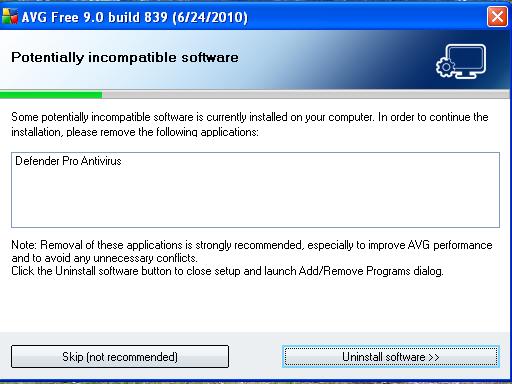
I don't see any sign of the redirect. I did a search on several different enngines, and I did not experience a redirect. I won't know if the Antivirus Defender is gone until I try to install AVG.
Lets get started.
OTL Fix
We need to run an OTL Fix
- Please reopen [external image: Posted Image] on your desktop.
- Copy and Paste the following code into the [external image: Posted Image] textbox. Do not include the word "Code"
:Services :OTL IE - HKCU\..\URLSearchHook: *{03402f96-3dc7-4285-bc50-9e81fefafe43} - Reg Error: Key error. File not found IE - HKCU\..\URLSearchHook: *{54EB34EA-E6BE-4CFD-9F4F-C4A0C2EAFA22} - Reg Error: Key error. File not found IE - HKCU\..\URLSearchHook: *{CFBFAE00-17A6-11D0-99CB-00C04FD64497} - Reg Error: Key error. File not found IE - HKCU\..\URLSearchHook: *{EF99BD32-C1FB-11D2-892F-0090271D4F88} - Reg Error: Key error. File not found IE - HKCU\Software\Microsoft\Windows\CurrentVersion\Internet Settings: "ProxyServer" = http=127.0.0.1:1072 O2 - BHO: (no name) - {5C255C8A-E604-49b4-9D64-90988571CECB} - No CLSID value found. O16 - DPF: {CAFEEFAC-0016-0000-0003-ABCDEFFEDCBA} http://java.sun.com/update/1.6.0/jinstall-…indows-i586.cab (Reg Error: Key error.) O33 - MountPoints2\{16f424f6-7888-11de-835f-00224367b4b7}\Shell\AutoRun\command - "" = setupSNK.exe O33 - MountPoints2\{9a95ea49-507d-11de-8354-00224367b4b7}\Shell\AutoRun\command - "" = setupSNK.exe [2010/06/10 11:13:31 | 000,000,000 | —D | C] – C:\Documents and Settings\Wanda Anderson\Local Settings\Application Data\csewerq :Reg :Files :Commands [purity] [emptytemp] [EMPTYFLASH] [start explorer] [Reboot] - Push [external image: Posted Image]
- OTL may ask to reboot the machine. Please do so if asked.
- Click [external image: Posted Image].
- A report will open. Copy and Paste that report in your next reply.
- If the machine reboots, the log will be located at C:\_OTL\MovedFiles\mmddyyyy_hhmmss.log, where mmddyyyy_hhmmss is the date of the tool run.
NEXT:
Running TDSSKiller
Please Note: If you have a previous version of TDSSKiller downloaded please delete it now and download a fresh copy using the links provided below.
Download TDSSKiller from one of the links below:
Zipped Version or Executable (Not Zipped) Version
Note: If you download the TDSSKiller.zip version you will first need to unzip (extract) the file to your computer before running it.
Please ensure that you save the TDSSKiller file to you desktop.
If TDSSKiller asks you to close all programs please allow it to do so.
If you see the following:
To finalize removal of infection and avoid loosing of data program will reboot your PC now.
Close all programs and choose Y to restart or N to continue.
Please enter Y and allow TDSSKiller to reboot your computer.
Once completed it will create a log in your C:\ drive. An example of a log file is: C:\TDSSKiller.2.2.0_20.12.2009_15.31.43_log.txt.
Please post the content of the TDSSKiller log.
NEXT:
Java Outdated
Your Java is out of date. Older versions have vulnerabilities that malicious sites can use to exploit and infect your system. Please follow these steps to remove older version Java components and update:
- Download the latest version of Java Runtime Environment (JRE) Version 6 and save it to your desktop.
- Look for "JDK 6 Update 20 (JDK or JRE)".
- Click the "Download JRE" button to the right.
- Select your Platform: "Windows".
- Select your Language: "Multi-language".
- Read the License Agreement, and then check the box that says: "Accept License Agreement".
- Click Continue and the page will refresh.
- Under Required Files, check the box for Windows Offline Installation, click the link below it and save the file to your desktop.
- Close any programs you may have running - especially your web browser.
- Check (highlight) any item with Java Runtime Environment (JRE or J2SE) in the name.
- Click the Remove or Change/Remove button and follow the onscreen instructions for the Java uninstaller.
- Repeat as many times as necessary to remove each Java versions.
- Reboot your computer once all Java components are removed.
- Then from your desktop double-click on jre-6u20-windows-i586.exe to install the newest version.
- If using Windows Vista and the installer refuses to launch due to insufficient user permissions, then Run As Administrator.
- When the Java Setup - Welcome window opens, click the Install > button.
- If offered to install a Toolbar, just uncheck the box before continuing unless you want it.
– Java is updated frequently. If you want to be automatically notified of future updates, just turn on the Java Automatic Update feature and you will not have to remember to update when Java releases a new version.
Note:
The Java Quick Starter (JQS.exe) adds a service to improve the initial startup time of Java applets and applications.
To disable the JQS service if you don't want to use it, go to Start > Control Panel > Java > Advanced > Miscellaneous and uncheck the box for Java Quick Starter.
Click Ok and reboot your computer.
NEXT
Clean Java Cache & Temporary Files
- After the install is complete, go into the Control Panel (using Classic View) and double-click the Java Icon. (looks like a coffee cup)
- On the General tab, under Temporary Internet Files, click the Settings button.
- Next, click on the Delete Files button
- There are two options in the window to clear the cache - Leave BOTH CheckedApplications and AppletsTrace and Log Files
- Click OK on Delete Temporary Files Window
Note: This deletes ALL the Downloaded Applications and Applets from the CACHE. - Click OK to leave the Temporary Files Window
- Click OK to leave the Java Control Panel.
NEXT:
Please download JavaRa and unzip it to your desktop.
***Please close any instances of Internet Explorer before continuing!***
- Double-click on JavaRa.exe to start the program.
- From the drop-down menu, choose English and click on Select.
- JavaRa will open; click on Remove Older Versions to remove the older versions of Java installed on your computer.
- Click Yes when prompted. When JavaRa is done, a notice will appear that a logfile has been produced. Click OK.
- A logfile will pop up. Please save it to a convenient location and post it in your next reply.
NEXT:
Update Adobe Reader
Earlier versions of Adobe Reader have known security flaws so it is recommended that you update your copy
- Go to Start > Control Panel > Add/Remove Programs
- Remove ALL instances of Adobe Reader
- Re-boot your computer as required.
- Once ALL versions of Adobe Reader have been uninstalled, visit: <> and download the latest version of Adobe Reader
Lets see if anything else is lurking.
Scanning with MalwareBytes' Anti-Malware
Please download Malwarebytes' Anti-Malware to your desktop.
- Double-click mbam-setup.exe and follow the prompts to install the program.
- At the end, be sure a checkmark is placed next to Update Malwarebytes' Anti-Malware and Launch Malwarebytes' Anti-Malware, then click Finish.
- If an update is found, it will download and install the latest version.
- Once the program has loaded, select Perform quick scan, then click Scan.
- When the scan is complete, click OK, then Show Results to view the results.
- Be sure that everything is checked, and click Remove Selected.
- When completed, a log will open in Notepad. Please save it to a convenient location and post the results.
NEXT:
ESET Online Scanner
I'd like us to scan your machine with ESET Online Scan
Note: It is recommended to disable on-board anti-virus program and anti-spyware programs while performing scans so there are no conflicts and it will speed up scan time.
Please don't go surfing while your resident protection is disabled!
Once the scan is finished remember to re-enable your anti-virus along with your anti-spyware programs.
- Hold down Control and click on the following link to open ESET OnlineScan in a new window.
ESET OnlineScan - Click the [external image: Posted Image] button.
- For alternate browsers only: (Microsoft Internet Explorer users can skip these steps)
- Click on [external image: Posted Image] to download the ESET Smart Installer. Save it to your desktop.
- Double click on the [external image: Posted Image] icon on your desktop.
- Check [external image: Posted Image]
- Click the [external image: Posted Image] button.
- Accept any security warnings from your browser.
- Check [external image: Posted Image]
- Make sure that the option "Remove found threats" is Unchecked
- Push the Start button.
- ESET will then download updates for itself, install itself, and begin
scanning your computer. Please be patient as this can take some time. - When the scan completes, push [external image: Posted Image]
- Push [external image: Posted Image], and save the file to your desktop using a unique name, such as
ESETScan. Include the contents of this report in your next reply. - Push the [external image: Posted Image] button.
- Push [external image: Posted Image]
NEXT:
Security Check
Download Security Check by screen317 from here or here.
- Save it to your Desktop.
- Double click SecurityCheck.exe and follow the onscreen instructions inside of the black box.
- A Notepad document should open automatically called checkup.txt; please post the contents of that document.
NEXT:
OTL Custom Scan
We need to run an OTL Custom Scan
- Please reopen [external image: Posted Image] on your desktop.
- Copy and Paste the following bolded text into the [external image: Posted Image] textbox.
netsvcs
drivers32 /all
%SYSTEMDRIVE%\*.*
%systemroot%\system32\Spool\prtprocs\w32x86\*.dll
%systemroot%\system32\*.wt
%systemroot%\system32\*.ruy
%systemroot%\Fonts\*.com
%systemroot%\Fonts\*.dll
%systemroot%\Fonts\*.ini
%systemroot%\Fonts\*.ini2
%systemroot%\system32\spool\prtprocs\w32x86\*.tmp
%systemroot%\*. /mp /s
%systemroot%\REPAIR\*.bak1
%systemroot%\REPAIR\*.ini
%systemroot%\system32\*.jpg
%systemroot%\*.scr
%systemroot%\*._sy
CREATERESTOREPOINT
%systemroot%\system32\*.dll /lockedfiles
%systemroot%\Tasks\*.job /lockedfiles
%systemroot%\System32\config\*.sav
%systemroot%\system32\user32.dll /md5
%systemroot%\system32\ws2_32.dll /md5
%systemroot%\system32\ws2help.dll /md5
HKEY_LOCAL_MACHINE\SOFTWARE\Policies\Microsoft\Windows\WindowsUpdate\AU
HKEY_LOCAL_MACHINE\SOFTWARE\Microsoft\Windows\CurrentVersion\WindowsUpdate\Auto Update\Results\Install|LastSuccessTime /rs
- Push [external image: Posted Image]
- A report will open. Copy and Paste that report in your next reply.
NEXT:
Please make sure you include the following items in your next post:
1. Any comments or questions you may have that you'd like for me to answer in my next post to you.
2. The log that is produced after running the updated MalwareBytes' Anti-Malware scan.
3. The log that is produced after running the ESET Online Virus Scanner.
4. The log that is produced after running the SecurityCheck scan.
5. The log that is produced after running the OTL scan.
6. An update on how your computer is currently running.
Cheers,
SweetTech.
2. mbam log:
Malwarebytes' Anti-Malware 1.46
www.malwarebytes.org
Database version: 4290
Windows 5.1.2600 Service Pack 3
Internet Explorer 8.0.6001.18702
7/7/2010 6:30:56 PM
mbam-log-2010-07-07 (18-30-56).txt
Scan type: Quick scan
Objects scanned: 121569
Time elapsed: 8 minute(s), 12 second(s)
Memory Processes Infected: 0
Memory Modules Infected: 0
Registry Keys Infected: 4
Registry Values Infected: 0
Registry Data Items Infected: 0
Folders Infected: 0
Files Infected: 0
Memory Processes Infected:
(No malicious items detected)
Memory Modules Infected:
(No malicious items detected)
Registry Keys Infected:
HKEY_CURRENT_USER\Software\avsoft (Trojan.Fraudpack) -> Quarantined and deleted successfully.
HKEY_CURRENT_USER\Software\avsuite (Rogue.AntivirusSuite) -> Quarantined and deleted successfully.
HKEY_LOCAL_MACHINE\SOFTWARE\avsoft (Trojan.Fraudpack) -> Quarantined and deleted successfully.
HKEY_LOCAL_MACHINE\SOFTWARE\avsuite (Rogue.AntivirusSuite) -> Quarantined and deleted successfully.
Registry Values Infected:
(No malicious items detected)
Registry Data Items Infected:
(No malicious items detected)
Folders Infected:
(No malicious items detected)
Files Infected:
(No malicious items detected)
3. ESET found no threats, but it did not offer an option to export the report.
4. Security Check log:
Results of screen317's Security Check version 0.99.4
Windows XP Service Pack 3
``````````````````````````````
Antivirus/Firewall Check:
Windows Firewall Enabled!
AVG Free 8.5
ESET Online Scanner v3
```````````````````````````````
Anti-malware/Other Utilities Check:
Malwarebytes' Anti-Malware
Java™ 6 Update 20
Adobe Flash Player
Adobe Reader 9.3
````````````````````````````````
Process Check:
objlist.exe by Laurent
AVG avgwdsvc.exe
AVG avgtray.exe
AVG avgrsx.exe
AVG avgnsx.exe
AVG avgemc.exe
````````````````````````````````
DNS Vulnerability Check:
GREAT! (Not vulnerable to DNS cache poisoning)
``````````End of Log````````````
5. OTL log:
OTL logfile created on: 7/8/2010 2:35:50 PM - Run 2
OTL by OldTimer - Version 3.2.7.1 Folder = C:\Documents and Settings\Wanda Anderson\Desktop
Windows XP Home Edition Service Pack 3 (Version = 5.1.2600) - Type = NTWorkstation
Internet Explorer (Version = 8.0.6001.18702)
Locale: 00000409 | Country: United States | Language: ENU | Date Format: M/d/yyyy
1,015.00 Mb Total Physical Memory | 589.00 Mb Available Physical Memory | 58.00% Memory free
2.00 Gb Paging File | 2.00 Gb Available in Paging File | 86.00% Paging File free
Paging file location(s): C:\pagefile.sys 1522 1522 [binary data]
%SystemDrive% = C: | %SystemRoot% = C:\WINDOWS | %ProgramFiles% = C:\Program Files
Drive C: | 111.76 Gb Total Space | 100.69 Gb Free Space | 90.09% Space Free | Partition Type: NTFS
D: Drive not present or media not loaded
E: Drive not present or media not loaded
F: Drive not present or media not loaded
G: Drive not present or media not loaded
H: Drive not present or media not loaded
I: Drive not present or media not loaded
Computer Name: WANDA
Current User Name: Wanda Anderson
Logged in as Administrator.
Current Boot Mode: Normal
Scan Mode: Current user
Company Name Whitelist: Off
Skip Microsoft Files: Off
File Age = 30 Days
Output = Minimal
========== Processes (SafeList) ==========
PRC - C:\Program Files\AVG\AVG8\avgtray.exe (AVG Technologies CZ, s.r.o.)
PRC - C:\Documents and Settings\Wanda Anderson\Desktop\OTL.exe (OldTimer Tools)
PRC - C:\Program Files\AVG\AVG8\avgemc.exe (AVG Technologies CZ, s.r.o.)
PRC - C:\Program Files\AVG\AVG8\avgcsrvx.exe (AVG Technologies CZ, s.r.o.)
PRC - C:\Program Files\AVG\AVG8\avgnsx.exe (AVG Technologies CZ, s.r.o.)
PRC - C:\Program Files\AVG\AVG8\avgrsx.exe (AVG Technologies CZ, s.r.o.)
PRC - C:\Program Files\AVG\AVG8\avgwdsvc.exe (AVG Technologies CZ, s.r.o.)
PRC - C:\Program Files\Microsoft\Search Enhancement Pack\SeaPort\SeaPort.exe (Microsoft Corporation)
PRC - C:\Program Files\EeePC\ACPI\AsTray.exe (ASUSTeK Computer Inc.)
PRC - C:\Program Files\EeePC\ACPI\AsAcpiSvr.exe (ASUSTeK Computer Inc.)
PRC - C:\Program Files\ASUS\EeePC\Asus Power Management Utility\Asus Power Management Utility.exe (ASUSTeK Computer Inc.)
PRC - C:\Program Files\Elantech\ETDCTRL.EXE (ELANTECH Devices Corp.)
PRC - C:\Program Files\Elantech\ETDDECT.EXE (ELANTECH Devices Corp.)
PRC - C:\Program Files\EeePC\ACPI\AsEPCMon.exe (ASUSTeK Computer Inc.)
PRC - C:\WINDOWS\explorer.exe (Microsoft Corporation)
PRC - C:\WINDOWS\system32\igfxext.exe (Intel Corporation)
PRC - C:\Program Files\Viewpoint\Common\ViewpointService.exe (Viewpoint Corporation)
========== Modules (SafeList) ==========
MOD - C:\Documents and Settings\Wanda Anderson\Desktop\OTL.exe (OldTimer Tools)
MOD - C:\Program Files\Elantech\ETDAPIX.DLL (ELANTECH Devices Corp.)
MOD - C:\WINDOWS\system32\msscript.ocx (Microsoft Corporation)
========== Win32 Services (SafeList) ==========
SRV - (Norton Internet Security) – C:\Program Files\Norton Internet Security\Engine\16.0.0.125\ccSvcHst.exe File not found
SRV - (AppMgmt) – C:\WINDOWS\System32\appmgmts.dll File not found
SRV - (avg8emc) – C:\Program Files\AVG\AVG8\avgemc.exe (AVG Technologies CZ, s.r.o.)
SRV - (avg8wd) – C:\Program Files\AVG\AVG8\avgwdsvc.exe (AVG Technologies CZ, s.r.o.)
SRV - (fsssvc) – C:\Program Files\Windows Live\Family Safety\fsssvc.exe (Microsoft Corporation)
SRV - (SeaPort) – C:\Program Files\Microsoft\Search Enhancement Pack\SeaPort\SeaPort.exe (Microsoft Corporation)
SRV - (Viewpoint Manager Service) – C:\Program Files\Viewpoint\Common\ViewpointService.exe (Viewpoint Corporation)
========== Driver Services (SafeList) ==========
DRV - (Trufos) – C:\Program Files\Common Files\BitDefender\BitDefender Threat Scanner\trufos.sys File not found
DRV - (Profos) – C:\Program Files\Common Files\BitDefender\BitDefender Threat Scanner\profos.sys File not found
DRV - (AvgTdiX) – C:\WINDOWS\System32\Drivers\avgtdix.sys (AVG Technologies CZ, s.r.o.)
DRV - (AvgLdx86) – C:\WINDOWS\System32\Drivers\avgldx86.sys (AVG Technologies CZ, s.r.o.)
DRV - (AvgMfx86) – C:\WINDOWS\System32\Drivers\avgmfx86.sys (AVG Technologies CZ, s.r.o.)
DRV - (fssfltr) – C:\WINDOWS\system32\drivers\fssfltr_tdi.sys (Microsoft Corporation)
DRV - (NuidFltr) – C:\WINDOWS\system32\drivers\nuidfltr.sys (Microsoft Corporation)
DRV - (L1e) – C:\WINDOWS\system32\drivers\l1e51x86.sys (Atheros Communications, Inc.)
DRV - (Ktp) – C:\WINDOWS\system32\drivers\ETD.sys (ELANTECH Devices Corp.)
DRV - (rtl8187Se) – C:\WINDOWS\system32\drivers\rtl8187Se.sys (Realtek Semiconductor Corporation )
DRV - (SRS_PremiumSound_Service) – C:\WINDOWS\system32\drivers\SRS_PremiumSound_i386.sys ()
DRV - (HDAudBus) – C:\WINDOWS\system32\drivers\hdaudbus.sys (Windows ® Server 2003 DDK provider)
DRV - (AsusACPI) – C:\WINDOWS\system32\drivers\ASUSACPI.SYS (ASUSTeK Computer Inc.)
DRV - (IntcAzAudAddService) Service for Realtek HD Audio (WDM) – C:\WINDOWS\system32\drivers\RtkHDAud.sys (Realtek Semiconductor Corp.)
DRV - (ialm) – C:\WINDOWS\system32\drivers\igxpmp32.sys (Intel Corporation)
========== Standard Registry (SafeList) ==========
========== Internet Explorer ==========
IE - HKLM\SOFTWARE\Microsoft\Internet Explorer\Search,CustomSearch = http://us.rd.yahoo.com/customize/ie/defaul…rch/search.html
IE - HKLM\..\URLSearchHook: {03402f96-3dc7-4285-bc50-9e81fefafe43} - C:\Program Files\AIM Toolbar\aimtb.dll (AOL LLC.)
IE - HKCU\SOFTWARE\Microsoft\Internet Explorer\Main,Search Page = http://us.rd.yahoo.com/customize/ie/defaul…//www.yahoo.com
IE - HKCU\SOFTWARE\Microsoft\Internet Explorer\Main,Start Page = http://www.yahoo.com/
IE - HKCU\..\URLSearchHook: {54EB34EA-E6BE-4CFD-9F4F-C4A0C2EAFA22} - C:\Program Files\AIM Search\AOLSearch.dll (America Online, Inc.)
IE - HKCU\..\URLSearchHook: {A3BC75A2-1F87-4686-AA43-5347D756017C} - C:\Program Files\AVG\AVG8\Toolbar\IEToolbar.dll ()
IE - HKCU\Software\Microsoft\Windows\CurrentVersion\Internet Settings: "ProxyEnable" = 0
IE - HKCU\Software\Microsoft\Windows\CurrentVersion\Internet Settings: "ProxyOverride" =
[2009/03/17 03:11:38 | 000,000,000 | —D | M] – C:\Documents and Settings\Wanda Anderson\Application Data\Mozilla\Firefox\extensions
[2009/03/17 03:11:38 | 000,000,000 | —D | M] (No name found) – C:\Documents and Settings\Wanda Anderson\Application Data\Mozilla\Firefox\extensions\{E9A1DEE0-C623-4439-8932-001E7D17607D}
O1 HOSTS File: ([2008/04/14 08:00:00 | 000,000,734 | —- | M]) - C:\WINDOWS\system32\drivers\etc\hosts
O1 - Hosts: 127.0.0.1 localhost
O2 - BHO: (&Yahoo! Toolbar Helper) - {02478D38-C3F9-4efb-9B51-7695ECA05670} - C:\Program Files\Yahoo!\Companion\Installs\cpn\yt.dll (Yahoo! Inc.)
O2 - BHO: (AskBar BHO) - {201f27d4-3704-41d6-89c1-aa35e39143ed} - C:\Program Files\AskBarDis\bar\bin\askBar.dll (Ask.com)
O2 - BHO: (Skype add-on (mastermind)) - {22BF413B-C6D2-4d91-82A9-A0F997BA588C} - C:\Program Files\Skype\Toolbars\Internet Explorer\SkypeIEPlugin.dll (Skype Technologies S.A.)
O2 - BHO: (AVG Safe Search) - {3CA2F312-6F6E-4B53-A66E-4E65E497C8C0} - C:\Program Files\AVG\AVG8\avgssie.dll (AVG Technologies CZ, s.r.o.)
O2 - BHO: (AOLSearchHook Class) - {54EB34EA-E6BE-4CFD-9F4F-C4A0C2EAFA22} - C:\Program Files\AIM Search\AOLSearch.dll (America Online, Inc.)
O2 - BHO: (Search Helper) - {6EBF7485-159F-4bff-A14F-B9E3AAC4465B} - C:\Program Files\Microsoft\Search Enhancement Pack\Search Helper\SEPsearchhelperie.dll (Microsoft Corporation)
O2 - BHO: (AVG Security Toolbar BHO) - {A3BC75A2-1F87-4686-AA43-5347D756017C} - C:\Program Files\AVG\AVG8\Toolbar\IEToolbar.dll ()
O2 - BHO: (AIM Toolbar Loader) - {b0cda128-b425-4eef-a174-61a11ac5dbf8} - C:\Program Files\AIM Toolbar\aimtb.dll (AOL LLC.)
O2 - BHO: (Windows Live Toolbar Helper) - {E15A8DC0-8516-42A1-81EA-DC94EC1ACF10} - C:\Program Files\Windows Live\Toolbar\wltcore.dll (Microsoft Corporation)
O2 - BHO: (SingleInstance Class) - {FDAD4DA1-61A2-4FD8-9C17-86F7AC245081} - C:\Program Files\Yahoo!\Companion\Installs\cpn\YTSingleInstance.dll (Yahoo! Inc)
O3 - HKLM\..\Toolbar: (&Windows Live Toolbar) - {21FA44EF-376D-4D53-9B0F-8A89D3229068} - C:\Program Files\Windows Live\Toolbar\wltcore.dll (Microsoft Corporation)
O3 - HKLM\..\Toolbar: (Ask Toolbar) - {3041d03e-fd4b-44e0-b742-2d9b88305f98} - C:\Program Files\AskBarDis\bar\bin\askBar.dll (Ask.com)
O3 - HKLM\..\Toolbar: (AIM Toolbar) - {61539ecd-cc67-4437-a03c-9aaccbd14326} - C:\Program Files\AIM Toolbar\aimtb.dll (AOL LLC.)
O3 - HKLM\..\Toolbar: (AVG Security Toolbar) - {CCC7A320-B3CA-4199-B1A6-9F516DD69829} - C:\Program Files\AVG\AVG8\Toolbar\IEToolbar.dll ()
O3 - HKLM\..\Toolbar: (Yahoo! Toolbar) - {EF99BD32-C1FB-11D2-892F-0090271D4F88} - C:\Program Files\Yahoo!\Companion\Installs\cpn\yt.dll (Yahoo! Inc.)
O3 - HKCU\..\Toolbar\WebBrowser: (&Windows Live Toolbar) - {21FA44EF-376D-4D53-9B0F-8A89D3229068} - C:\Program Files\Windows Live\Toolbar\wltcore.dll (Microsoft Corporation)
O3 - HKCU\..\Toolbar\WebBrowser: (Ask Toolbar) - {3041D03E-FD4B-44E0-B742-2D9B88305F98} - C:\Program Files\AskBarDis\bar\bin\askBar.dll (Ask.com)
O3 - HKCU\..\Toolbar\WebBrowser: (AIM Toolbar) - {61539ECD-CC67-4437-A03C-9AACCBD14326} - C:\Program Files\AIM Toolbar\aimtb.dll (AOL LLC.)
O3 - HKCU\..\Toolbar\WebBrowser: (AVG Security Toolbar) - {CCC7A320-B3CA-4199-B1A6-9F516DD69829} - C:\Program Files\AVG\AVG8\Toolbar\IEToolbar.dll ()
O3 - HKCU\..\Toolbar\WebBrowser: (Yahoo! Toolbar) - {EF99BD32-C1FB-11D2-892F-0090271D4F88} - C:\Program Files\Yahoo!\Companion\Installs\cpn\yt.dll (Yahoo! Inc.)
O4 - HKLM..\Run: [Alcmtr] C:\WINDOWS\Alcmtr.exe (Realtek Semiconductor Corp.)
O4 - HKLM..\Run: [AsusACPIServer] C:\Program Files\EeePC\ACPI\AsAcpiSvr.exe (ASUSTeK Computer Inc.)
O4 - HKLM..\Run: [AsusEPCMonitor] C:\Program Files\EeePC\ACPI\AsEPCMon.exe (ASUSTeK Computer Inc.)
O4 - HKLM..\Run: [AsusTray] C:\Program Files\EeePC\ACPI\AsTray.exe (ASUSTeK Computer Inc.)
O4 - HKLM..\Run: [AVG8_TRAY] C:\Program Files\AVG\AVG8\avgtray.exe (AVG Technologies CZ, s.r.o.)
O4 - HKLM..\Run: [ETDWare] C:\Program Files\Elantech\ETDCTRL.EXE (ELANTECH Devices Corp.)
O4 - HKLM..\Run: [ETDWareDetect] C:\Program Files\Elantech\ETDDECT.EXE (ELANTECH Devices Corp.)
O4 - HKLM..\Run: [IMJPMIG8.1] C:\WINDOWS\IME\imjp8_1\IMJPMIG.EXE (Microsoft Corporation)
O4 - HKLM..\Run: [MSPY2002] C:\WINDOWS\System32\IME\PINTLGNT\ImScInst.exe ()
O4 - HKLM..\Run: [PHIME2002A] C:\WINDOWS\System32\IME\TINTLGNT\TINTSETP.EXE (Microsoft Corporation)
O4 - HKLM..\Run: [PHIME2002ASync] C:\WINDOWS\System32\IME\TINTLGNT\TINTSETP.EXE (Microsoft Corporation)
O4 - Startup: C:\Documents and Settings\All Users\Start Menu\Programs\Startup\Asus Power Management Utility.lnk = C:\Program Files\ASUS\EeePC\Asus Power Management Utility\Asus Power Management Utility.exe (ASUSTeK Computer Inc.)
O6 - HKLM\SOFTWARE\Microsoft\Windows\CurrentVersion\policies\Explorer: HonorAutoRunSetting = 1
O7 - HKCU\SOFTWARE\Microsoft\Windows\CurrentVersion\policies\Explorer: NoDriveTypeAutoRun = 145
O8 - Extra context menu item: &AIM Toolbar Search - C:\Documents and Settings\All Users\Application Data\AIM Toolbar\ieToolbar\resources\en-US\local\search.html ()
O9 - Extra Button: AIM Toolbar - {0b83c99c-1efa-4259-858f-bcb33e007a5b} - C:\Program Files\AIM Toolbar\aimtb.dll (AOL LLC.)
O9 - Extra Button: Blog This - {219C3416-8CB2-491a-A3C7-D9FCDDC9D600} - C:\Program Files\Windows Live\Writer\WriterBrowserExtension.dll (Microsoft Corporation)
O9 - Extra 'Tools' menuitem : &Blog This in Windows Live Writer - {219C3416-8CB2-491a-A3C7-D9FCDDC9D600} - C:\Program Files\Windows Live\Writer\WriterBrowserExtension.dll (Microsoft Corporation)
O9 - Extra Button: Skype - {77BF5300-1474-4EC7-9980-D32B190E9B07} - C:\Program Files\Skype\Toolbars\Internet Explorer\SkypeIEPlugin.dll (Skype Technologies S.A.)
O16 - DPF: {7530BFB8-7293-4D34-9923-61A11451AFC5} http://download.eset.com/special/eos/OnlineScanner.cab (OnlineScanner Control)
O16 - DPF: {8100D56A-5661-482C-BEE8-AFECE305D968} http://upload.facebook.com/controls/2009.0…oUploader55.cab (Facebook Photo Uploader 5 Control)
O16 - DPF: {8AD9C840-044E-11D1-B3E9-00805F499D93} http://java.sun.com/update/1.6.0/jinstall-…indows-i586.cab (Java Plug-in 1.6.0_20)
O16 - DPF: {CAFEEFAC-0016-0000-0020-ABCDEFFEDCBA} http://java.sun.com/update/1.6.0/jinstall-…indows-i586.cab (Java Plug-in 1.6.0_20)
O16 - DPF: {CAFEEFAC-FFFF-FFFF-FFFF-ABCDEFFEDCBA} http://java.sun.com/update/1.6.0/jinstall-…indows-i586.cab (Java Plug-in 1.6.0_20)
O16 - DPF: {D27CDB6E-AE6D-11CF-96B8-444553540000} http://download.macromedia.com/pub/shockwa…ash/swflash.cab (Shockwave Flash Object)
O16 - DPF: {E2883E8F-472F-4FB0-9522-AC9BF37916A7} http://platformdl.adobe.com/NOS/getPlusPlus/1.6/gp.cab (Reg Error: Key error.)
O17 - HKLM\System\CCS\Services\Tcpip\Parameters: DhcpNameServer = 192.168.1.1
O18 - Protocol\Handler\linkscanner {F274614C-63F8-47D5-A4D1-FBDDE494F8D1} - C:\Program Files\AVG\AVG8\avgpp.dll (AVG Technologies CZ, s.r.o.)
O18 - Protocol\Handler\skype4com {FFC8B962-9B40-4DFF-9458-1830C7DD7F5D} - C:\Program Files\Common Files\Skype\Skype4COM.dll (Skype Technologies)
O18 - Protocol\Handler\wlmailhtml {03C514A3-1EFB-4856-9F99-10D7BE1653C0} - C:\Program Files\Windows Live\Mail\mailcomm.dll (Microsoft Corporation)
O20 - HKLM Winlogon: Shell - (Explorer.exe) - C:\WINDOWS\explorer.exe (Microsoft Corporation)
O20 - Winlogon\Notify\avgrsstarter: DllName - avgrsstx.dll - C:\WINDOWS\System32\avgrsstx.dll (AVG Technologies CZ, s.r.o.)
O20 - Winlogon\Notify\igfxcui: DllName - igfxdev.dll - C:\WINDOWS\System32\igfxdev.dll (Intel Corporation)
O24 - Desktop WallPaper: C:\Documents and Settings\Wanda Anderson\Local Settings\Application Data\Microsoft\Wallpaper1.bmp
O24 - Desktop BackupWallPaper: C:\Documents and Settings\Wanda Anderson\Local Settings\Application Data\Microsoft\Wallpaper1.bmp
O32 - HKLM CDRom: AutoRun - 1
O32 - AutoRun File - [2008/07/29 19:08:16 | 000,000,000 | —- | M] () - C:\AUTOEXEC.BAT – [ NTFS ]
O34 - HKLM BootExecute: (autocheck autochk *) - File not found
O35 - HKLM\..comfile [open] – "%1" %*
O35 - HKLM\..exefile [open] – "%1" %*
O37 - HKLM\…com [@ = comfile] – "%1" %*
O37 - HKLM\…exe [@ = exefile] – "%1" %*
NetSvcs: 6to4 - File not found
NetSvcs: AppMgmt - C:\WINDOWS\System32\appmgmts.dll File not found
NetSvcs: Ias - File not found
NetSvcs: Iprip - File not found
NetSvcs: Irmon - File not found
NetSvcs: NWCWorkstation - File not found
NetSvcs: Nwsapagent - File not found
NetSvcs: Wmi - C:\WINDOWS\System32\wmi.dll (Microsoft Corporation)
NetSvcs: WmdmPmSp - File not found
Drivers32: aux - C:\WINDOWS\System32\wdmaud.drv (Microsoft Corporation)
Drivers32: aux1 - C:\WINDOWS\System32\wdmaud.drv (Microsoft Corporation)
Drivers32: midi - C:\WINDOWS\System32\wdmaud.drv (Microsoft Corporation)
Drivers32: midi1 - C:\WINDOWS\System32\wdmaud.drv (Microsoft Corporation)
Drivers32: midimapper - C:\WINDOWS\System32\midimap.dll (Microsoft Corporation)
Drivers32: mixer - C:\WINDOWS\System32\wdmaud.drv (Microsoft Corporation)
Drivers32: mixer1 - C:\WINDOWS\System32\wdmaud.drv (Microsoft Corporation)
Drivers32: msacm.iac2 - C:\WINDOWS\system32\iac25_32.ax (Intel Corporation)
Drivers32: msacm.imaadpcm - C:\WINDOWS\System32\imaadp32.acm (Microsoft Corporation)
Drivers32: msacm.l3acm - C:\WINDOWS\system32\l3codeca.acm (Fraunhofer Institut Integrierte Schaltungen IIS)
Drivers32: msacm.msadpcm - C:\WINDOWS\System32\msadp32.acm (Microsoft Corporation)
Drivers32: msacm.msaudio1 - C:\WINDOWS\System32\msaud32.acm (Microsoft Corporation)
Drivers32: msacm.msg711 - C:\WINDOWS\System32\msg711.acm (Microsoft Corporation)
Drivers32: msacm.msg723 - C:\WINDOWS\System32\msg723.acm (Microsoft Corporation)
Drivers32: msacm.msgsm610 - C:\WINDOWS\System32\msgsm32.acm (Microsoft Corporation)
Drivers32: msacm.siren - C:\WINDOWS\System32\sirenacm.dll (Microsoft Corporation)
Drivers32: msacm.sl_anet - C:\WINDOWS\System32\sl_anet.acm (Sipro Lab Telecom Inc.)
Drivers32: msacm.trspch - C:\WINDOWS\System32\tssoft32.acm (DSP GROUP, INC.)
Drivers32: MSVideo8 - C:\WINDOWS\System32\vfwwdm32.dll (Microsoft Corporation)
Drivers32: vidc.cvid - C:\WINDOWS\System32\iccvid.dll (Radius Inc.)
Drivers32: vidc.I420 - C:\WINDOWS\System32\msh263.drv (Microsoft Corporation)
Drivers32: vidc.iv31 - C:\WINDOWS\System32\ir32_32.dll ()
Drivers32: vidc.iv32 - C:\WINDOWS\System32\ir32_32.dll ()
Drivers32: vidc.iv41 - C:\WINDOWS\System32\ir41_32.ax (Intel Corporation)
Drivers32: vidc.iv50 - C:\WINDOWS\System32\ir50_32.dll (Intel Corporation)
Drivers32: VIDC.IYUV - C:\WINDOWS\System32\iyuv_32.dll (Microsoft Corporation)
Drivers32: vidc.M261 - C:\WINDOWS\System32\msh261.drv (Microsoft Corporation)
Drivers32: vidc.M263 - C:\WINDOWS\System32\msh263.drv (Microsoft Corporation)
Drivers32: vidc.mrle - C:\WINDOWS\System32\msrle32.dll (Microsoft Corporation)
Drivers32: vidc.msvc - C:\WINDOWS\System32\msvidc32.dll (Microsoft Corporation)
Drivers32: VIDC.UYVY - C:\WINDOWS\System32\msyuv.dll (Microsoft Corporation)
Drivers32: VIDC.YUY2 - C:\WINDOWS\System32\msyuv.dll (Microsoft Corporation)
Drivers32: VIDC.YVU9 - C:\WINDOWS\System32\tsbyuv.dll (Microsoft Corporation)
Drivers32: VIDC.YVYU - C:\WINDOWS\System32\msyuv.dll (Microsoft Corporation)
Drivers32: wave - C:\WINDOWS\System32\wdmaud.drv (Microsoft Corporation)
Drivers32: wave1 - C:\WINDOWS\System32\wdmaud.drv (Microsoft Corporation)
Drivers32: wavemapper - C:\WINDOWS\System32\msacm32.drv (Microsoft Corporation)
CREATERESTOREPOINT
Restore point Set: OTL Restore Point (17183584330711040)
========== Files/Folders - Created Within 30 Days ==========
[2010/07/08 14:21:50 | 000,000,000 | -HSD | C] – C:\Config.Msi
[2010/07/07 19:25:13 | 000,000,000 | —D | C] – C:\Program Files\ESET
[2010/07/07 18:13:21 | 000,743,424 | —- | C] (Microsoft Corporation) – C:\WINDOWS\System32\dllcache\iedvtool.dll
[2010/07/07 18:12:22 | 000,000,000 | —D | C] – C:\Documents and Settings\Wanda Anderson\Application Data\Malwarebytes
[2010/07/07 18:12:14 | 000,038,224 | —- | C] (Malwarebytes Corporation) – C:\WINDOWS\System32\drivers\mbamswissarmy.sys
[2010/07/07 18:12:10 | 000,020,952 | —- | C] (Malwarebytes Corporation) – C:\WINDOWS\System32\drivers\mbam.sys
[2010/07/07 18:12:10 | 000,000,000 | —D | C] – C:\Program Files\Malwarebytes' Anti-Malware
[2010/07/07 18:12:10 | 000,000,000 | —D | C] – C:\Documents and Settings\All Users\Application Data\Malwarebytes
[2010/07/07 16:28:35 | 000,000,000 | —D | C] – C:\Documents and Settings\All Users\Desktop\Adobe Reader 9 Installer
[2010/07/07 16:28:25 | 000,000,000 | —D | C] – C:\Program Files\Common Files\Adobe AIR
[2010/07/07 16:26:45 | 000,000,000 | —D | C] – C:\Documents and Settings\All Users\Application Data\NOS
[2010/07/07 15:52:47 | 000,411,368 | —- | C] (Sun Microsystems, Inc.) – C:\WINDOWS\System32\deployJava1.dll
[2010/07/07 15:52:47 | 000,153,376 | —- | C] (Sun Microsystems, Inc.) – C:\WINDOWS\System32\javaws.exe
[2010/07/07 15:52:47 | 000,145,184 | —- | C] (Sun Microsystems, Inc.) – C:\WINDOWS\System32\javaw.exe
[2010/07/07 15:52:47 | 000,145,184 | —- | C] (Sun Microsystems, Inc.) – C:\WINDOWS\System32\java.exe
[2010/07/07 15:52:47 | 000,073,728 | —- | C] (Sun Microsystems, Inc.) – C:\WINDOWS\System32\javacpl.cpl
[2010/07/07 15:13:11 | 016,295,712 | —- | C] (Sun Microsystems, Inc.) – C:\Documents and Settings\Wanda Anderson\Desktop\jre-6u20-windows-i586.exe
[2010/07/07 15:04:40 | 001,013,584 | —- | C] (Kaspersky Lab) – C:\Documents and Settings\Wanda Anderson\Desktop\tdsskiller.exe
[2010/07/07 11:49:52 | 000,000,000 | —D | C] – C:\_OTL
[2010/07/05 20:08:38 | 002,133,536 | —- | C] (AVG Technologies) – C:\Documents and Settings\Wanda Anderson\Desktop\avg_free_stb_all_9_115_cnet.exe
[2010/07/05 15:43:14 | 000,574,976 | —- | C] (OldTimer Tools) – C:\Documents and Settings\Wanda Anderson\Desktop\OTL.exe
[2010/06/22 23:58:25 | 000,000,000 | -HSD | C] – C:\Documents and Settings\Wanda Anderson\IECompatCache
========== Files - Modified Within 30 Days ==========
[2010/07/08 14:32:30 | 000,512,914 | —- | M] () – C:\WINDOWS\System32\PerfStringBackup.INI
[2010/07/08 14:32:30 | 000,435,738 | —- | M] () – C:\WINDOWS\System32\perfh009.dat
[2010/07/08 14:32:30 | 000,069,578 | —- | M] () – C:\WINDOWS\System32\perfc009.dat
[2010/07/08 14:28:36 | 000,001,158 | —- | M] () – C:\WINDOWS\System32\wpa.dbl
[2010/07/08 14:28:17 | 000,000,006 | -H– | M] () – C:\WINDOWS\tasks\SA.DAT
[2010/07/08 14:28:13 | 000,002,048 | –S- | M] () – C:\WINDOWS\bootstat.dat
[2010/07/08 14:28:07 | 1064,423,424 | -HS- | M] () – C:\hiberfil.sys
[2010/07/08 14:28:07 | 000,251,880 | —- | M] () – C:\WINDOWS\System32\FNTCACHE.DAT
[2010/07/08 14:27:24 | 002,883,584 | -H– | M] () – C:\Documents and Settings\Wanda Anderson\NTUSER.DAT
[2010/07/08 14:27:19 | 000,000,178 | -HS- | M] () – C:\Documents and Settings\Wanda Anderson\ntuser.ini
[2010/07/08 14:26:09 | 000,001,355 | —- | M] () – C:\WINDOWS\imsins.BAK
[2010/07/08 14:09:20 | 061,755,599 | —- | M] () – C:\WINDOWS\System32\drivers\Avg\incavi.avm
[2010/07/07 23:44:28 | 000,867,892 | —- | M] () – C:\Documents and Settings\Wanda Anderson\Desktop\SecurityCheck.exe
[2010/07/07 18:12:17 | 000,000,696 | —- | M] () – C:\Documents and Settings\All Users\Desktop\Malwarebytes' Anti-Malware.lnk
[2010/07/07 16:30:04 | 000,000,732 | —- | M] () – C:\Documents and Settings\All Users\Desktop\Acrobat_com.lnk
[2010/07/07 16:29:20 | 000,001,729 | —- | M] () – C:\Documents and Settings\All Users\Desktop\Adobe Reader 9.lnk
[2010/07/07 16:13:28 | 000,071,798 | —- | M] () – C:\Documents and Settings\Wanda Anderson\Desktop\JavaRa.zip
[2010/07/07 15:52:31 | 000,411,368 | —- | M] (Sun Microsystems, Inc.) – C:\WINDOWS\System32\deployJava1.dll
[2010/07/07 15:52:31 | 000,153,376 | —- | M] (Sun Microsystems, Inc.) – C:\WINDOWS\System32\javaws.exe
[2010/07/07 15:52:31 | 000,145,184 | —- | M] (Sun Microsystems, Inc.) – C:\WINDOWS\System32\javaw.exe
[2010/07/07 15:52:31 | 000,145,184 | —- | M] (Sun Microsystems, Inc.) – C:\WINDOWS\System32\java.exe
[2010/07/07 15:52:31 | 000,073,728 | —- | M] (Sun Microsystems, Inc.) – C:\WINDOWS\System32\javacpl.cpl
[2010/07/07 15:13:11 | 016,295,712 | —- | M] (Sun Microsystems, Inc.) – C:\Documents and Settings\Wanda Anderson\Desktop\jre-6u20-windows-i586.exe
[2010/07/07 15:03:23 | 001,013,584 | —- | M] (Kaspersky Lab) – C:\Documents and Settings\Wanda Anderson\Desktop\tdsskiller.exe
[2010/07/06 14:37:04 | 000,000,284 | —- | M] () – C:\WINDOWS\tasks\AppleSoftwareUpdate.job
[2010/07/05 20:08:41 | 002,133,536 | —- | M] (AVG Technologies) – C:\Documents and Settings\Wanda Anderson\Desktop\avg_free_stb_all_9_115_cnet.exe
[2010/07/05 16:01:04 | 000,293,376 | —- | M] () – C:\Documents and Settings\Wanda Anderson\Desktop\fxtk0oo3.exe
[2010/07/05 15:59:34 | 000,001,112 | —- | M] () – C:\Documents and Settings\Wanda Anderson\Application Data\wklnhst.dat
[2010/07/05 15:48:53 | 000,029,429 | —- | M] () – C:\Documents and Settings\Wanda Anderson\Desktop\Instructions.docx
[2010/07/05 15:43:22 | 000,574,976 | —- | M] (OldTimer Tools) – C:\Documents and Settings\Wanda Anderson\Desktop\OTL.exe
[2010/07/05 13:07:13 | 000,000,507 | —- | M] () – C:\WINDOWS\win.ini
[2010/07/05 13:07:13 | 000,000,227 | —- | M] () – C:\WINDOWS\system.ini
[2010/07/05 13:07:13 | 000,000,211 | RHS- | M] () – C:\boot.ini
[2010/07/05 11:31:49 | 000,359,929 | —- | M] () – C:\Documents and Settings\Wanda Anderson\Desktop\dds.scr
[2010/06/10 11:08:36 | 000,000,241 | —- | M] () – C:\Documents and Settings\Wanda Anderson\Desktop\Yahoo! Mail The best web-based email!.url
[2010/06/09 05:40:26 | 000,000,241 | —- | M] () – C:\Documents and Settings\Wanda Anderson\Desktop\Facebook Home.url
========== Files Created - No Company Name ==========
[2010/07/08 14:31:59 | 000,867,892 | —- | C] () – C:\Documents and Settings\Wanda Anderson\Desktop\SecurityCheck.exe
[2010/07/07 18:12:17 | 000,000,696 | —- | C] () – C:\Documents and Settings\All Users\Desktop\Malwarebytes' Anti-Malware.lnk
[2010/07/07 16:30:04 | 000,000,732 | —- | C] () – C:\Documents and Settings\All Users\Desktop\Acrobat_com.lnk
[2010/07/07 16:29:20 | 000,001,729 | —- | C] () – C:\Documents and Settings\All Users\Desktop\Adobe Reader 9.lnk
[2010/07/07 16:13:28 | 000,071,798 | —- | C] () – C:\Documents and Settings\Wanda Anderson\Desktop\JavaRa.zip
[2010/07/05 16:00:59 | 000,293,376 | —- | C] () – C:\Documents and Settings\Wanda Anderson\Desktop\fxtk0oo3.exe
[2010/07/05 15:46:45 | 000,029,429 | —- | C] () – C:\Documents and Settings\Wanda Anderson\Desktop\Instructions.docx
[2010/07/05 11:31:48 | 000,359,929 | —- | C] () – C:\Documents and Settings\Wanda Anderson\Desktop\dds.scr
[2009/08/18 18:13:30 | 000,000,021 | —- | C] () – C:\WINDOWS\atid.ini
[2008/08/19 14:38:18 | 000,049,152 | R— | C] () – C:\WINDOWS\System32\drivers\tshd4_kern_i386.sys
[2008/08/19 14:38:18 | 000,048,128 | R— | C] () – C:\WINDOWS\System32\drivers\maxv_kern_i386.sys
[2008/08/19 14:38:18 | 000,040,832 | R— | C] () – C:\WINDOWS\System32\drivers\cshp_kern_i386.sys
[2008/08/19 14:38:18 | 000,038,272 | R— | C] () – C:\WINDOWS\System32\drivers\SRS_PremiumSound_i386.sys
[2008/08/19 14:38:18 | 000,030,592 | R— | C] () – C:\WINDOWS\System32\drivers\hp360_kern_i386.sys
[2008/07/30 20:31:52 | 000,021,864 | —- | C] () – C:\WINDOWS\AsAcpiSvrLang.ini
[2008/07/29 21:43:06 | 000,000,061 | —- | C] () – C:\WINDOWS\smscfg.ini
[2008/07/29 20:12:09 | 000,200,704 | —- | C] () – C:\WINDOWS\System32\igfxCoIn_v4704.dll
[2008/07/29 18:51:29 | 000,005,312 | —- | C] () – C:\WINDOWS\System32\OEMINFO.INI
[2008/03/17 16:54:36 | 000,012,208 | —- | C] () – C:\WINDOWS\AsTrayLang.ini
========== Custom Scans ==========
< %SYSTEMDRIVE%\*.* >
[2008/08/19 14:10:17 | 000,000,157 | —- | M] () – C:\AsusUpdate.log
[2008/07/29 19:08:16 | 000,000,000 | —- | M] () – C:\AUTOEXEC.BAT
[2010/07/05 13:07:13 | 000,000,211 | RHS- | M] () – C:\boot.ini
[2008/07/29 19:08:16 | 000,000,000 | —- | M] () – C:\CONFIG.SYS
[2010/07/08 14:28:07 | 1064,423,424 | -HS- | M] () – C:\hiberfil.sys
[2009/07/24 16:25:59 | 000,000,000 | —- | M] () – C:\HighLogging.log
[2008/07/29 19:08:16 | 000,000,000 | RHS- | M] () – C:\IO.SYS
[2009/08/18 18:16:58 | 000,001,354 | -H– | M] () – C:\IPH.PH
[2010/07/07 16:15:44 | 000,006,722 | —- | M] () – C:\JavaRa.log
[2008/07/29 19:08:16 | 000,000,000 | RHS- | M] () – C:\MSDOS.SYS
[2008/04/14 08:00:00 | 000,047,564 | RHS- | M] () – C:\NTDETECT.COM
[2008/04/14 08:00:00 | 000,250,048 | RHS- | M] () – C:\ntldr
[2010/07/08 14:28:06 | 1595,932,672 | -HS- | M] () – C:\pagefile.sys
[2008/07/29 20:11:45 | 000,000,522 | —- | M] () – C:\RHDSetup.log
[2008/07/29 19:32:41 | 000,000,268 | -H– | M] () – C:\sqmdata00.sqm
[2008/07/29 19:32:40 | 000,000,244 | -H– | M] () – C:\sqmnoopt00.sqm
[2010/07/07 15:05:11 | 000,033,332 | —- | M] () – C:\TDSSKiller.2.3.2.2_07.07.2010_15.04.58_log.txt
[2009/03/17 03:10:14 | 000,000,005 | —- | M] () – C:\testfile.txt
< %systemroot%\system32\Spool\prtprocs\w32x86\*.dll >
[2008/07/06 08:06:10 | 000,089,088 | —- | M] (Microsoft Corporation) – C:\WINDOWS\system32\spool\prtprocs\w32x86\filterpipelineprintproc.dll
< %systemroot%\system32\*.wt >
< %systemroot%\system32\*.ruy >
< %systemroot%\Fonts\*.com >
[2006/04/18 15:39:28 | 000,026,040 | —- | M] () – C:\WINDOWS\Fonts\GlobalMonospace.CompositeFont
[2006/06/29 14:53:56 | 000,026,489 | —- | M] () – C:\WINDOWS\Fonts\GlobalSansSerif.CompositeFont
[2006/04/18 15:39:28 | 000,029,779 | —- | M] () – C:\WINDOWS\Fonts\GlobalSerif.CompositeFont
[2006/06/29 14:58:52 | 000,030,808 | —- | M] () – C:\WINDOWS\Fonts\GlobalUserInterface.CompositeFont
< %systemroot%\Fonts\*.dll >
< %systemroot%\Fonts\*.ini >
[2008/07/29 19:07:39 | 000,000,067 | -HS- | M] () – C:\WINDOWS\Fonts\desktop.ini
< %systemroot%\Fonts\*.ini2 >
< %systemroot%\system32\spool\prtprocs\w32x86\*.tmp >
< %systemroot%\*. /mp /s >
< %systemroot%\REPAIR\*.bak1 >
< %systemroot%\REPAIR\*.ini >
< %systemroot%\system32\*.jpg >
< %systemroot%\*.scr >
[2009/07/10 13:15:46 | 000,306,544 | —- | M] (Microsoft Corporation) – C:\WINDOWS\WLXPGSS.SCR
< %systemroot%\*._sy >
< %systemroot%\system32\*.dll /lockedfiles >
< %systemroot%\Tasks\*.job /lockedfiles >
< %systemroot%\System32\config\*.sav >
[2008/07/29 11:58:59 | 000,094,208 | —- | M] () – C:\WINDOWS\system32\config\default.sav
[2008/07/29 11:58:59 | 001,064,960 | —- | M] () – C:\WINDOWS\system32\config\software.sav
[2008/07/29 11:58:59 | 000,909,312 | —- | M] () – C:\WINDOWS\system32\config\system.sav
< %systemroot%\system32\user32.dll /md5 >
[2008/04/14 08:00:00 | 000,578,560 | —- | M] (Microsoft Corporation) MD5=B26B135FF1B9F60C9388B4A7D16F600B – C:\WINDOWS\system32\user32.dll
< %systemroot%\system32\ws2_32.dll /md5 >
[2008/04/14 08:00:00 | 000,082,432 | —- | M] (Microsoft Corporation) MD5=2CCC474EB85CEAA3E1FA1726580A3E5A – C:\WINDOWS\system32\ws2_32.dll
< %systemroot%\system32\ws2help.dll /md5 >
[2008/04/14 08:00:00 | 000,019,968 | —- | M] (Microsoft Corporation) MD5=9789E95E1D88EEB4B922BF3EA7779C28 – C:\WINDOWS\system32\ws2help.dll
< HKEY_LOCAL_MACHINE\SOFTWARE\Policies\Microsoft\Windows\WindowsUpdate\AU >
< HKEY_LOCAL_MACHINE\SOFTWARE\Microsoft\Windows\CurrentVersion\WindowsUpdate\Auto Update\Results\Install|LastSuccessTime /rs >
HKEY_LOCAL_MACHINE\SOFTWARE\Microsoft\Windows\CurrentVersion\WindowsUpdate\Auto Update\Results\Install\\LastSuccessTime: 2010-07-08 18:26:40
< End of report >
DRV - (Trufos) – C:\Program Files\Common Files\BitDefender\BitDefender Threat Scanner\trufos.sys File not found
DRV - (Profos) – C:\Program Files\Common Files\BitDefender\BitDefender Threat Scanner\profos.sys File not found
DRV - (AvgTdiX) – C:\WINDOWS\System32\Drivers\avgtdix.sys (AVG Technologies CZ, s.r.o.)
DRV - (AvgLdx86) – C:\WINDOWS\System32\Drivers\avgldx86.sys (AVG Technologies CZ, s.r.o.)
DRV - (AvgMfx86) – C:\WINDOWS\System32\Drivers\avgmfx86.sys (AVG Technologies CZ, s.r.o.)
DRV - (fssfltr) – C:\WINDOWS\system32\drivers\fssfltr_tdi.sys (Microsoft Corporation)
DRV - (NuidFltr) – C:\WINDOWS\system32\drivers\nuidfltr.sys (Microsoft Corporation)
DRV - (L1e) – C:\WINDOWS\system32\drivers\l1e51x86.sys (Atheros Communications, Inc.)
DRV - (Ktp) – C:\WINDOWS\system32\drivers\ETD.sys (ELANTECH Devices Corp.)
DRV - (rtl8187Se) – C:\WINDOWS\system32\drivers\rtl8187Se.sys (Realtek Semiconductor Corporation )
DRV - (SRS_PremiumSound_Service) – C:\WINDOWS\system32\drivers\SRS_PremiumSound_i386.sys ()
DRV - (HDAudBus) – C:\WINDOWS\system32\drivers\hdaudbus.sys (Windows ® Server 2003 DDK provider)
DRV - (AsusACPI) – C:\WINDOWS\system32\drivers\ASUSACPI.SYS (ASUSTeK Computer Inc.)
DRV - (IntcAzAudAddService) Service for Realtek HD Audio (WDM) – C:\WINDOWS\system32\drivers\RtkHDAud.sys (Realtek Semiconductor Corp.)
DRV - (ialm) – C:\WINDOWS\system32\drivers\igxpmp32.sys (Intel Corporation)
========== Standard Registry (SafeList) ==========
========== Internet Explorer ==========
IE - HKLM\SOFTWARE\Microsoft\Internet Explorer\Search,CustomSearch = http://us.rd.yahoo.com/customize/ie/defaul…rch/search.html
IE - HKLM\..\URLSearchHook: {03402f96-3dc7-4285-bc50-9e81fefafe43} - C:\Program Files\AIM Toolbar\aimtb.dll (AOL LLC.)
IE - HKCU\SOFTWARE\Microsoft\Internet Explorer\Main,Search Page = http://us.rd.yahoo.com/customize/ie/defaul…//www.yahoo.com
IE - HKCU\SOFTWARE\Microsoft\Internet Explorer\Main,Start Page = http://www.yahoo.com/
IE - HKCU\..\URLSearchHook: {54EB34EA-E6BE-4CFD-9F4F-C4A0C2EAFA22} - C:\Program Files\AIM Search\AOLSearch.dll (America Online, Inc.)
IE - HKCU\..\URLSearchHook: {A3BC75A2-1F87-4686-AA43-5347D756017C} - C:\Program Files\AVG\AVG8\Toolbar\IEToolbar.dll ()
IE - HKCU\Software\Microsoft\Windows\CurrentVersion\Internet Settings: "ProxyEnable" = 0
IE - HKCU\Software\Microsoft\Windows\CurrentVersion\Internet Settings: "ProxyOverride" =
[2009/03/17 03:11:38 | 000,000,000 | —D | M] – C:\Documents and Settings\Wanda Anderson\Application Data\Mozilla\Firefox\extensions
[2009/03/17 03:11:38 | 000,000,000 | —D | M] (No name found) – C:\Documents and Settings\Wanda Anderson\Application Data\Mozilla\Firefox\extensions\{E9A1DEE0-C623-4439-8932-001E7D17607D}
O1 HOSTS File: ([2008/04/14 08:00:00 | 000,000,734 | —- | M]) - C:\WINDOWS\system32\drivers\etc\hosts
O1 - Hosts: 127.0.0.1 localhost
O2 - BHO: (&Yahoo! Toolbar Helper) - {02478D38-C3F9-4efb-9B51-7695ECA05670} - C:\Program Files\Yahoo!\Companion\Installs\cpn\yt.dll (Yahoo! Inc.)
O2 - BHO: (AskBar BHO) - {201f27d4-3704-41d6-89c1-aa35e39143ed} - C:\Program Files\AskBarDis\bar\bin\askBar.dll (Ask.com)
O2 - BHO: (Skype add-on (mastermind)) - {22BF413B-C6D2-4d91-82A9-A0F997BA588C} - C:\Program Files\Skype\Toolbars\Internet Explorer\SkypeIEPlugin.dll (Skype Technologies S.A.)
O2 - BHO: (AVG Safe Search) - {3CA2F312-6F6E-4B53-A66E-4E65E497C8C0} - C:\Program Files\AVG\AVG8\avgssie.dll (AVG Technologies CZ, s.r.o.)
O2 - BHO: (AOLSearchHook Class) - {54EB34EA-E6BE-4CFD-9F4F-C4A0C2EAFA22} - C:\Program Files\AIM Search\AOLSearch.dll (America Online, Inc.)
O2 - BHO: (Search Helper) - {6EBF7485-159F-4bff-A14F-B9E3AAC4465B} - C:\Program Files\Microsoft\Search Enhancement Pack\Search Helper\SEPsearchhelperie.dll (Microsoft Corporation)
O2 - BHO: (AVG Security Toolbar BHO) - {A3BC75A2-1F87-4686-AA43-5347D756017C} - C:\Program Files\AVG\AVG8\Toolbar\IEToolbar.dll ()
O2 - BHO: (AIM Toolbar Loader) - {b0cda128-b425-4eef-a174-61a11ac5dbf8} - C:\Program Files\AIM Toolbar\aimtb.dll (AOL LLC.)
O2 - BHO: (Windows Live Toolbar Helper) - {E15A8DC0-8516-42A1-81EA-DC94EC1ACF10} - C:\Program Files\Windows Live\Toolbar\wltcore.dll (Microsoft Corporation)
O2 - BHO: (SingleInstance Class) - {FDAD4DA1-61A2-4FD8-9C17-86F7AC245081} - C:\Program Files\Yahoo!\Companion\Installs\cpn\YTSingleInstance.dll (Yahoo! Inc)
O3 - HKLM\..\Toolbar: (&Windows Live Toolbar) - {21FA44EF-376D-4D53-9B0F-8A89D3229068} - C:\Program Files\Windows Live\Toolbar\wltcore.dll (Microsoft Corporation)
O3 - HKLM\..\Toolbar: (Ask Toolbar) - {3041d03e-fd4b-44e0-b742-2d9b88305f98} - C:\Program Files\AskBarDis\bar\bin\askBar.dll (Ask.com)
O3 - HKLM\..\Toolbar: (AIM Toolbar) - {61539ecd-cc67-4437-a03c-9aaccbd14326} - C:\Program Files\AIM Toolbar\aimtb.dll (AOL LLC.)
O3 - HKLM\..\Toolbar: (AVG Security Toolbar) - {CCC7A320-B3CA-4199-B1A6-9F516DD69829} - C:\Program Files\AVG\AVG8\Toolbar\IEToolbar.dll ()
O3 - HKLM\..\Toolbar: (Yahoo! Toolbar) - {EF99BD32-C1FB-11D2-892F-0090271D4F88} - C:\Program Files\Yahoo!\Companion\Installs\cpn\yt.dll (Yahoo! Inc.)
O3 - HKCU\..\Toolbar\WebBrowser: (&Windows Live Toolbar) - {21FA44EF-376D-4D53-9B0F-8A89D3229068} - C:\Program Files\Windows Live\Toolbar\wltcore.dll (Microsoft Corporation)
O3 - HKCU\..\Toolbar\WebBrowser: (Ask Toolbar) - {3041D03E-FD4B-44E0-B742-2D9B88305F98} - C:\Program Files\AskBarDis\bar\bin\askBar.dll (Ask.com)
O3 - HKCU\..\Toolbar\WebBrowser: (AIM Toolbar) - {61539ECD-CC67-4437-A03C-9AACCBD14326} - C:\Program Files\AIM Toolbar\aimtb.dll (AOL LLC.)
O3 - HKCU\..\Toolbar\WebBrowser: (AVG Security Toolbar) - {CCC7A320-B3CA-4199-B1A6-9F516DD69829} - C:\Program Files\AVG\AVG8\Toolbar\IEToolbar.dll ()
O3 - HKCU\..\Toolbar\WebBrowser: (Yahoo! Toolbar) - {EF99BD32-C1FB-11D2-892F-0090271D4F88} - C:\Program Files\Yahoo!\Companion\Installs\cpn\yt.dll (Yahoo! Inc.)
O4 - HKLM..\Run: [Alcmtr] C:\WINDOWS\Alcmtr.exe (Realtek Semiconductor Corp.)
O4 - HKLM..\Run: [AsusACPIServer] C:\Program Files\EeePC\ACPI\AsAcpiSvr.exe (ASUSTeK Computer Inc.)
O4 - HKLM..\Run: [AsusEPCMonitor] C:\Program Files\EeePC\ACPI\AsEPCMon.exe (ASUSTeK Computer Inc.)
O4 - HKLM..\Run: [AsusTray] C:\Program Files\EeePC\ACPI\AsTray.exe (ASUSTeK Computer Inc.)
O4 - HKLM..\Run: [AVG8_TRAY] C:\Program Files\AVG\AVG8\avgtray.exe (AVG Technologies CZ, s.r.o.)
O4 - HKLM..\Run: [ETDWare] C:\Program Files\Elantech\ETDCTRL.EXE (ELANTECH Devices Corp.)
O4 - HKLM..\Run: [ETDWareDetect] C:\Program Files\Elantech\ETDDECT.EXE (ELANTECH Devices Corp.)
O4 - HKLM..\Run: [IMJPMIG8.1] C:\WINDOWS\IME\imjp8_1\IMJPMIG.EXE (Microsoft Corporation)
O4 - HKLM..\Run: [MSPY2002] C:\WINDOWS\System32\IME\PINTLGNT\ImScInst.exe ()
O4 - HKLM..\Run: [PHIME2002A] C:\WINDOWS\System32\IME\TINTLGNT\TINTSETP.EXE (Microsoft Corporation)
O4 - HKLM..\Run: [PHIME2002ASync] C:\WINDOWS\System32\IME\TINTLGNT\TINTSETP.EXE (Microsoft Corporation)
O4 - Startup: C:\Documents and Settings\All Users\Start Menu\Programs\Startup\Asus Power Management Utility.lnk = C:\Program Files\ASUS\EeePC\Asus Power Management Utility\Asus Power Management Utility.exe (ASUSTeK Computer Inc.)
O6 - HKLM\SOFTWARE\Microsoft\Windows\CurrentVersion\policies\Explorer: HonorAutoRunSetting = 1
O7 - HKCU\SOFTWARE\Microsoft\Windows\CurrentVersion\policies\Explorer: NoDriveTypeAutoRun = 145
O8 - Extra context menu item: &AIM Toolbar Search - C:\Documents and Settings\All Users\Application Data\AIM Toolbar\ieToolbar\resources\en-US\local\search.html ()
O9 - Extra Button: AIM Toolbar - {0b83c99c-1efa-4259-858f-bcb33e007a5b} - C:\Program Files\AIM Toolbar\aimtb.dll (AOL LLC.)
O9 - Extra Button: Blog This - {219C3416-8CB2-491a-A3C7-D9FCDDC9D600} - C:\Program Files\Windows Live\Writer\WriterBrowserExtension.dll (Microsoft Corporation)
O9 - Extra 'Tools' menuitem : &Blog This in Windows Live Writer - {219C3416-8CB2-491a-A3C7-D9FCDDC9D600} - C:\Program Files\Windows Live\Writer\WriterBrowserExtension.dll (Microsoft Corporation)
O9 - Extra Button: Skype - {77BF5300-1474-4EC7-9980-D32B190E9B07} - C:\Program Files\Skype\Toolbars\Internet Explorer\SkypeIEPlugin.dll (Skype Technologies S.A.)
O16 - DPF: {7530BFB8-7293-4D34-9923-61A11451AFC5} http://download.eset.com/special/eos/OnlineScanner.cab (OnlineScanner Control)
O16 - DPF: {8100D56A-5661-482C-BEE8-AFECE305D968} http://upload.facebook.com/controls/2009.0…oUploader55.cab (Facebook Photo Uploader 5 Control)
O16 - DPF: {8AD9C840-044E-11D1-B3E9-00805F499D93} http://java.sun.com/update/1.6.0/jinstall-…indows-i586.cab (Java Plug-in 1.6.0_20)
O16 - DPF: {CAFEEFAC-0016-0000-0020-ABCDEFFEDCBA} http://java.sun.com/update/1.6.0/jinstall-…indows-i586.cab (Java Plug-in 1.6.0_20)
O16 - DPF: {CAFEEFAC-FFFF-FFFF-FFFF-ABCDEFFEDCBA} http://java.sun.com/update/1.6.0/jinstall-…indows-i586.cab (Java Plug-in 1.6.0_20)
O16 - DPF: {D27CDB6E-AE6D-11CF-96B8-444553540000} http://download.macromedia.com/pub/shockwa…ash/swflash.cab (Shockwave Flash Object)
O16 - DPF: {E2883E8F-472F-4FB0-9522-AC9BF37916A7} http://platformdl.adobe.com/NOS/getPlusPlus/1.6/gp.cab (Reg Error: Key error.)
O17 - HKLM\System\CCS\Services\Tcpip\Parameters: DhcpNameServer = 192.168.1.1
O18 - Protocol\Handler\linkscanner {F274614C-63F8-47D5-A4D1-FBDDE494F8D1} - C:\Program Files\AVG\AVG8\avgpp.dll (AVG Technologies CZ, s.r.o.)
O18 - Protocol\Handler\skype4com {FFC8B962-9B40-4DFF-9458-1830C7DD7F5D} - C:\Program Files\Common Files\Skype\Skype4COM.dll (Skype Technologies)
O18 - Protocol\Handler\wlmailhtml {03C514A3-1EFB-4856-9F99-10D7BE1653C0} - C:\Program Files\Windows Live\Mail\mailcomm.dll (Microsoft Corporation)
O20 - HKLM Winlogon: Shell - (Explorer.exe) - C:\WINDOWS\explorer.exe (Microsoft Corporation)
O20 - Winlogon\Notify\avgrsstarter: DllName - avgrsstx.dll - C:\WINDOWS\System32\avgrsstx.dll (AVG Technologies CZ, s.r.o.)
O20 - Winlogon\Notify\igfxcui: DllName - igfxdev.dll - C:\WINDOWS\System32\igfxdev.dll (Intel Corporation)
O24 - Desktop WallPaper: C:\Documents and Settings\Wanda Anderson\Local Settings\Application Data\Microsoft\Wallpaper1.bmp
O24 - Desktop BackupWallPaper: C:\Documents and Settings\Wanda Anderson\Local Settings\Application Data\Microsoft\Wallpaper1.bmp
O32 - HKLM CDRom: AutoRun - 1
O32 - AutoRun File - [2008/07/29 19:08:16 | 000,000,000 | —- | M] () - C:\AUTOEXEC.BAT – [ NTFS ]
O34 - HKLM BootExecute: (autocheck autochk *) - File not found
O35 - HKLM\..comfile [open] – "%1" %*
O35 - HKLM\..exefile [open] – "%1" %*
O37 - HKLM\…com [@ = comfile] – "%1" %*
O37 - HKLM\…exe [@ = exefile] – "%1" %*
========== Files/Folders - Created Within 30 Days ==========
[2010/07/08 14:21:50 | 000,000,000 | -HSD | C] – C:\Config.Msi
[2010/07/07 19:25:13 | 000,000,000 | —D | C] – C:\Program Files\ESET
[2010/07/07 18:13:21 | 000,743,424 | —- | C] (Microsoft Corporation) – C:\WINDOWS\System32\dllcache\iedvtool.dll
[2010/07/07 18:12:22 | 000,000,000 | —D | C] – C:\Documents and Settings\Wanda Anderson\Application Data\Malwarebytes
[2010/07/07 18:12:14 | 000,038,224 | —- | C] (Malwarebytes Corporation) – C:\WINDOWS\System32\drivers\mbamswissarmy.sys
[2010/07/07 18:12:10 | 000,020,952 | —- | C] (Malwarebytes Corporation) – C:\WINDOWS\System32\drivers\mbam.sys
[2010/07/07 18:12:10 | 000,000,000 | —D | C] – C:\Program Files\Malwarebytes' Anti-Malware
[2010/07/07 18:12:10 | 000,000,000 | —D | C] – C:\Documents and Settings\All Users\Application Data\Malwarebytes
[2010/07/07 16:28:35 | 000,000,000 | —D | C] – C:\Documents and Settings\All Users\Desktop\Adobe Reader 9 Installer
[2010/07/07 16:28:25 | 000,000,000 | —D | C] – C:\Program Files\Common Files\Adobe AIR
[2010/07/07 16:26:45 | 000,000,000 | —D | C] – C:\Documents and Settings\All Users\Application Data\NOS
[2010/07/07 15:52:47 | 000,411,368 | —- | C] (Sun Microsystems, Inc.) – C:\WINDOWS\System32\deployJava1.dll
[2010/07/07 15:52:47 | 000,153,376 | —- | C] (Sun Microsystems, Inc.) – C:\WINDOWS\System32\javaws.exe
[2010/07/07 15:52:47 | 000,145,184 | —- | C] (Sun Microsystems, Inc.) – C:\WINDOWS\System32\javaw.exe
[2010/07/07 15:52:47 | 000,145,184 | —- | C] (Sun Microsystems, Inc.) – C:\WINDOWS\System32\java.exe
[2010/07/07 15:52:47 | 000,073,728 | —- | C] (Sun Microsystems, Inc.) – C:\WINDOWS\System32\javacpl.cpl
[2010/07/07 15:13:11 | 016,295,712 | —- | C] (Sun Microsystems, Inc.) – C:\Documents and Settings\Wanda Anderson\Desktop\jre-6u20-windows-i586.exe
[2010/07/07 15:04:40 | 001,013,584 | —- | C] (Kaspersky Lab) – C:\Documents and Settings\Wanda Anderson\Desktop\tdsskiller.exe
[2010/07/07 11:49:52 | 000,000,000 | —D | C] – C:\_OTL
[2010/07/05 20:08:38 | 002,133,536 | —- | C] (AVG Technologies) – C:\Documents and Settings\Wanda Anderson\Desktop\avg_free_stb_all_9_115_cnet.exe
[2010/07/05 15:43:14 | 000,574,976 | —- | C] (OldTimer Tools) – C:\Documents and Settings\Wanda Anderson\Desktop\OTL.exe
[2010/06/22 23:58:25 | 000,000,000 | -HSD | C] – C:\Documents and Settings\Wanda Anderson\IECompatCache
========== Files - Modified Within 30 Days ==========
[2010/07/08 14:32:30 | 000,512,914 | —- | M] () – C:\WINDOWS\System32\PerfStringBackup.INI
[2010/07/08 14:32:30 | 000,435,738 | —- | M] () – C:\WINDOWS\System32\perfh009.dat
[2010/07/08 14:32:30 | 000,069,578 | —- | M] () – C:\WINDOWS\System32\perfc009.dat
[2010/07/08 14:28:36 | 000,001,158 | —- | M] () – C:\WINDOWS\System32\wpa.dbl
[2010/07/08 14:28:17 | 000,000,006 | -H– | M] () – C:\WINDOWS\tasks\SA.DAT
[2010/07/08 14:28:13 | 000,002,048 | –S- | M] () – C:\WINDOWS\bootstat.dat
[2010/07/08 14:28:07 | 1064,423,424 | -HS- | M] () – C:\hiberfil.sys
[2010/07/08 14:28:07 | 000,251,880 | —- | M] () – C:\WINDOWS\System32\FNTCACHE.DAT
[2010/07/08 14:27:24 | 002,883,584 | -H– | M] () – C:\Documents and Settings\Wanda Anderson\NTUSER.DAT
[2010/07/08 14:27:19 | 000,000,178 | -HS- | M] () – C:\Documents and Settings\Wanda Anderson\ntuser.ini
[2010/07/08 14:26:09 | 000,001,355 | —- | M] () – C:\WINDOWS\imsins.BAK
[2010/07/08 14:09:20 | 061,755,599 | —- | M] () – C:\WINDOWS\System32\drivers\Avg\incavi.avm
[2010/07/07 23:44:28 | 000,867,892 | —- | M] () – C:\Documents and Settings\Wanda Anderson\Desktop\SecurityCheck.exe
[2010/07/07 18:12:17 | 000,000,696 | —- | M] () – C:\Documents and Settings\All Users\Desktop\Malwarebytes' Anti-Malware.lnk
[2010/07/07 16:30:04 | 000,000,732 | —- | M] () – C:\Documents and Settings\All Users\Desktop\Acrobat_com.lnk
[2010/07/07 16:29:20 | 000,001,729 | —- | M] () – C:\Documents and Settings\All Users\Desktop\Adobe Reader 9.lnk
[2010/07/07 16:13:28 | 000,071,798 | —- | M] () – C:\Documents and Settings\Wanda Anderson\Desktop\JavaRa.zip
[2010/07/07 15:52:31 | 000,411,368 | —- | M] (Sun Microsystems, Inc.) – C:\WINDOWS\System32\deployJava1.dll
[2010/07/07 15:52:31 | 000,153,376 | —- | M] (Sun Microsystems, Inc.) – C:\WINDOWS\System32\javaws.exe
[2010/07/07 15:52:31 | 000,145,184 | —- | M] (Sun Microsystems, Inc.) – C:\WINDOWS\System32\javaw.exe
[2010/07/07 15:52:31 | 000,145,184 | —- | M] (Sun Microsystems, Inc.) – C:\WINDOWS\System32\java.exe
[2010/07/07 15:52:31 | 000,073,728 | —- | M] (Sun Microsystems, Inc.) – C:\WINDOWS\System32\javacpl.cpl
[2010/07/07 15:13:11 | 016,295,712 | —- | M] (Sun Microsystems, Inc.) – C:\Documents and Settings\Wanda Anderson\Desktop\jre-6u20-windows-i586.exe
[2010/07/07 15:03:23 | 001,013,584 | —- | M] (Kaspersky Lab) – C:\Documents and Settings\Wanda Anderson\Desktop\tdsskiller.exe
[2010/07/06 14:37:04 | 000,000,284 | —- | M] () – C:\WINDOWS\tasks\AppleSoftwareUpdate.job
[2010/07/05 20:08:41 | 002,133,536 | —- | M] (AVG Technologies) – C:\Documents and Settings\Wanda Anderson\Desktop\avg_free_stb_all_9_115_cnet.exe
[2010/07/05 16:01:04 | 000,293,376 | —- | M] () – C:\Documents and Settings\Wanda Anderson\Desktop\fxtk0oo3.exe
[2010/07/05 15:59:34 | 000,001,112 | —- | M] () – C:\Documents and Settings\Wanda Anderson\Application Data\wklnhst.dat
[2010/07/05 15:48:53 | 000,029,429 | —- | M] () – C:\Documents and Settings\Wanda Anderson\Desktop\Instructions.docx
[2010/07/05 15:43:22 | 000,574,976 | —- | M] (OldTimer Tools) – C:\Documents and Settings\Wanda Anderson\Desktop\OTL.exe
[2010/07/05 13:07:13 | 000,000,507 | —- | M] () – C:\WINDOWS\win.ini
[2010/07/05 13:07:13 | 000,000,227 | —- | M] () – C:\WINDOWS\system.ini
[2010/07/05 13:07:13 | 000,000,211 | RHS- | M] () – C:\boot.ini
[2010/07/05 11:31:49 | 000,359,929 | —- | M] () – C:\Documents and Settings\Wanda Anderson\Desktop\dds.scr
[2010/06/10 11:08:36 | 000,000,241 | —- | M] () – C:\Documents and Settings\Wanda Anderson\Desktop\Yahoo! Mail The best web-based email!.url
[2010/06/09 05:40:26 | 000,000,241 | —- | M] () – C:\Documents and Settings\Wanda Anderson\Desktop\Facebook Home.url
========== Files Created - No Company Name ==========
[2010/07/08 14:31:59 | 000,867,892 | —- | C] () – C:\Documents and Settings\Wanda Anderson\Desktop\SecurityCheck.exe
[2010/07/07 18:12:17 | 000,000,696 | —- | C] () – C:\Documents and Settings\All Users\Desktop\Malwarebytes' Anti-Malware.lnk
[2010/07/07 16:30:04 | 000,000,732 | —- | C] () – C:\Documents and Settings\All Users\Desktop\Acrobat_com.lnk
[2010/07/07 16:29:20 | 000,001,729 | —- | C] () – C:\Documents and Settings\All Users\Desktop\Adobe Reader 9.lnk
[2010/07/07 16:13:28 | 000,071,798 | —- | C] () – C:\Documents and Settings\Wanda Anderson\Desktop\JavaRa.zip
[2010/07/05 16:00:59 | 000,293,376 | —- | C] () – C:\Documents and Settings\Wanda Anderson\Desktop\fxtk0oo3.exe
[2010/07/05 15:46:45 | 000,029,429 | —- | C] () – C:\Documents and Settings\Wanda Anderson\Desktop\Instructions.docx
[2010/07/05 11:31:48 | 000,359,929 | —- | C] () – C:\Documents and Settings\Wanda Anderson\Desktop\dds.scr
[2009/08/18 18:13:30 | 000,000,021 | —- | C] () – C:\WINDOWS\atid.ini
[2008/08/19 14:38:18 | 000,049,152 | R— | C] () – C:\WINDOWS\System32\drivers\tshd4_kern_i386.sys
[2008/08/19 14:38:18 | 000,048,128 | R— | C] () – C:\WINDOWS\System32\drivers\maxv_kern_i386.sys
[2008/08/19 14:38:18 | 000,040,832 | R— | C] () – C:\WINDOWS\System32\drivers\cshp_kern_i386.sys
[2008/08/19 14:38:18 | 000,038,272 | R— | C] () – C:\WINDOWS\System32\drivers\SRS_PremiumSound_i386.sys
[2008/08/19 14:38:18 | 000,030,592 | R— | C] () – C:\WINDOWS\System32\drivers\hp360_kern_i386.sys
[2008/07/30 20:31:52 | 000,021,864 | —- | C] () – C:\WINDOWS\AsAcpiSvrLang.ini
[2008/07/29 21:43:06 | 000,000,061 | —- | C] () – C:\WINDOWS\smscfg.ini
[2008/07/29 20:12:09 | 000,200,704 | —- | C] () – C:\WINDOWS\System32\igfxCoIn_v4704.dll
[2008/07/29 18:51:29 | 000,005,312 | —- | C] () – C:\WINDOWS\System32\OEMINFO.INI
[2008/03/17 16:54:36 | 000,012,208 | —- | C] () – C:\WINDOWS\AsTrayLang.ini
========== Custom Scans ==========
< %SYSTEMDRIVE%\*.* >
[2008/08/19 14:10:17 | 000,000,157 | —- | M] () – C:\AsusUpdate.log
[2008/07/29 19:08:16 | 000,000,000 | —- | M] () – C:\AUTOEXEC.BAT
[2010/07/05 13:07:13 | 000,000,211 | RHS- | M] () – C:\boot.ini
[2008/07/29 19:08:16 | 000,000,000 | —- | M] () – C:\CONFIG.SYS
[2010/07/08 14:28:07 | 1064,423,424 | -HS- | M] () – C:\hiberfil.sys
[2009/07/24 16:25:59 | 000,000,000 | —- | M] () – C:\HighLogging.log
[2008/07/29 19:08:16 | 000,000,000 | RHS- | M] () – C:\IO.SYS
[2009/08/18 18:16:58 | 000,001,354 | -H– | M] () – C:\IPH.PH
[2010/07/07 16:15:44 | 000,006,722 | —- | M] () – C:\JavaRa.log
[2008/07/29 19:08:16 | 000,000,000 | RHS- | M] () – C:\MSDOS.SYS
[2008/04/14 08:00:00 | 000,047,564 | RHS- | M] () – C:\NTDETECT.COM
[2008/04/14 08:00:00 | 000,250,048 | RHS- | M] () – C:\ntldr
[2010/07/08 14:28:06 | 1595,932,672 | -HS- | M] () – C:\pagefile.sys
[2008/07/29 20:11:45 | 000,000,522 | —- | M] () – C:\RHDSetup.log
[2008/07/29 19:32:41 | 000,000,268 | -H– | M] () – C:\sqmdata00.sqm
[2008/07/29 19:32:40 | 000,000,244 | -H– | M] () – C:\sqmnoopt00.sqm
[2010/07/07 15:05:11 | 000,033,332 | —- | M] () – C:\TDSSKiller.2.3.2.2_07.07.2010_15.04.58_log.txt
[2009/03/17 03:10:14 | 000,000,005 | —- | M] () – C:\testfile.txt
< %systemroot%\system32\Spool\prtprocs\w32x86\*.dll >
[2008/07/06 08:06:10 | 000,089,088 | —- | M] (Microsoft Corporation) – C:\WINDOWS\system32\spool\prtprocs\w32x86\filterpipelineprintproc.dll
< %systemroot%\system32\*.wt >
< %systemroot%\system32\*.ruy >
< %systemroot%\Fonts\*.com >
[2006/04/18 15:39:28 | 000,026,040 | —- | M] () – C:\WINDOWS\Fonts\GlobalMonospace.CompositeFont
[2006/06/29 14:53:56 | 000,026,489 | —- | M] () – C:\WINDOWS\Fonts\GlobalSansSerif.CompositeFont
[2006/04/18 15:39:28 | 000,029,779 | —- | M] () – C:\WINDOWS\Fonts\GlobalSerif.CompositeFont
[2006/06/29 14:58:52 | 000,030,808 | —- | M] () – C:\WINDOWS\Fonts\GlobalUserInterface.CompositeFont
< %systemroot%\Fonts\*.dll >
< %systemroot%\Fonts\*.ini >
[2008/07/29 19:07:39 | 000,000,067 | -HS- | M] () – C:\WINDOWS\Fonts\desktop.ini
< %systemroot%\Fonts\*.ini2 >
< %systemroot%\system32\spool\prtprocs\w32x86\*.tmp >
< %systemroot%\*. /mp /s >
< %systemroot%\REPAIR\*.bak1 >
< %systemroot%\REPAIR\*.ini >
< %systemroot%\system32\*.jpg >
< %systemroot%\*.scr >
[2009/07/10 13:15:46 | 000,306,544 | —- | M] (Microsoft Corporation) – C:\WINDOWS\WLXPGSS.SCR
< %systemroot%\*._sy >
< %systemroot%\system32\*.dll /lockedfiles >
< %systemroot%\Tasks\*.job /lockedfiles >
< %systemroot%\System32\config\*.sav >
[2008/07/29 11:58:59 | 000,094,208 | —- | M] () – C:\WINDOWS\system32\config\default.sav
[2008/07/29 11:58:59 | 001,064,960 | —- | M] () – C:\WINDOWS\system32\config\software.sav
[2008/07/29 11:58:59 | 000,909,312 | —- | M] () – C:\WINDOWS\system32\config\system.sav
< %systemroot%\system32\user32.dll /md5 >
[2008/04/14 08:00:00 | 000,578,560 | —- | M] (Microsoft Corporation) MD5=B26B135FF1B9F60C9388B4A7D16F600B – C:\WINDOWS\system32\user32.dll
< %systemroot%\system32\ws2_32.dll /md5 >
[2008/04/14 08:00:00 | 000,082,432 | —- | M] (Microsoft Corporation) MD5=2CCC474EB85CEAA3E1FA1726580A3E5A – C:\WINDOWS\system32\ws2_32.dll
< %systemroot%\system32\ws2help.dll /md5 >
[2008/04/14 08:00:00 | 000,019,968 | —- | M] (Microsoft Corporation) MD5=9789E95E1D88EEB4B922BF3EA7779C28 – C:\WINDOWS\system32\ws2help.dll
< HKEY_LOCAL_MACHINE\SOFTWARE\Policies\Microsoft\Windows\WindowsUpdate\AU >
< HKEY_LOCAL_MACHINE\SOFTWARE\Microsoft\Windows\CurrentVersion\WindowsUpdate\Auto Update\Results\Install|LastSuccessTime /rs >
HKEY_LOCAL_MACHINE\SOFTWARE\Microsoft\Windows\CurrentVersion\WindowsUpdate\Auto Update\Results\Install\\LastSuccessTime: 2010-07-08 18:26:40
< End of report >
6. There is no sign of any redirecting, but I won't be able to tell if antivirus defender is gone until I try to install avg 9.0.
Okay. Lets attempt to get AVG 9 running on your computer.
Please download these two programs below:
1. AVG Anti-Virus Free Edition
2. Download and save AVG Removal Tool to your desktop
Once you have these programs downloaded to your computer, please disconnect yourself from the internet.
Double click on the AVG Remover tool to run it and remove AVG from your computer. Once it has finished please restart your computer.
After restarting your computer double click on the AVG Anti-Virus Free Edition file and install it on your computer.
After you've installed it on your computer please restart your computer once again.
Once you've rebooted your computer you can go ahead and reconnect yourself back to the internet.
Please post back once you've done the above.
Run it to remove AVG. After this, please restart your computer.
————–
We need to check the Antivirus/Firewall applications that are registered in Security Center.
Please make sure you do not make any other modifications except for those instructed below!
1. Click on the Start menu.
2. Select Run…
3. Type wbemtest and click OK
4. Click Connect.
4. In the top left box type root\SecurityCenter and click Connect
5. Click on Query
6. Type SELECT * FROM AntiVirusProduct and click on Apply
[external image: Posted Image]
If there is more than one result, it means there is more than one Antivirus program installed. Double click on each result and scroll down to Display name.
Please let me know how many entries are found and what the Display name is.
Ask AI
AI can make mistakes. Check the cited posts. Archived advice can be out-of-date
Don't include personal information. Questions and selected public posts go to OpenAI. About Ask AI